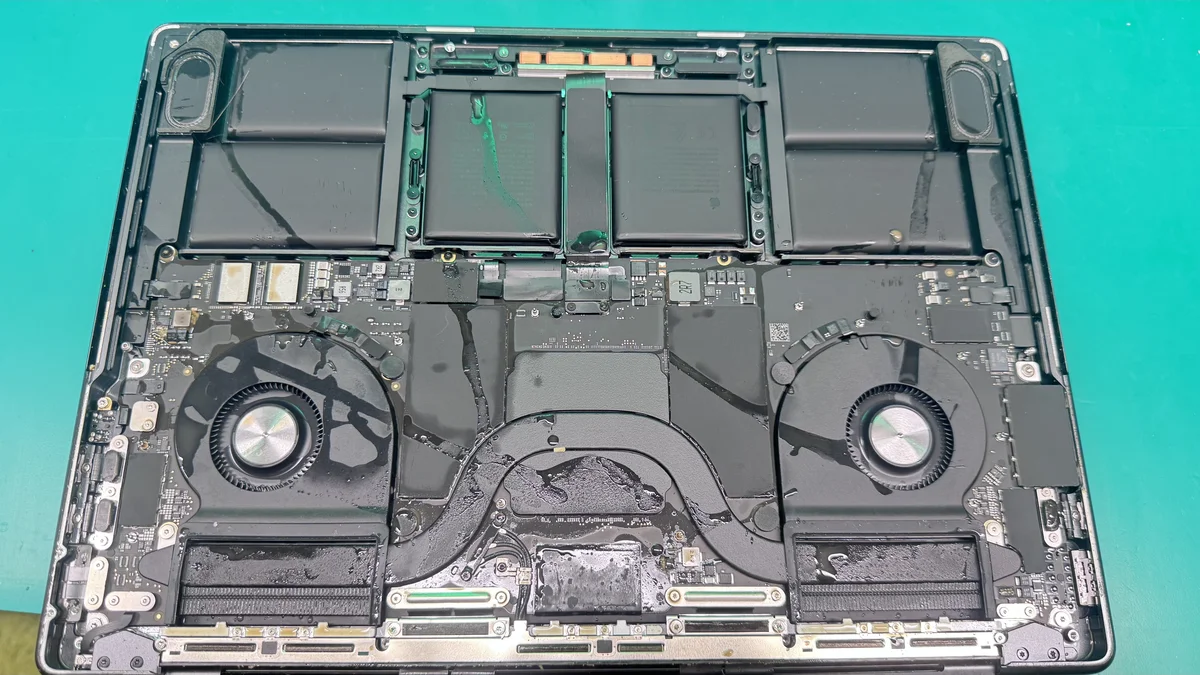
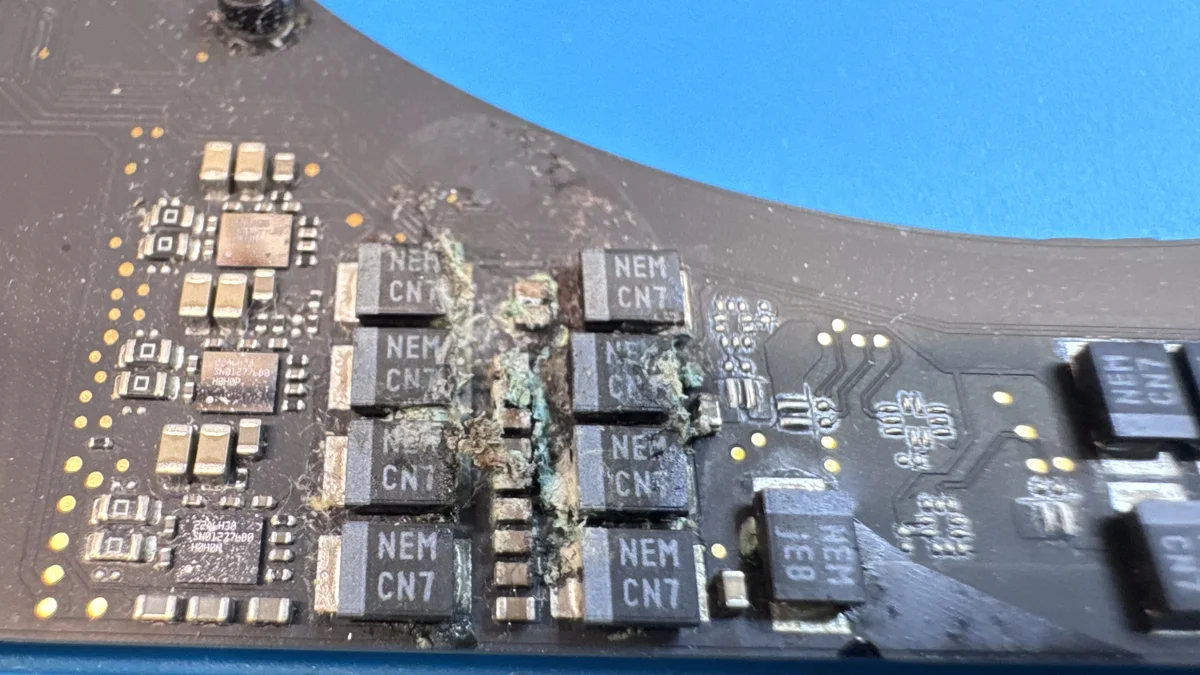
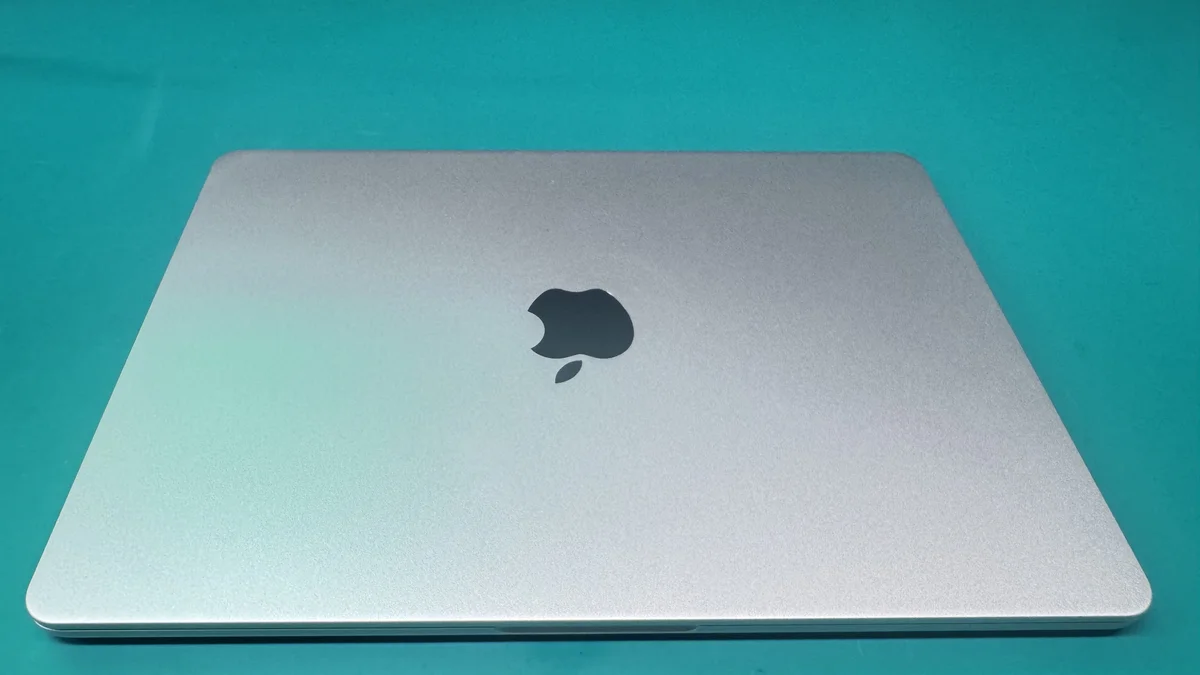
What is a Logic Board?
A logic board, also known as a motherboard in PC terminology, is the main circuit board inside your computer, laptop, or other electronic device. It serves as the central hub that connects and controls all hardware components, including the CPU (Central Processing Unit), GPU (Graphics Processing Unit), RAM (Random Access Memory), storage controllers, and input/output interfaces.
In Apple devices, the term "logic board" is used instead of "motherboard." Apple logic boards are custom-designed for each product line, making them unique and often more complex than standard PC motherboards. This custom design integrates many components directly onto the board, which improves performance and reduces size but also means that when something goes wrong, the repair requires specialized skills and equipment.
The logic board is essentially the brain and nervous system of your device. When it fails, the entire device can become non-functional or exhibit a wide range of symptoms depending on which component or circuit has been affected.
Common Logic Board Issues
Logic board problems can be caused by a variety of factors. Understanding the most common issues can help you recognize when your device needs professional attention.
Power Failures
One of the most common logic board problems is power failure. This can manifest as a device that won't turn on at all, randomly shuts down, or fails to charge. Power failures are often caused by a faulty power IC (integrated circuit), damaged capacitors, or broken solder joints on the board.
Overheating and Thermal Damage
Excessive heat can damage sensitive components on the logic board, including the CPU, GPU, and voltage regulators. Overheating is commonly caused by dust buildup, dried-out thermal paste, or malfunctioning cooling fans. Over time, repeated thermal stress can cause solder joints to crack and components to fail.
Display and Graphics Issues
If your device has a flickering screen, distorted graphics, no video output, or random screen blackouts, the logic board's GPU (graphics processing unit) may be at fault. In many laptops and desktops, the GPU is integrated into the logic board, making a board-level repair necessary.
Charging and Battery Problems
Logic board issues can prevent a device from recognizing or properly charging the battery. Symptoms include a device that shows "Not Charging," drains the battery unusually fast, or only works when plugged in. These issues are often related to the charging circuit or SMC (System Management Controller) on the board.
Liquid Damage and Corrosion
Liquid spills are one of the leading causes of logic board failure. When liquid contacts the board, it can cause short circuits, corrosion, and component degradation. Even small spills can lead to long-term damage if not properly cleaned and repaired. Ultrasonic cleaning and component-level repair are often required to restore a liquid-damaged logic board.
Why Professional Logic Board Repair Matters
Logic board repair is one of the most technically demanding areas of electronics repair. It requires a deep understanding of circuit design, proficiency with micro-soldering techniques, and access to specialized diagnostic equipment. Attempting a DIY repair without the proper tools and knowledge can result in further damage, potentially making the board unrepairable.
Professional repair technicians have the training and equipment to diagnose issues at the component level. This means they can identify and replace a single faulty capacitor or IC chip rather than replacing the entire logic board, which saves you significant money and preserves your data.
At WarriorMac, our Apple-certified technicians specialize in component-level logic board repair. We use professional-grade micro-soldering stations, thermal imaging cameras, and board-level diagnostic tools to deliver precise, reliable repairs with a 1-year warranty.
Logic Board Repair Process
A professional logic board repair follows a systematic process to ensure accuracy and reliability. Here's what to expect when you bring your device to WarriorMac.
Diagnostic Assessment
The first step in any logic board repair is a thorough diagnostic assessment. Technicians use specialized tools like multimeters, oscilloscopes, and thermal cameras to identify the faulty component(s) on the board.
Board Cleaning and Preparation
If the logic board has liquid damage or corrosion, it must be carefully cleaned using an ultrasonic cleaning machine and isopropyl alcohol before any repair work can begin.
Component-Level Repair
Using micro-soldering equipment, technicians replace or repair the faulty components. This may include replacing capacitors, resistors, ICs, or even reballing a GPU or CPU.
Testing and Quality Assurance
After the repair, the logic board undergoes rigorous testing to ensure all components are functioning correctly. We run Apple Diagnostics systematically to ensure your Mac works at its peak, along with peripheral connectivity checks.
Reassembly and Final Verification
The device is reassembled and tested as a complete unit. Final verification ensures that the repair is successful and the device operates as expected under normal use conditions.
Types of Devices That Require Logic Board Repair
Logic boards are found in virtually every electronic device, but the following categories are the most commonly brought in for repair.
Laptops
MacBooks, MacBook Pros, and MacBook Airs are among the most commonly repaired. Their compact design means the logic board controls nearly every function, from display to charging.
Desktop Computers
iMacs, Mac Minis, and Mac Pros have logic boards (or motherboards) that can suffer from capacitor failure, power delivery issues, and GPU problems.
Servers and Workstations
Professional Mac Pro workstations and server hardware rely on high-performance logic boards. Component failures can be catastrophic for business operations.
Peripheral Controllers
Some external devices like Thunderbolt docks and display controllers contain logic boards that can also fail and require component-level repair.
DIY Logic Board Repair: Why It's Risky
While the internet is full of DIY repair guides, attempting a logic board repair without professional training and equipment is extremely risky. Here's why:
Logic boards contain hundreds of microscopic components that require specialized equipment (micro-soldering stations, hot air rework stations, and precision tools) to handle.
Without proper training, you can easily cause additional damage, such as lifting pads, burning components, or creating solder bridges that short-circuit the board.
Incorrect repairs can void any remaining warranty and make the device unrepairable in the future.
ESD (Electrostatic Discharge) can permanently damage sensitive chips if proper anti-static precautions aren't taken.
Diagnostic expertise is needed to correctly identify the root cause, a wrong diagnosis leads to replacing the wrong components and wasting time and money.
The bottom line: logic board repair should be left to certified professionals who have the right tools, training, and experience to do the job safely and correctly.
Choosing the Right Logic Board Repair Service
Not all repair services are created equal. When selecting a logic board repair provider, consider the following factors:
Certified Technicians
Look for a service that employs certified, experienced technicians, specifically Apple-certified for Mac repairs.
Warranty on Repairs
A reputable service will offer a warranty on parts and labor. WarriorMac offers a 1-year limited warranty on all logic board repairs.
Genuine Parts
Ensure the repair service uses genuine or high-quality replacement components, not cheap knockoffs that may fail prematurely.
Transparent Pricing
Avoid services that charge hidden fees. Look for upfront pricing with a free diagnostic assessment before committing to the repair.
Reputation and Reviews
Check online reviews, testimonials, and ratings. A strong track record is a reliable indicator of quality service.
Turnaround Time
Ask about estimated turnaround times. A good repair service should provide realistic timelines and keep you informed throughout the process.
Cost of Logic Board Repair
The cost of a logic board repair varies depending on the type of device, the severity of the damage, and the specific components that need to be repaired or replaced. Here are some general price ranges:
| Repair Type | Estimated Cost |
|---|---|
| Simple component replacement (capacitor, resistor) | $150 - $300 |
| Power IC or charging circuit repair | $200 - $400 |
| GPU / CPU related repair or reballing | $300 - $600 |
| Liquid damage repair (cleaning + component replacement) | $250 - $500 |
| Full logic board replacement (when repair isn't possible) | $400 - $800+ |
Note: These are estimated ranges. WarriorMac provides a free diagnostic and upfront quote before any work begins, so there are no surprises.
Signs You Should Seek Logic Board Repair Immediately
Some logic board issues can worsen over time if left unaddressed. Seek professional repair immediately if you notice any of the following:
Your device won't turn on at all, or only shows a brief flash of power before shutting down.
You see distorted graphics, artifacts on screen, or the display goes completely black.
The device overheats within minutes of use, even with light workloads.
You smell burning or notice discoloration on the logic board or near vents.
The device was exposed to liquid and is exhibiting any unusual behavior.
Random shutdowns, kernel panics, or repeated crash reports occur frequently.
USB ports, audio, Wi-Fi, or Bluetooth have stopped working without explanation.
Logic Board Maintenance Tips
Prevention is always better than repair. Follow these tips to protect your logic board and extend the life of your device:
Keep Your Device Clean
Regularly clean vents and fans to prevent dust buildup that causes overheating. Use compressed air and avoid blocking airflow.
Use a Surge Protector
Power surges can damage logic board components. Always use a quality surge protector or UPS (Uninterruptible Power Supply).
Avoid Liquid Near Your Device
Keep drinks and other liquids away from your workspace. Consider a waterproof keyboard cover for added protection.
Monitor Temperatures
Use temperature monitoring software to keep an eye on CPU and GPU temperatures. Address overheating issues promptly.
Update Software Regularly
Keep your operating system and firmware updated. Updates often include thermal management improvements and bug fixes.
Handle With Care
Avoid dropping or jarring your device. Physical impacts can crack solder joints and damage logic board components.
Benefits of Professional Logic Board Repair
Cost Savings
Component-level repair costs a fraction of a full logic board replacement, saving you hundreds of dollars.
Data Preservation
Unlike a full board swap, a repair on the existing board keeps your data intact and avoids the need for data migration.
Extended Device Lifespan
Professional repair can add years of life to your device, delaying the need for an expensive replacement.
Expert Diagnosis
Certified technicians can identify underlying issues that may not be immediately obvious, preventing future failures.
Warranty Protection
Reputable repair services provide warranties on their work, giving you peace of mind and protection against recurring issues.
Fast Turnaround
Professional repair shops often complete logic board repairs within 2-5 business days, getting your device back to you quickly.
Frequently Asked Questions About Logic Board Repair
Conclusion
Logic board repair is a specialized skill that can save you hundreds, or even thousands, of dollars compared to replacing your device. Whether your device has suffered a power failure, liquid damage, overheating, or any other logic board issue, professional component-level repair is the most cost-effective and data-safe solution.
At WarriorMac in Tampa, FL, our Apple-certified technicians are equipped with the expertise, tools, and genuine parts needed to restore your device to full functionality. With a no-fix, no-fee guarantee and a 1-year warranty on all repairs, you can trust that your device is in the best hands.
If you're experiencing any logic board issues, don't wait. Contact WarriorMac today for a free diagnostic and get your device back on track.