All Repair Manuals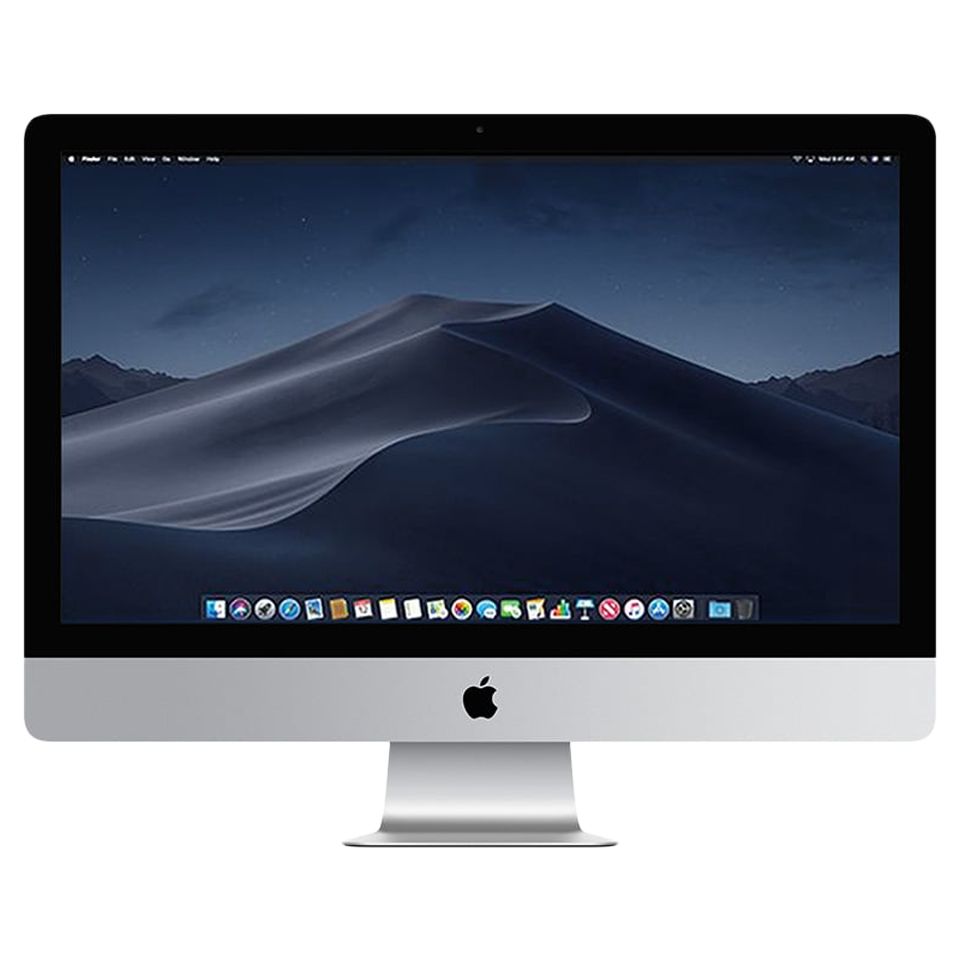
DesktopiMac•2019
iMac (Retina 5K, 27-inch, 2019)
The iMac 5K 2019 offered 8th and 9th-gen Intel processors, AMD Radeon Pro Vega graphics option, and T2 security chip for the first time in an iMac.
Model: A2115
EMC: 3194
86 parts available
Advanced, Experienced Technician
Key Specifications
Intel Core i5/i7/i9 (Coffee Lake)
8GB DDR4 (user-upgradeable to 128GB)
1TB Fusion Drive or SSD
27-inch Retina 5K 5120×2880 P3
AMD Radeon Pro 570X/575X/580X/Vega
Common Repairs
1RAM upgrade
2Hard drive/SSD replacement
3Display replacement
4Power supply replacement
5Logic board replacement
Available Parts (86)
Apple Service Guide Parts (24)
Official Apple order numbers from this model's illustrated parts list (46 part numbers). Item numbers match the exploded view callouts in the Apple service guide.
1
Display Panel
1 number2
Display Adhesive (VHB)
2 numbers076-00330Display Starter Kit
076-00332Display Refill Kit
3
Left Speaker (Pair)
1 number4
Right Speaker (Pair)
1 number5
Fan
1 number923-03071
6
Hard Drive
3 numbers661-125441TB
661-125452TB
661-125463TB
7
Display Thermal Sensor Cable
1 number8
Embedded DisplayPort (eDP) Cable
1 number923-01668
9
Hard Drive Bracket, Left
1 number10
Hard Drive Bracket, Right
1 number11
Power Signal Cable
1 number12
Hard Drive Data and Power Cable
1 number923-00664
13
Logic Board
12 numbers661-124593.0GHz 6-core Intel Core i5, Radeon Pro 570X
661-124603.0GHz 6-core Intel Core i5, Radeon Pro 570X
661-124613.0GHz 6-core Intel Core i5, Radeon Pro 570X
661-124633.1GHz 6-core Intel Core i5, Radeon Pro 575X
661-124643.1GHz 6-core Intel Core i5, Radeon Pro 575X
661-124653.1GHz 6-core Intel Core i5, Radeon Pro 575X
661-124673.7GHz 6-core Intel Core i5, Radeon Pro 580X
661-124683.7GHz 6-core Intel Core i5, Radeon Pro 580X
661-124693.7GHz 6-core Intel Core i5, Radeon Pro 580X
661-124713.7GHz 6-core Intel Core i5, Radeon Pro Vega
661-124723.7GHz 6-core Intel Core i5, Radeon Pro Vega
661-124733.7GHz 6-core Intel Core i5, Radeon Pro Vega
14
Bluetooth Antenna
1 number15
Middle Wi-Fi Antenna
1 number17
Memory
3 numbers661-124534GB, DDR4, 2666MHz
661-124548GB, DDR4, 2666MHz
661-1245516GB, DDR4, 2666MHz
18
Power Supply, 300W
1 number661-12714
19
Flash Storage
6 numbers661-1254832GB
661-12549128GB
661-12550256GB
661-12551512GB
661-125521TB
661-125532TB
20
Mechanism
1 number923-03066
21
Camera
1 number923-001680
22
Camera Cable
1 number923-03070
23
Chin Strap
1 number24
Rear Housing
2 numbers923-03064
923-03065VESA
25
Memory Door
1 number923-03069
Part numbers are sourced from the official Apple service guide for reference. Availability varies, contact us to confirm current pricing and stock for any part.
Safety Precautions
- • Always disconnect power and discharge the battery before beginning any repair.
- • Use an anti-static wrist strap (ESD) to prevent electrostatic damage to components.
- • Keep screws organized by step, magnetic project mats are highly recommended.
- • Never force connectors. Use a spudger to gently lift ZIF, FPC, and board-to-board connectors.
- • If your Mac has a swollen battery, do not attempt removal yourself, contact a professional.
Model Identification
Model Number(s)
A2115
EMC Number(s)
3194
Order Number(s)
MRR02LL/AMRR12LL/A
Identifier(s)
iMac19,1
Product Line
iMac
Year
2019
Essential Tools
- Pentalobe P5 screwdriver (1.2mm)
- Torx T3, T4, T5, T6 screwdrivers
- Phillips #00 screwdriver
- Spudger (nylon)
- Suction cup(s)
- Anti-static wrist strap (ESD)
- Tweezers (angled)
- Guitar picks / opening picks
- Isopropyl alcohol (99%)
- Thermal paste (Arctic MX-4 or equivalent)
Need Professional Help?
Our Apple Certified Technicians can handle any iMac (Retina 5K, 27-inch, 2019) repair. Free diagnostics, 1-year warranty on all parts.