Apple Trackpad Not Working? Expert Repair Services You Can Trust
MacBook trackpad repair at WarriorMac is completed in 1–2 business days with a free diagnostic. The most common cause of a trackpad that won't click is a swelling battery pushing up from underneath. Other causes include Force Touch haptic engine failure, liquid damage to the trackpad cable, or a loose flex connector on the logic board.
Our technician diagnoses which component has actually failed before ordering any parts. If a battery swap alone fixes the click, you pay only for the battery, not an unnecessary trackpad replacement. Walk-in service in Tampa, nationwide mail-in available.

Expert Trackpad Diagnosis & Repair
No matter how it got damaged, WarriorMac can replace your Apple MacBook Trackpad and stop the nightmare. We have trackpads in stock and can in most cases replace it the same day without putting an order. We do Retina MacBook Pro trackpad replacements as well. Many but NOT all repair shops offer this repair without replacing the whole top case assembly. We manage to replace the part without changing the entire assembly, and therefore save you a bunch of money on your Apple MacBook trackpad repair. We have at WarriorMac the cheapest Apple trackpad repair in town.
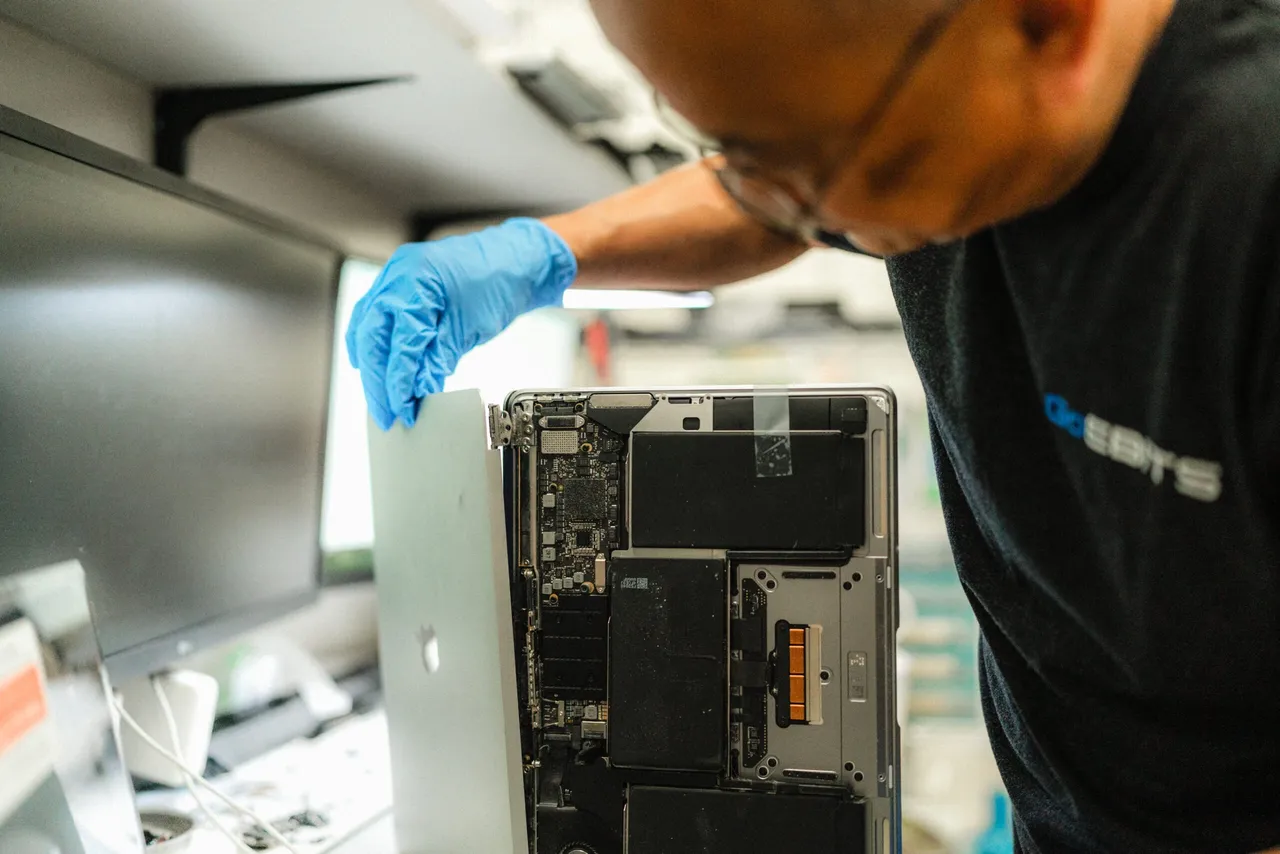
Still Having Issues? Bring It In
If DIY fixes don't resolve your trackpad problems, it may be a hardware issue: a swelling battery pushing against the trackpad, liquid damage, or a faulty cable. Our thorough diagnostic identifies the root cause, and we offer both trackpad repair and full replacement using genuine Apple parts, backed by our warranty.
Apple has gone through great lengths to be at the cutting edge in terms of trackpad technology. With the MacBook, they have introduced and evolved the multitouch capabilities and invested heavily in R&D to ensure the feel and functionality are as flawless as possible. When that hardware fails, trust the experts at WarriorMac.
Book a RepairUnderstanding Apple Trackpad and Force Touch Technology
Apple trackpads are known for their precision, responsiveness, and innovative design. Unlike traditional laptop touchpads, Apple's Force Touch trackpads use advanced sensors and haptic engines to simulate clicks while detecting varying levels of pressure. Professional diagnostics help determine whether the issue is related to the trackpad hardware, Force Touch mechanism, battery, software, or logic board.
Force Click Functionality
Pressure-sensitive click for quick actions like previewing files and links
Pressure-Sensitive Controls
Varying levels of pressure detected for precise input and drawing
Haptic Feedback
Taptic Engine simulates physical clicks for a natural tactile response
Multi-Touch Gestures
Two-finger scrolling, pinch-to-zoom, Mission Control, and app switching
Precise Cursor Control
Smooth, accurate tracking for professional and everyday use
Advanced Navigation Shortcuts
Three-finger drag, four-finger swipe, and customizable gesture options
Common Apple Trackpad Problems
Unresponsive Trackpad
One of the most common issues MacBook users encounter is a completely unresponsive trackpad. This problem can result from hardware failure, software conflicts, damaged connectors, or logic board issues.
Force Touch Not Working
Force Touch technology relies on specialized sensors and haptic feedback components. Professional repair services can identify whether the issue lies with the Force Touch assembly, software settings, or supporting circuitry.
Stuck or Difficult Clicking
A trackpad that feels stuck or difficult to click often indicates an underlying hardware issue. Ignoring these symptoms can lead to additional damage and more costly repairs.
Erratic Cursor Movement
If the cursor moves unpredictably or clicks randomly, there may be issues with trackpad sensors, internal connections, software conflicts, or liquid damage. Accurate diagnosis is essential.
Trackpad Freezing
Intermittent freezing can affect productivity and indicate deeper issues within the trackpad system. Professional testing helps isolate the source of the malfunction.
Common Causes of Apple Trackpad Failure
1. Battery Swelling
One of the leading causes of MacBook trackpad problems is battery swelling. As batteries age, they may expand and press against the underside of the trackpad. Battery replacement is often necessary alongside trackpad repairs.
2. Liquid Damage
Water, coffee, soda, and other liquids can severely damage trackpad components. Immediate professional attention increases the likelihood of successful repair.
3. Physical Impact
Dropping a MacBook or applying excessive pressure can damage the trackpad assembly. Professional repairs restore functionality and prevent further complications.
4. Wear and Tear
Frequent daily use can eventually wear down trackpad mechanisms and sensors. Trackpad replacement may be required for heavily used devices.
5. Logic Board Issues
The trackpad communicates with the logic board through specialized connectors and circuits. Advanced board-level repairs may be necessary.
Signs You Need Apple Trackpad Repair
Recognizing early symptoms can prevent larger problems from developing. Look for these warning signs:
MacBook Models Supported
Professional Apple Trackpad and Force Touch repair services support numerous MacBook models, including legacy devices.
MacBook Pro Trackpad Repair
- MacBook Pro 14-inch
- MacBook Pro 16-inch
- MacBook Pro M1/M2/M3
- Intel-based MacBook Pro models
MacBook Air Trackpad Repair
- MacBook Air M1
- MacBook Air M2
- MacBook Air M3
- Intel MacBook Air models
Professional Trackpad Diagnostic Process
Accurate diagnosis is the foundation of successful repair. Our technicians follow a structured approach:
Visual Inspection
Examine physical damage, trackpad alignment, signs of battery swelling, and liquid damage indicators.
Functional Testing
Evaluate cursor movement, click responsiveness, gesture performance, and Force Touch functionality.
Battery Assessment
Analyze battery condition to determine whether swelling is affecting the trackpad.
Software Diagnostics
Inspect macOS settings, firmware updates, accessibility configurations, and driver-related issues.
Internal Inspection
If necessary, inspect connectors, flex cables, trackpad assembly, and logic board components.
Apple Trackpad Repair Solutions
Trackpad Replacement
When the trackpad assembly is damaged beyond repair, replacement restores full functionality with improved responsiveness, reliable clicking, restored gesture support, and enhanced user experience.
Force Touch Repair
Specialized repairs address haptic engine failures, pressure sensor issues, and Force Click problems, restoring Apple's signature tactile feedback experience.
Battery Replacement
When battery swelling affects trackpad performance, replacing the battery often resolves multiple issues simultaneously.
Connector and Cable Repair
Damaged cables and connectors can be repaired or replaced to restore communication between the trackpad and logic board.
Logic Board Repair
For advanced electrical faults, board-level repairs may be required to restore proper functionality.
Benefits of Professional Apple Trackpad Repair Services
Accurate Problem Identification
Professional technicians determine the exact source of the issue.
Apple Genuine Parts
We fit Apple Genuine Parts for long-lasting, factory-correct performance.
Faster Repairs
Many trackpad repairs can be completed within the same day or next business day.
Cost Savings
Repairing a trackpad is often far more affordable than replacing an entire MacBook.
Extended Device Lifespan
Professional repairs help maximize the longevity of your MacBook investment.
Reliable Performance
Expert repairs restore smooth navigation and productivity.
Risks of DIY Trackpad Repairs
Attempting trackpad repairs without proper tools and expertise can lead to additional damage. Professional repair services provide safer and more reliable outcomes.
Preventing Future Trackpad Problems
Proper care can reduce the likelihood of future trackpad failures.
Keep Liquids Away
Prevent accidental spills by keeping drinks away from your workspace.
Use Protective Cases
Protective accessories help minimize impact damage.
Monitor Battery Health
Replace aging batteries before swelling develops.
Keep Software Updated
Regular macOS updates can resolve software-related trackpad issues.
Clean the Surface Regularly
Remove dirt and debris using approved cleaning methods.
Avoid Excessive Pressure
Applying excessive force can damage delicate internal components.
Choosing the Right Apple Trackpad Repair Service
When selecting a repair provider, consider:
Frequently Asked Questions
Conclusion
A malfunctioning trackpad can significantly impact the usability of your MacBook, making everyday tasks difficult and frustrating. Professional Apple Trackpad and Force Touch repair services provide dependable solutions for issues ranging from unresponsive clicks and gesture failures to battery swelling and liquid damage.
Whether you own a MacBook Air or MacBook Pro, expert technicians can accurately diagnose the problem, perform high-quality repairs, and restore your device's full functionality. Investing in professional trackpad repair not only improves performance but also extends the lifespan of your MacBook, helping you get the most value from your Apple investment.
If your MacBook trackpad is malfunctioning, don't wait. Contact WarriorMac today for a free diagnostic and get your device back on track.
Get Your MacBook Trackpad Fixed Today
Contact WarriorMac for a free diagnostic and professional trackpad repair. Fast turnaround, Apple Genuine Parts, and a repair warranty you can trust.