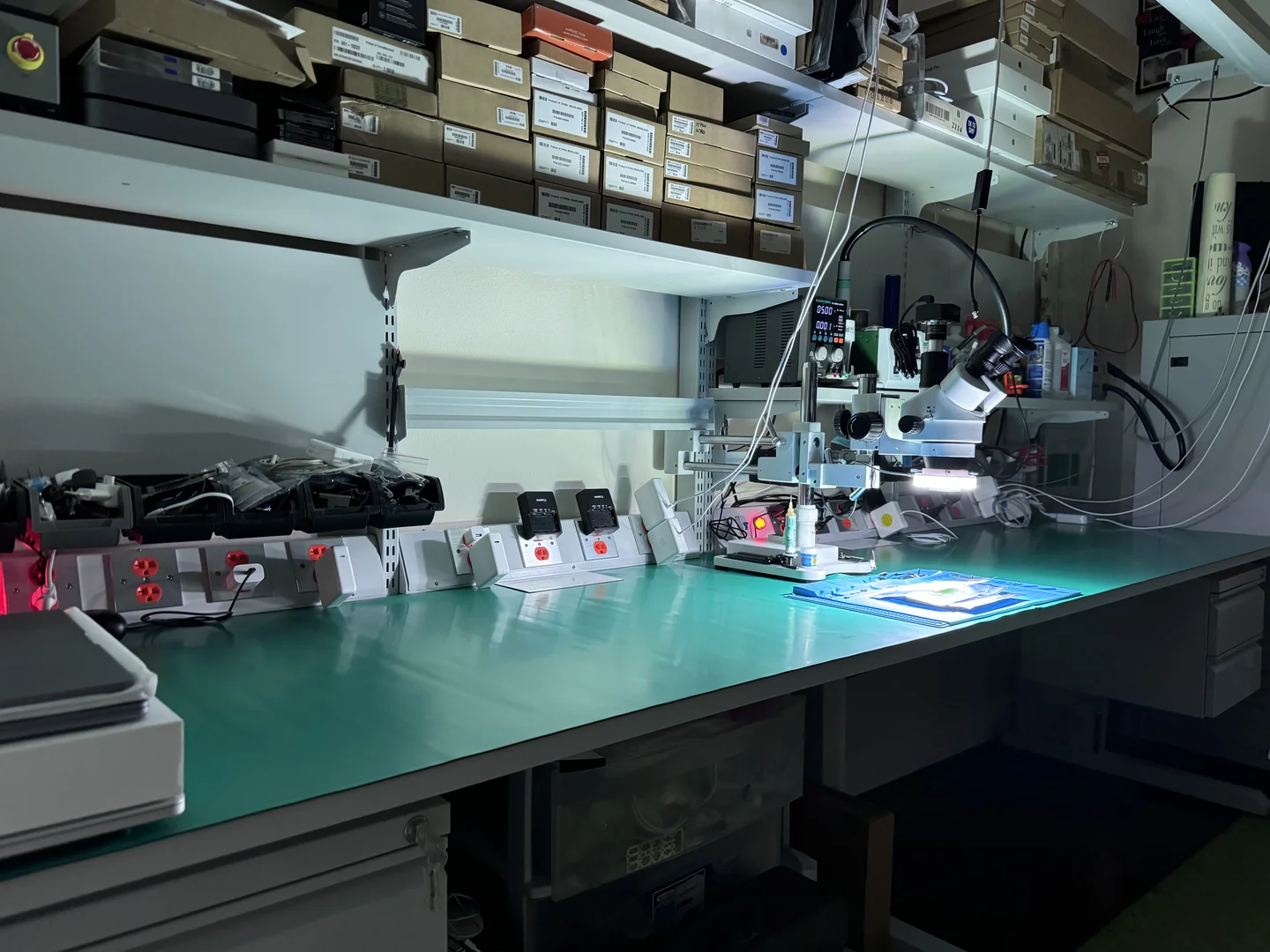
Expert Mac Repair
in Tampa, FL
Professional Mac repair by Apple Certified Macintosh Technicians. MacBooks, iMacs, Mac Minis, Mac Pros, and Mac Studios, logic board repair, SSD upgrades, liquid damage recovery, screen replacements, and more. Same-day service available with a 1-year warranty.
Ready to Fix Your Mac?
Start your repair in minutes. Choose the option that works best for you — ship it to us from anywhere in the U.S., or drop it off in person at our Tampa location.
Not sure which to choose? Start here and we’ll guide you.
Tampa's Most Trusted Mac Repair Shop
At WarriorMac, we're not a generic electronics repair shop, we're dedicated Apple specialists. Our entire business is built around repairing, upgrading, and servicing Apple products. When you bring your Mac to us, you're working with Apple Certified Macintosh Technicians who understand the intricate engineering behind every Mac model, from the original MacBook Air to the latest M4 MacBook Pro.
Unlike big-box retailers that send your Mac away for weeks or Apple Stores that often push expensive replacements, WarriorMac performs all repairs in-house at our Tampa facility. We keep a comprehensive inventory of genuine Apple parts in stock, which means most repairs are completed the same day or within 24 hours. Our technicians have repaired thousands of Macs over the years and have the expertise to handle everything from routine battery replacements to complex component-level logic board repairs.
Whether you're a student with a cracked MacBook screen, a creative professional whose iMac won't boot, a business with a fleet of Mac Minis, or an engineer whose Mac Pro needs a GPU upgrade, WarriorMac has you covered. We serve Tampa, St. Petersburg, Clearwater, Brandon, Riverview, Wesley Chapel, and all of the Greater Tampa Bay area.
Explore our dedicated repair pages for your specific Mac: MacBook Pro, MacBook Air, MacBook, iMac, Mac Mini, Mac Pro, and Mac Studio. Each page covers model-specific repairs, common issues, and pricing for your machine.
Mac Repair Services We Offer
From simple fixes to complex component-level repairs, we handle every Mac issue with precision and care.
Keyboard Replacement
Butterfly & Magic Keyboard
Trackpad Repair
Click issues & replacements
RAM Upgrades
iMac, Mac Mini, Mac Pro
Thermal Management
Overheating & fan repair
GPU Repair
MacBook Pro & Mac Pro
Port & Connector Repair
USB-C, Thunderbolt, MagSafe
macOS Recovery
Reinstall, firmware, boot issues
Networking & WiFi
WiFi card & antenna repair
Why Mac Repair Is Different from iPhone or iPad Repair
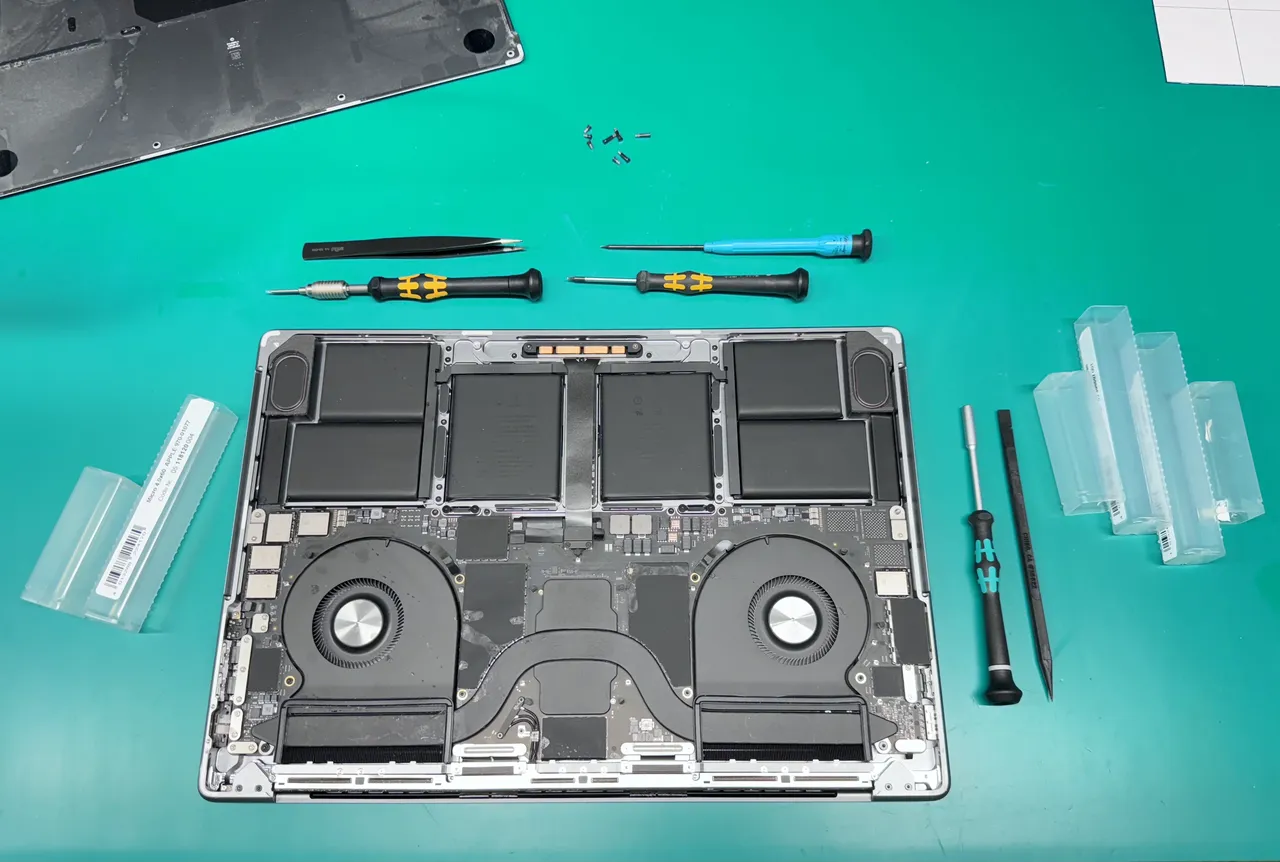
Macs are fundamentally different machines than iPhones or iPads. They contain sophisticated logic boards with hundreds of individual components, complex thermal management systems, high-resolution displays with multiple layers, precision-engineered keyboards and trackpads, and in many cases, user-upgradeable storage and memory. Repairing a Mac requires a deep understanding of electrical engineering, soldering skills, and access to board schematics.
At WarriorMac, our technicians are trained in component-level repair, meaning we can diagnose and replace individual chips, capacitors, resistors, and connectors on a logic board rather than replacing the entire $500, $1,500 board. This approach often saves our customers 50, 70% compared to Apple's flat-rate repair pricing.
We use professional microsoldering equipment including hot air rework stations, oscilloscopes, multimeters, and board-level diagnostic software. Every repair is performed under magnification and follows Apple's technical specifications.
Genuine Apple Parts & 1-Year Warranty
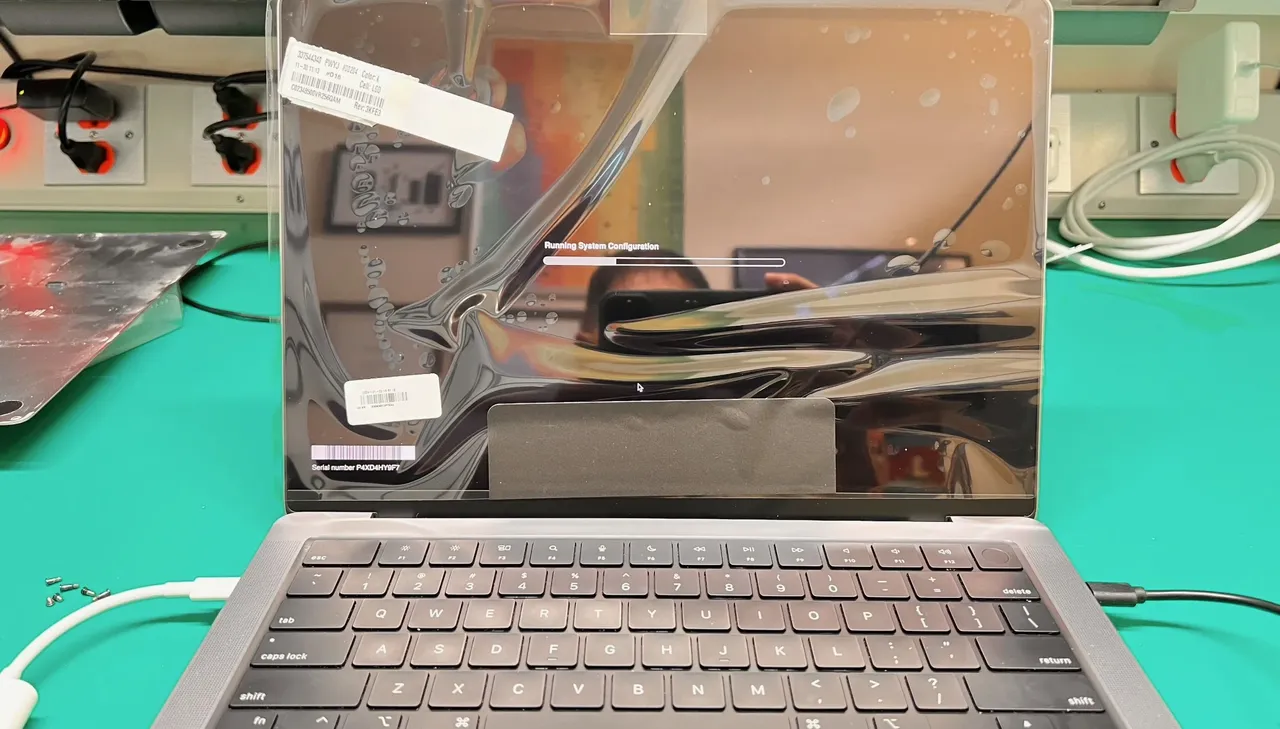
Every Mac repair at WarriorMac uses 100% genuine Apple parts, from Retina displays and battery cells to keyboards, trackpads, and internal cables. We never use aftermarket substitutes that can cause compatibility issues, reduce performance, or void your remaining Apple coverage.
We maintain a large inventory of parts for both current and legacy Mac models, including parts that Apple no longer stocks. This means we can often repair Macs that Apple has classified as “vintage” or “obsolete”, machines from 2010, 2016 that other shops won't touch.
All new part replacements come with a 1-year limited warranty, and pre-owned part repairs carry a 180-day warranty. If anything we repaired fails within the warranty period, we'll fix it again at no charge.
Every Mac Model, Every Generation
We repair all Mac product lines, from the latest Apple Silicon machines to classic Intel Macs
Mac Repair by Product Line
Every Mac product line has unique engineering, common failure points, and repair considerations. Here's what we see most often for each, and how we fix it.
MacBook Pro Repair
Apple's powerhouse laptop, from the 2008 Unibody to the 2024 M4 Max
The MacBook Pro is the Mac we repair most often. Its high-performance components generate significant heat, and the thin chassis leaves little room for error when liquid enters. We specialize in component-level logic board micro-soldering for power IC failures, GPU issues, and charging circuit problems. We also handle the notorious butterfly keyboard replacements on 2016, 2019 models, Retina and XDR display repairs, Touch Bar diagnostics, and battery replacements for all 13", 14", 15", and 16" models. Common issues include flexgate display cable failures, thermal throttling under heavy workloads, USB-C port damage, and GPU artifacts on older models with discrete AMD/NVIDIA graphics.
 Logic Board Micro-Soldering Retina & XDR Display Repair Battery Replacement Butterfly Keyboard Fix Touch Bar Diagnostics Liquid Damage Recovery
MacBook Air Repair
The world's most popular ultraportable, 11", 13", and 15" models
Battery degradation is the #1 MacBook Air issue we see, especially on models used daily for 3+ years. The Air's ultra-thin design also makes it particularly vulnerable to liquid damage since spills reach internal components quickly. We replace batteries with genuine Apple cells and restore all-day battery life. For 2018, 2020 models, we fix the butterfly keyboard sticking and double-typing issues. We also handle cracked Retina display replacements, logic board power circuit repairs, SSD upgrades on 2013, 2017 Intel models, and charging port failures on both MagSafe and USB-C models.
Battery Replacement Screen & Display Repair Butterfly Keyboard Fix Logic Board Repair Liquid Damage Recovery SSD & Storage UpgradesMacBook Repair (All Models)
Comprehensive coverage for every MacBook Pro and MacBook Air generation
Not sure which MacBook you have? Our general MacBook repair page covers everything across the entire portable Mac lineup. Screen repairs with genuine Retina panels, battery replacements that restore all-day life, component-level logic board diagnostics, butterfly and scissor-switch keyboard replacements, liquid damage recovery using ultrasonic cleaning, and SSD upgrades with full data migration. Whether your MacBook won't turn on, the screen is cracked, the keyboard is sticking, or the fans are screaming, we diagnose the root cause and fix it right.
Screen & Display Repair Battery Replacement Logic Board Repair Liquid Damage Repair Keyboard Replacement SSD & Storage UpgradesiMac Repair
All-in-one desktops, 21.5", 24", and 27" including iMac Pro
The iMac's all-in-one design means display, logic board, storage, and cooling all share a compact enclosure behind the screen. The single most impactful upgrade for older iMacs is replacing the slow spinning hard drive with an SSD, boot times drop from 3 minutes to 12 seconds. We also handle Retina 4K and 5K display replacements with precise adhesive resealing, GPU failures common in 2011, 2015 models with discrete AMD/NVIDIA graphics, RAM upgrades for smoother video editing and design work, internal power supply repairs, Fusion Drive failures, and thermal system overhauls for loud fan issues.
HDD to SSD Upgrade Retina Display Replacement RAM Upgrade Logic Board Repair Power Supply Repair GPU & Graphics FixMac Mini Repair
Compact desktop powerhouse, from home offices to server rooms
The Mac Mini packs serious power into a tiny form factor, but its compact design makes heat management critical, especially for Minis used as always-on servers or media centers in enclosed cabinets. We perform SSD and storage upgrades on Intel-era models (up to 2TB NVMe drives), RAM upgrades on 2009, 2014 models with user-serviceable slots, logic board micro-soldering for power failures and port issues, thermal system overhauls including fan replacement and thermal paste re-application, Wi-Fi and Bluetooth antenna repairs, and internal power supply replacement for Intel models.
SSD & Storage Upgrades RAM Upgrades Logic Board Repair Thermal System Service Power Supply Repair Wi-Fi & Bluetooth FixMac Pro Repair
Professional workstation, Tower, Rack, and Cylinder models
The Mac Pro is Apple's most powerful and most complex machine. GPU failure is the #1 Mac Pro issue, especially the 2013 Cylinder model's dual AMD FirePro cards. We diagnose failing GPUs, replace thermal paste on GPU modules, and install Metal-compatible graphics cards for legacy towers. We also handle ECC RAM diagnostics (failing memory causes kernel panics and data corruption), power supply replacements that deliver massive wattage for multi-GPU setups, logic board and backplane repairs, complex cooling system overhauls, and PCIe storage upgrades including NVMe RAID arrays and 10GbE networking cards. For 2009, 2012 towers, we offer CPU upgrades (dual X5690 Xeons) and modern I/O additions.
GPU Diagnostics & Upgrade RAM Diagnostics & Upgrade Power Supply Replacement Logic Board Repair Cooling System Overhaul PCIe & Storage UpgradesMac Studio Repair
Apple's creative powerhouse with M1/M2/M4 Max and Ultra chips
The Mac Studio delivers workstation-class performance for video editors, 3D artists, music producers, and software developers. Common repair needs include Thunderbolt 4 and USB-C port failures (critical for connecting external displays and storage arrays), thermal system service for sustained rendering workloads, logic board diagnostics and micro-soldering for M-series Max and Ultra chips, HDMI and display output troubleshooting, SSD performance degradation and data recovery, power circuit repairs, and kernel panic resolution related to memory or board-level issues. We use Apple Silicon-specific diagnostic tools to ensure accurate diagnosis.
Logic Board Diagnostics Thunderbolt/USB-C Repair Thermal System Service Display Output Repair Data Recovery Power Circuit RepairCommon Mac Problems We Fix Every Day
Recognize any of these symptoms? Bring your Mac in for a free diagnostic, we'll identify the problem and give you an honest quote.
Mac Won't Turn On
No power, no chime, no response when pressing the power button. Could be a failed power circuit, dead battery, faulty MagSafe/USB-C port, or logic board issue. We diagnose the root cause, not just the symptom.
Battery Draining Fast
MacBook barely lasting 2 hours? Battery at "Service Recommended"? We replace degraded cells with genuine Apple batteries and calibrate them for maximum lifespan. Most replacements take under 2 hours.
Flickering or Black Screen
Screen goes black, flickers, has lines, shows artifacts, or has dead pixels. This can be a failing display cable, GPU issue, backlight circuit failure, or cracked LCD panel. We repair all display issues.
Extremely Slow Performance
Spinning beach ball, apps freezing, long boot times? Usually caused by a failing hard drive, insufficient RAM, malware, or a corrupted macOS installation. We diagnose the bottleneck and fix it, often with an SSD upgrade.
Overheating & Fan Noise
Fans running at full speed, case too hot to touch, thermal throttling killing performance? We clean dust buildup, replace thermal paste, repair or replace fans, and address heat-related component damage.
Keyboard Not Working
Stuck keys, unresponsive keys, double-typing, or the infamous Butterfly keyboard issues. We replace MacBook keyboards with new top cases or individual key mechanisms depending on the model.
Liquid Damage / Corrosion
Spilled water, coffee, wine, or soda? Corrosion from humidity exposure? We perform ultrasonic cleaning of the logic board, replace corroded components, and restore functionality.
Charging Issues
Not charging, intermittent charging, orange light won't turn green, or USB-C port loose? Could be a faulty charging port, SMC issue, damaged power adapter, or internal charging circuit failure.
WarriorMac vs. Apple Store vs. Other Repair Shops
| Feature | WarriorMac | Apple Store | Other Shops |
|---|---|---|---|
| Free Diagnostic | Always Free | $99 fee | Varies |
| Component-Level Logic Board Repair | Yes | Full replacement | Rarely |
| Genuine Apple Parts | 100% | Yes | Often aftermarket |
| Turnaround Time | Same day, 48hrs | 5, 14 days | 3, 7 days |
| Warranty | 1 Year | 90 days | 30, 90 days |
| Vintage/Obsolete Mac Support | All models | Refused | Limited |
| Data Preservation Priority | Top priority | No guarantee | Varies |
| Appointment Required | Walk-ins welcome | Yes, book online | Varies |
| Average Repair Cost | 30, 50% less | Full price | Similar to Apple |
Mac Repair Pricing Guide
Transparent, upfront pricing, no hidden fees, no surprises. All prices include parts and labor.
| Repair Type | MacBook Pro | MacBook Air | iMac | Mac Mini | Mac Pro |
|---|---|---|---|---|---|
| Screen/Display Repair | $299, $799 | $249, $599 | $349, $899 | N/A | $499+ |
| Battery Replacement | $149, $299 | $129, $249 | N/A | N/A | N/A |
| Logic Board Repair | $249, $599 | $199, $499 | $299, $699 | $199, $499 | $399, $999 |
| Liquid Damage Repair | $199, $599 | $149, $499 | $249, $599 | $149, $399 | $299+ |
| SSD Upgrade (500GB) | $199, $349 | $179, $299 | $179, $349 | $149, $299 | $199, $499 |
| SSD Upgrade (1TB) | $299, $499 | $279, $449 | $279, $449 | $249, $399 | $299, $599 |
| Keyboard Replacement | $199, $399 | $179, $349 | N/A | N/A | N/A |
| Trackpad Replacement | $149, $249 | $129, $199 | N/A | N/A | N/A |
| Data Recovery | $99, $499 | $99, $499 | $99, $499 | $99, $499 | $99, $999 |
| Fan / Thermal Repair | $99, $199 | $99, $179 | $99, $199 | $79, $149 | $149, $299 |
⚠ Prices are estimates and may vary based on model year, condition, and parts availability. Your exact cost is determined after Apple Diagnostics, no hidden fees, no surprises.
DIY Mac Repair vs. Professional Repair
Risks of DIY Mac Repair
- 1.ESD Damage: Static electricity can silently destroy components. Professional shops use grounding mats, wrist straps, and anti-static workstations, your kitchen table doesn't cut it.
- 2.Stripped Screws & Broken Clips: Macs use pentalobe, torx, and tri-wing screws. Using the wrong bit can strip screw heads permanently. Ribbon cable connectors are fragile and snap easily.
- 3.Battery Puncture Risk: Lithium batteries are glued to the chassis. Prying incorrectly can puncture the battery, causing a fire or chemical burn hazard.
- 4.Aftermarket Part Failures: Cheap replacement screens and batteries from Amazon/eBay often fail within months, have lower quality, and can damage other components.
- 5.Voiding AppleCare: Unauthorized repairs, especially to Apple Silicon Macs, can permanently disable features like Touch ID, True Tone, and battery health reporting.
Benefits of Professional Repair
- 1.Proper Diagnostics First: We identify the actual problem before ordering parts or opening your Mac. Over 30% of customers come in thinking they need a new screen when the issue is actually a cable or GPU.
- 2.Professional-Grade Tools: Hot air stations, oscilloscopes, logic board schematics, Apple Diagnostics, tools that cost thousands and require training to use properly.
- 3.Genuine Parts Guarantee: Every part we install is genuine Apple, tested and verified before installation.
- 4.Data Safety: We prioritize preserving your data throughout the repair process. We back up when possible and never format drives unnecessarily.
- 5.Warranty Protection: Our 1-year warranty means if the repair fails, you're covered. DIY repairs have zero safety net.
Our Mac Repair Process
Free Diagnostic
Drop off your Mac or describe your issue. We run comprehensive hardware and software diagnostics at no charge, no appointment needed.
Transparent Quote
We explain exactly what's wrong in plain English, provide an upfront price quote with no hidden fees, and only proceed with your approval.
Expert Repair
Our Apple Certified Technicians repair your Mac using genuine parts and professional tools. Most repairs completed same-day or within 24, 48 hours.
Apple Diagnostics
We run Apple Diagnostics systematically after every repair to ensure your Mac works at its peak. Battery calibration, display validation, and thermal checks before we call you for pickup.
What Mac Owners Say About WarriorMac
“My 2019 MacBook Pro had a liquid damage issue that the Apple Store said would cost $1,200 to fix, they wanted to replace the entire logic board. WarriorMac diagnosed a corroded power circuit, performed component-level repair, and had it working perfectly in 2 days for $349. That was 8 months ago and it's still running flawlessly.”
Daniel R.
MacBook Pro 16" · Liquid Damage · Tampa, FL
“I brought in my 2017 iMac 27" that was painfully slow. They diagnosed a failing hard drive and upgraded it to a 1TB SSD plus maxed out the RAM. The difference is unbelievable, it feels like a brand new machine. Boot time went from 3 minutes to 12 seconds. Best money I've spent on this computer.”
Patricia M.
iMac 27" · SSD + RAM Upgrade · Clearwater, FL
“Our architecture firm has 12 MacBook Pros that we depend on daily. WarriorMac handles all our repairs and upgrades, they even set up a business account so we get priority service. Last week a designer spilled coffee on her laptop and they had it back to her the next morning. Incredible service.”
Robert K.
Business Fleet · 12 MacBook Pros · Tampa, FL
Mac Repair Myths Debunked
Myth: "Apple Silicon Macs can't be repaired, you have to replace them."
Reality: While Apple Silicon Macs (M1, M2, M3, M4) integrate more components onto the SoC, they absolutely can be repaired. We perform board-level repairs on power delivery circuits, USB-C port replacements, display connector repairs, and more. Not every failure requires a new logic board, skilled diagnosis can identify the specific failed component.
Myth: "Third-party repair voids your warranty."
Reality: The Magnuson-Moss Warranty Act protects your right to choose where you get your device repaired. Apple cannot legally void your warranty solely because a third-party performed a repair, as long as the repair was done properly and didn't cause additional damage.
Myth: "A slow Mac means you need a new one."
Reality: In most cases, a slow Mac can be dramatically improved with an SSD upgrade, RAM expansion, thermal paste replacement, or a clean macOS installation. We've seen 2013, 2015 MacBook Pros run like new after an SSD upgrade, giving them 5+ more years of productive life for a fraction of the cost of a new machine.
Myth: "Liquid damage means the Mac is dead."
Reality: We recover the majority of liquid-damaged Macs that come through our door. The key is time, if you bring it in quickly (within 24, 48 hours), our ultrasonic cleaning and component-level repair process can often save the machine.
Myth: "All repair shops are basically the same."
Reality: Most general electronics repair shops replace entire assemblies with aftermarket parts. WarriorMac performs component-level repair using genuine Apple parts, professional diagnostic tools, and microsoldering equipment. The expertise and tools matter enormously for complex machines like Macs.
Business & Education Mac Support
WarriorMac supports businesses, schools, and organizations that depend on Mac fleets for daily operations.
Corporate Fleets
Volume repair contracts, priority service, dedicated account manager, and net-30 billing for businesses with 5+ Macs.
Schools & Universities
K-12 and higher education Mac support, bulk repairs during summer breaks, student MacBook programs, and education pricing.
Creative Studios
Video production, graphic design, and photography studios rely on high-performance Macs. We minimize downtime with rush repairs.
Medical & Legal Offices
HIPAA-aware data handling, secure hard drive destruction, and compliance-friendly repair documentation for regulated industries.
Business Account Benefits
Priority same-day service Volume repair discounts Net-30/Net-60 billing options Dedicated account manager Pickup & delivery service Detailed repair reportsMac Care Tips from Our Technicians
Keep It Clean
Dust buildup inside your Mac is the #1 cause of overheating and fan failures. Use compressed air to blow out vents every 3, 6 months. Never cover the ventilation openings.
Battery Best Practices
Don't keep your MacBook plugged in 24/7, cycle the battery regularly. Avoid letting it drain to 0%. Keep your Mac in temperatures between 50°F and 95°F. Enable Optimized Battery Charging.
Back Up Regularly
Use Time Machine with an external drive, it's built into macOS and works automatically. A backup today can save you thousands in data recovery costs tomorrow.
Keep macOS Updated
Apple releases security patches and performance improvements regularly. Keep your Mac updated to the latest compatible macOS version. Check System Settings > Software Update monthly.
Use a Quality Case & Sleeve
A hardshell case or padded sleeve protects your MacBook from drops, scratches, and dings during transport. Choose a case with good ventilation.
Protect Your Power
Use a quality surge protector for your iMac, Mac Mini, or Mac Pro. Power surges from lightning or grid fluctuations can destroy power supplies and logic boards instantly.
Mac Repair FAQ
Visit Our Tampa Location
Visit Us
WarriorMac LLC
Tampa, FL
Hours
Mon – Sat: 9AM – 7PM
Sun: By Appointment
Serving: Tampa, St. Petersburg, Clearwater, Brandon, Riverview, Wesley Chapel, Lakeland, and all of Hillsborough, Pinellas, and Pasco counties. We also offer nationwide mail-in repair.
Request a Free Estimate
Describe your issue and we'll get back to you with a quote, usually within a few hours.
Ready to Get Your Mac Fixed?
Free diagnostics on every Mac. Same-day service available. Genuine Apple parts. 1-year warranty. Tampa's most trusted Mac repair shop.