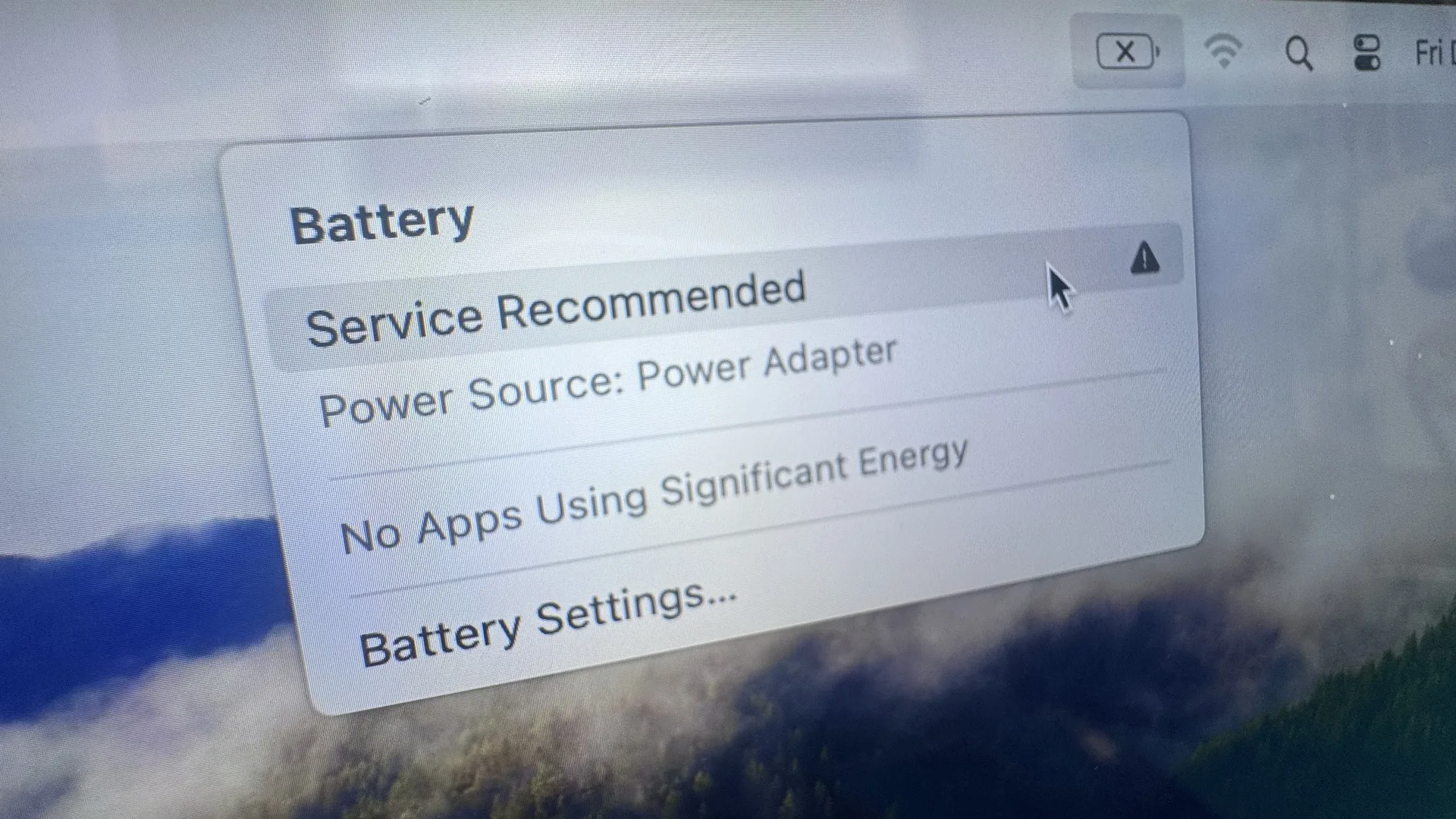
Expert MacBook Battery Repair Solutions
MacBook battery not charging? WarriorMac Tampa provides expert MacBook battery repair for all models including MacBook Air & Pro. Free diagnostics, genuine Apple parts, same-day service, 1-year warranty.
Ready to Fix Your Mac?
Start your repair in minutes. Choose the option that works best for you — ship it to us from anywhere in the U.S., or drop it off in person at our Tampa location.
Not sure which to choose? Start here and we’ll guide you.
MacBook Battery Not Charging Service
MacBook battery replacement at WarriorMac starts from $79 using genuine Apple batteries, with most swaps completed the same day. A genuine Apple battery carries a matched microcontroller that communicates with macOS and the logic board to regulate charging safely, which cheap generic batteries lack and can actually damage your Mac. Battery replacements with genuine parts carry a 1-year warranty.
Not every charging problem is a dead battery. Our Apple Certified technician tests the battery health, charging port, and logic board power circuit during a free diagnostic to pinpoint the actual cause before recommending any work. Walk-in service in Tampa, nationwide mail-in available.
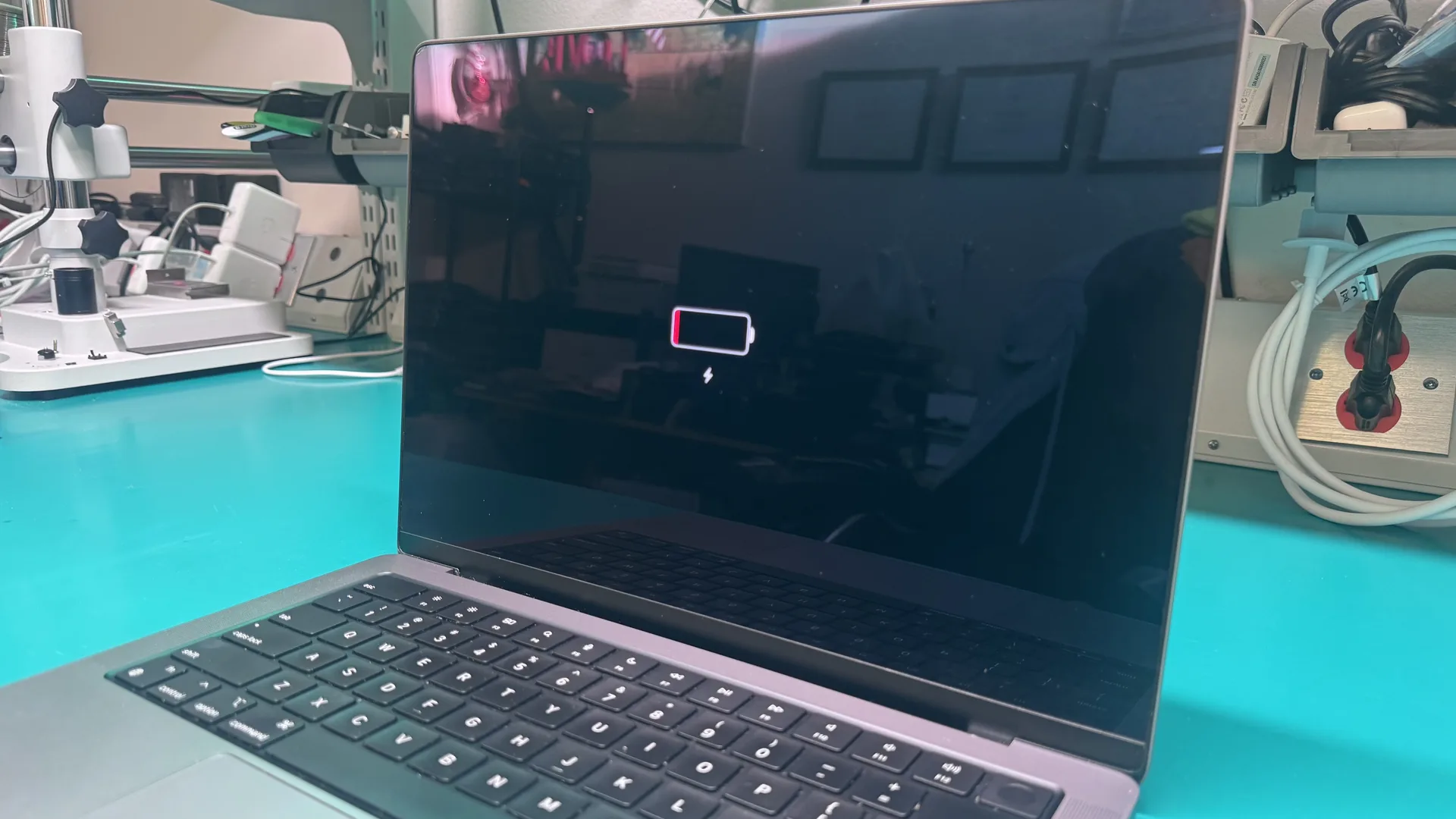
Understanding MacBook Battery Charging Problems
MacBooks use advanced lithium-ion batteries designed for long-lasting performance and efficiency. However, like all rechargeable batteries, they can degrade over time or experience charging interruptions.
Charging Problems May Appear As:
- MacBook not charging at all
- Slow charging speeds
- Intermittent charging
- Rapid battery drain
- Battery not holding a charge
- Overheating during charging
- "Battery Not Charging" warning message
Professional Services Determine Root Cause:
- Battery failure
- USB-C or MagSafe charging port damage
- Logic board issues
- Software conflicts
- Power management controller failures
- Damaged charging cables or adapters
- Liquid damage
Accurate diagnosis is essential because replacing the wrong component can result in unnecessary costs and continued charging problems.
Common Reasons MacBooks Stop Charging
1. Faulty Battery
MacBook batteries naturally degrade over time as charge cycles accumulate.
2. Damaged Charging Port
MacBooks use either USB-C or MagSafe charging systems. Frequent use can cause wear, debris buildup, or physical damage.
3. Defective Charger or Cable
Sometimes the problem lies with the charging accessories rather than the MacBook itself.
4. Software Glitches
macOS controls battery charging and power management. Software issues can interfere with charging functions.
5. Logic Board Problems
The logic board manages power distribution throughout the MacBook. Damage to charging circuits or power controllers can prevent proper charging.
6. Liquid Damage
Liquid exposure is a common cause of MacBook charging failures. Even small amounts of moisture can be devastating.
MacBook Out Of Power?
You tripped onto your power cord charger and the MacBook turns right off? Or maybe you just unplugged it? It still works but dies quickly, or works fine until it hits half of its capacity. This is typical in the Apple MacBook world, as Mac laptop batteries rarely make it past the years in good condition.
At WarriorMac we only put OEM Apple Parts. Our Apple MacBook Battery Replacement Service is one of the best here in Tampa as we guarantee it for a year.
Signs You Need MacBook Battery Not Charging Service
Early intervention can prevent further damage and more costly repairs. Common warning signs include:
Warning: A swollen battery can be dangerous and should be addressed immediately by a professional technician. Do not continue using the device.
MacBook Models Commonly Serviced
Professional repair services support a wide range of MacBook models:
MacBook Air
All MacBook Air models including M1, M2, M3, and Intel-based
MacBook Pro
All MacBook Pro models including 13", 14", 15", and 16" variants
Intel-based MacBooks
All legacy Intel MacBook models
Apple Silicon MacBooks
M1, M2, M3, and newer Apple Silicon models
Common Repairs Include:
Apple MacBook Air Repair Services
Our Apple MacBook Air Repair Service is quicker and cheaper than the branded alternative, using the exact same Apple Genuine Parts. Our engineers are qualified experts who know Macs inside out. You deal with us face-to-face, either in our shop or at your home or office.
Professional Diagnostic Process
Experienced technicians follow a comprehensive diagnostic procedure to ensure accurate diagnosis and effective repair:
Initial Inspection
Checking physical condition, charging ports, battery health, and charger functionality.
Battery Health Analysis
Evaluating battery capacity, charge cycle count, voltage performance, and overall battery condition.
Charging System Testing
Testing the charging circuitry and power delivery system for faults.
Software Diagnostics
Inspecting macOS settings, firmware updates, and system integrity.
Component-Level Assessment
Examining the logic board, charging controller, connectors, and internal circuits for damage.
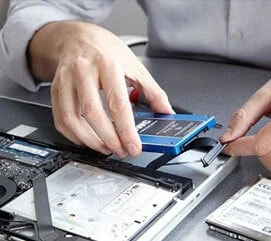
Mac Hard Drive & SSD Services
Fast. Convenient. Simple. If your data disk dies, don't assume your laptop has just turned into a hunk of useless metal. Our specialist team of Mac engineers will quickly diagnose your data problem and can often complete a repair on the spot.
Benefits of Professional MacBook Battery Repair
Accurate Diagnosis
Identify the root cause instead of guessing.
Cost-Effective Repairs
Avoid unnecessary part replacements and expensive mistakes.
Apple Genuine Parts
Apple Genuine Parts designed for compatibility and reliability.
Fast Turnaround
Many battery and charging repairs completed the same day.
Data Protection
Professional technicians take precautions to protect your files and personal information.
Extended Device Lifespan
Timely repairs help maximize your MacBook's lifespan and delay replacement.
Risks of DIY MacBook Repairs
Attempting to repair a MacBook yourself can result in serious problems. Professional repair services provide a safer and more reliable solution:
- Screen damage
- Battery puncture
- Fire hazards
- Logic board damage
- Data loss
- Additional repair costs
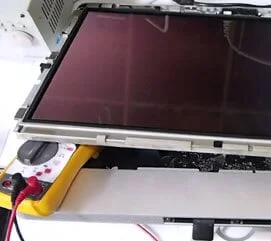
iMac Repair Services
All iMac repairs done in-house using Apple Genuine Parts, with faster turnaround.
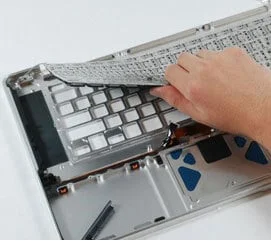
Keyboard Replacement
OEM genuine keyboards and backlights fitted by qualified technicians, no sending away required.
Preventive Measures
To reduce the likelihood of future charging issues:
Choosing the Right MacBook Repair Service
When selecting a repair provider, look for:
- Experienced MacBook technicians
- Comprehensive diagnostic services
- Apple Genuine Parts
- Repair warranties
- Positive customer reviews
- Fast service turnaround
MacBook Screen Replacement
Cracked or broken MacBook screen? Our MacBook screen repair service is quick and convenient. We keep a large variety of Mac screen sizes and types in stock and fit Apple Genuine Parts.
View Screen Repair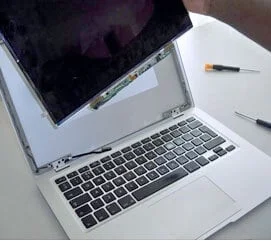
Genuine Apple Battery vs. Counterfeit (Non-OEM) Battery
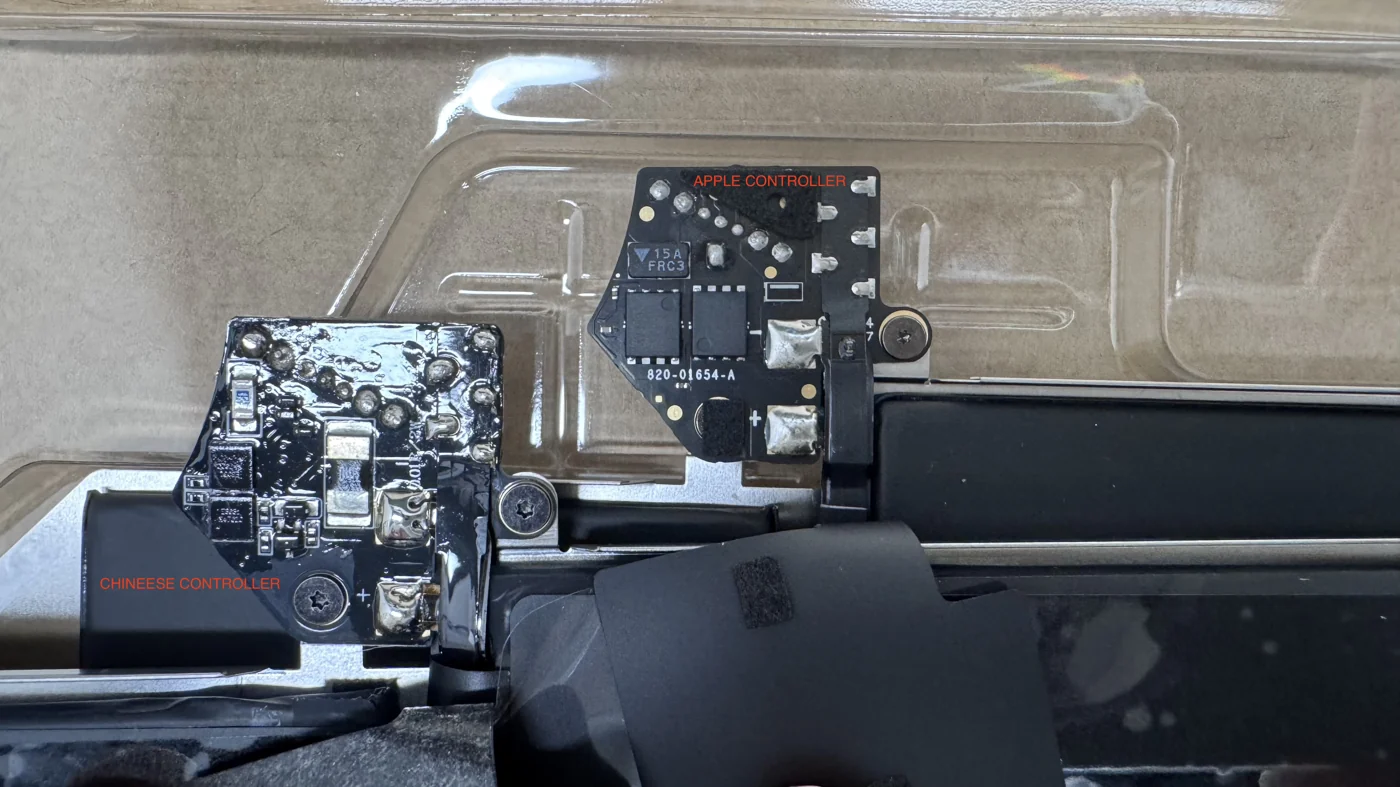
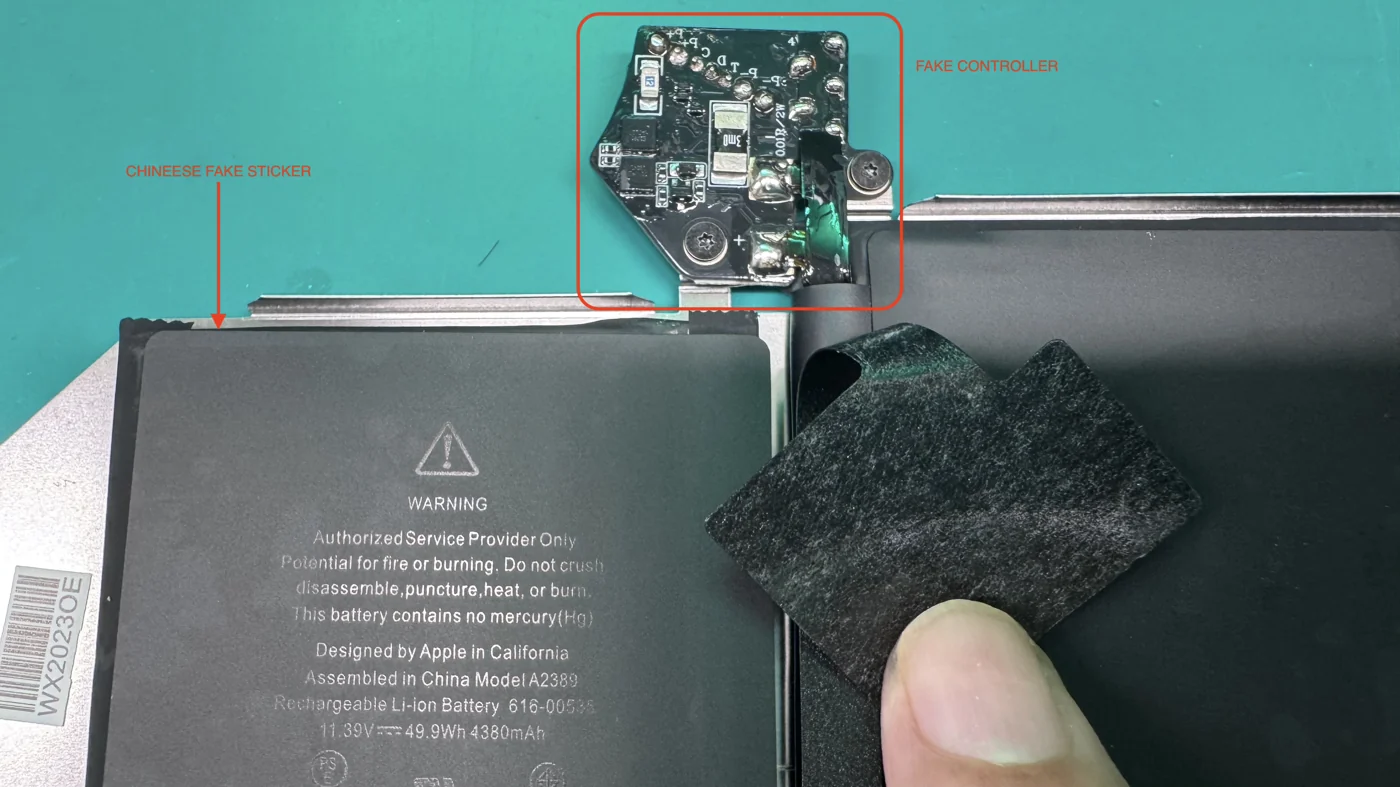
Not all MacBook batteries are equal. A genuine Apple battery carries a real Apple-engineered controller board that talks safely to your Mac and manages charging, cell balancing, temperature, and voltage. A counterfeit, non-OEM battery looks similar on the outside but hides a cheap clone controller and a fake warning label. That difference is invisible until the day it damages your logic board.
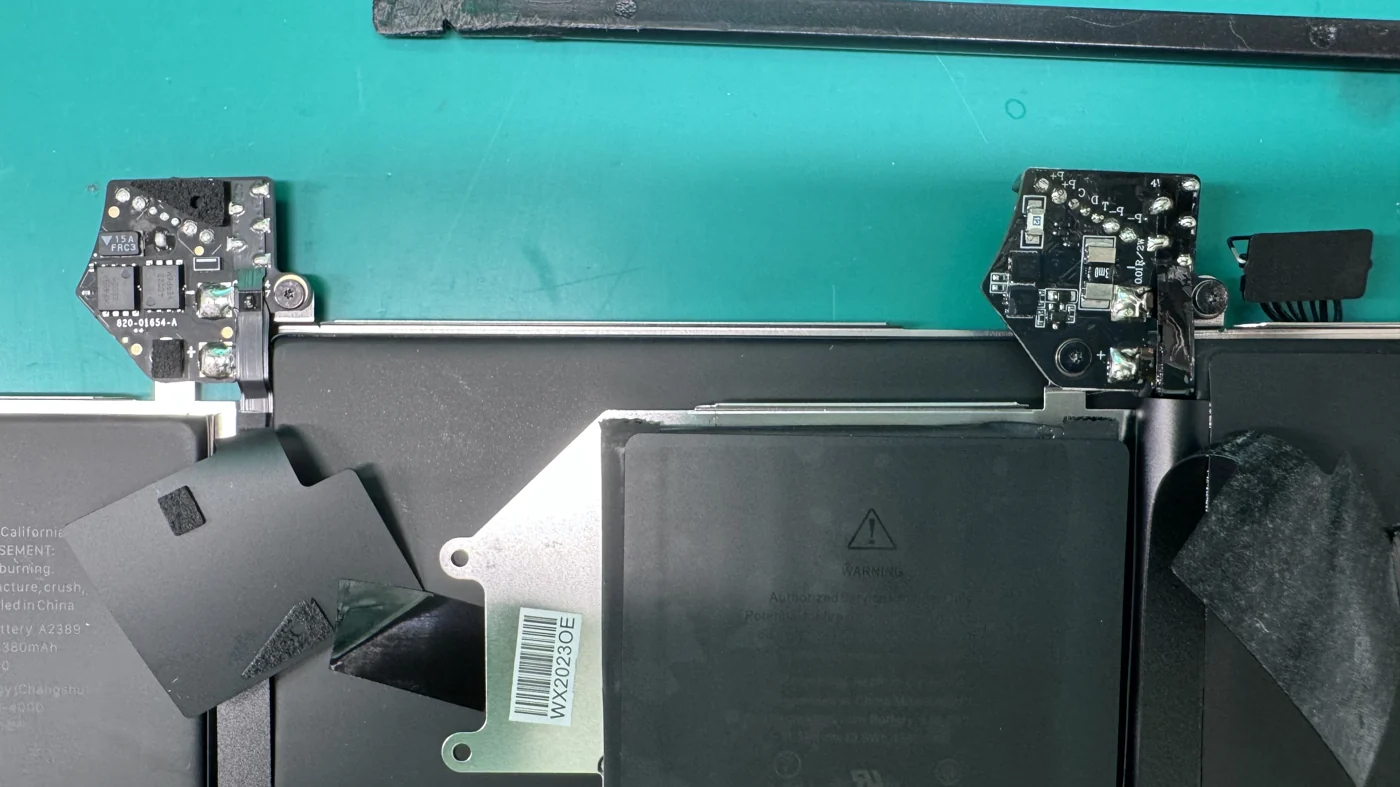
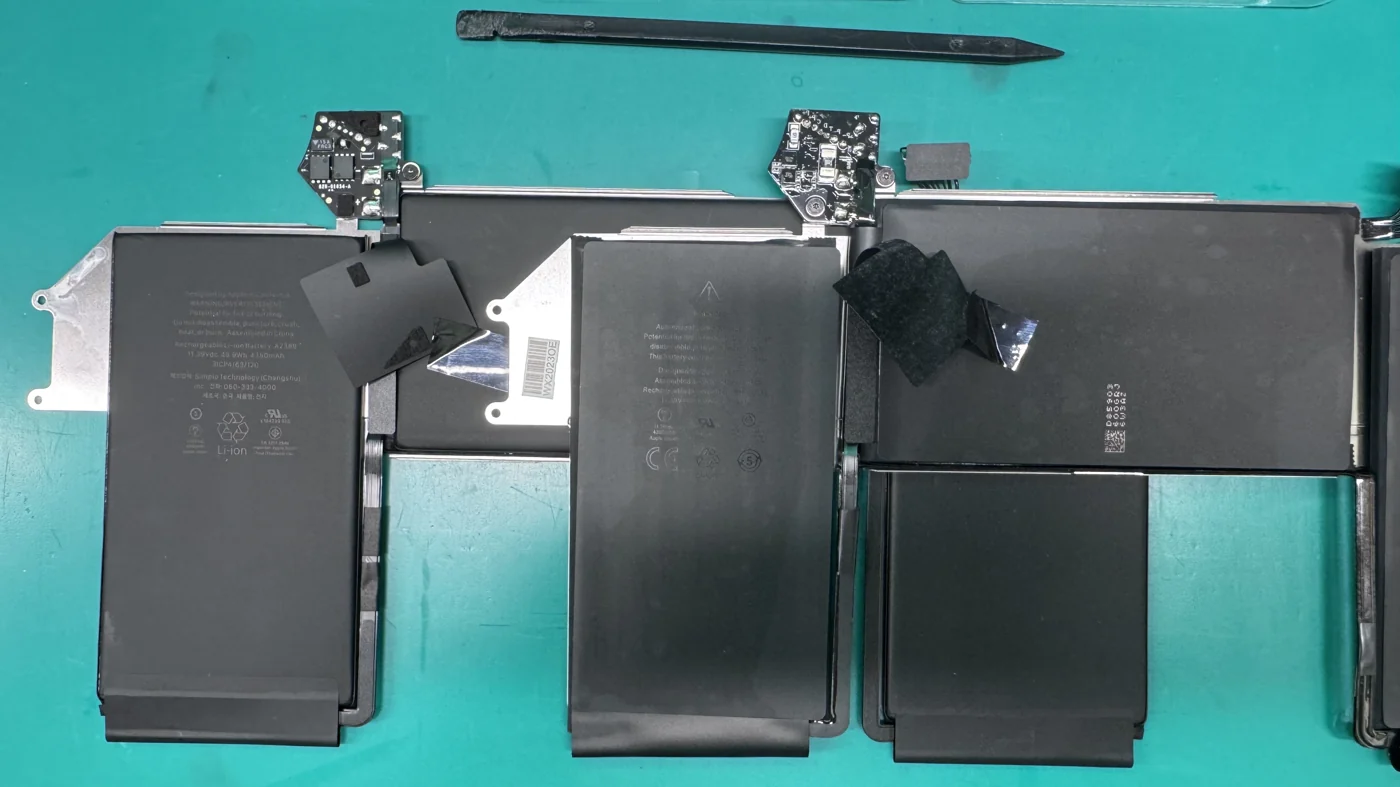
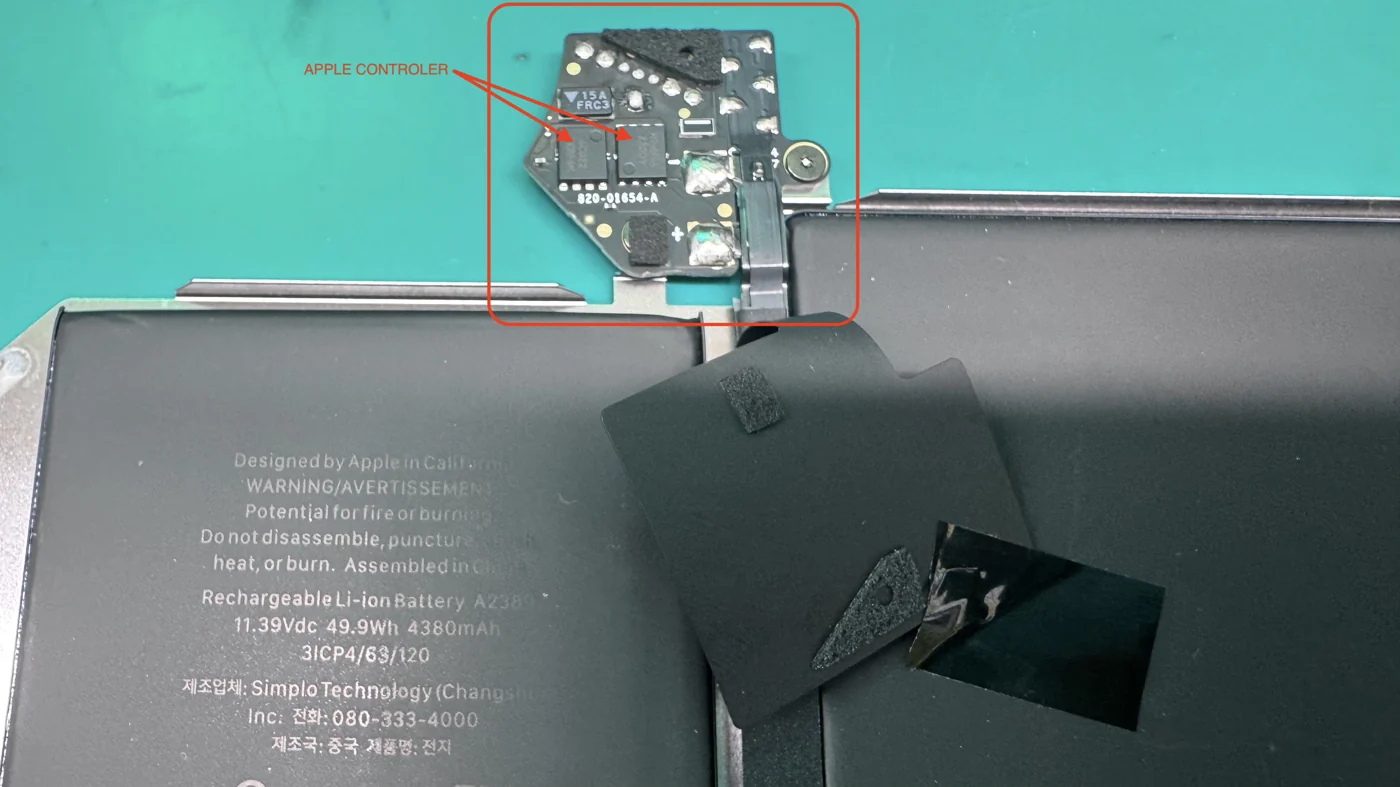
Below are real photos from our workbench comparing a genuine Apple battery controller against a counterfeit one pulled from a customer's MacBook. The genuine Apple controller is clearly stamped 820-01654-A with a proper 15A FRC3 safety fuse. The fake controller has no Apple part number, sloppy hand soldering, and no matching protection circuit.
Genuine Apple Battery
- Real Apple controller board stamped 820-01654-A
- Built-in 15A FRC3 safety fuse and true protection circuit
- Factory-machine soldering with clean, uniform joints
- Communicates correctly with macOS (accurate health, cycle count, charge management)
- Regulated voltage and temperature protection that keeps the logic board safe
- Genuine Apple warning label matching the exact model and part number
Fake / Non-OEM Battery
- Clone controller with no Apple part number or markings
- Missing or fake safety fuse and no proper protection circuit
- Messy hand soldering and inconsistent components
- Wrong or missing battery health, cycle count, and charging data
- Unregulated voltage that stresses the power circuitry over time
- Counterfeit "Authorized Service Provider" sticker to look genuine
Why a Fake Battery Ruins Your Mac in the Long Run
- No real protection circuit, so voltage and current spikes reach the logic board unchecked
- Overheating and swelling that can crack the trackpad, case, or screen
- Constant stress on the power management chips, shortening the life of the whole board
- Inaccurate battery readings that hide a failing pack until it is too late
- A dead logic board repair that costs far more than a genuine battery would have
- Higher fire and safety risk from uncertified cells and a fake controller
MacBook Air 13-inch (M1, 2020) That Would Not Turn On
The Problem
A customer brought in an Apple MacBook Air 13-inch (M1, 2020) that was completely dead. No power, no chime, no display, nothing on the charger. On the bench the diagnosis was a dead logic board, the most expensive component in the machine.
What We Found
During teardown we discovered the battery had already been replaced with a counterfeit, non-OEM pack (model A2389, printed 616-00536, 11.39V 49.9Wh 4380mAh). Instead of the genuine Apple controller board (820-01654-A with a 15A FRC3 fuse), it carried a crude clone controller with no Apple markings, hand-soldered joints, and a fake warning sticker. Without Apple's real protection circuit, the fake pack fed unregulated voltage into the board.
The Damage
Over time the counterfeit controller stressed the MacBook's power management circuitry until the logic board failed for good. What started as a cheap battery swap turned into the death of the most costly part of the computer. This is exactly why a fake battery is never worth the short-term savings.
How WarriorMac protects you: We install Apple Genuine batteries with the real Apple controller board, so your Mac charges safely and your logic board stays protected. If your MacBook already has a suspicious or swollen battery, bring it in for a free diagnostic before it takes the board down with it.
Frequently Asked Questions
Conclusion
When your MacBook stops charging, professional MacBook battery not charging repair services provide the fastest, safest, and most effective solution. Whether the problem stems from battery degradation, charging port damage, software issues, liquid exposure, or logic board faults, experienced technicians can restore reliable charging and full functionality. Prompt repairs help extend your MacBook's lifespan, protect valuable data, and save money compared to premature replacement.
If your MacBook is experiencing charging issues, don't wait. Contact WarriorMac today for a free diagnostic and get your device back on track.
Get Your MacBook Charging Again Today
When your MacBook stops charging, professional repair services provide the fastest, safest, and most effective solution. Whether the problem stems from battery degradation, charging port damage, software issues, liquid exposure, or logic board faults, our experienced technicians can restore reliable charging and full functionality.