
MacBook Not Turning On Repair Service
Expert solutions for MacBook devices that won't power on. Fast, reliable repair by certified technicians in Tampa with free diagnostics and a 1-year warranty.
Ready to Fix Your Mac?
Start your repair in minutes. Choose the option that works best for you — ship it to us from anywhere in the U.S., or drop it off in person at our Tampa location.
Not sure which to choose? Start here and we’ll guide you.
Expert Solutions for MacBook Devices
A MacBook that won't turn on is often a logic board issue, not a dead battery. At WarriorMac, "won't turn on / dead" repairs are among our most common tickets. Our Apple Certified technician diagnoses the exact failed component, whether it is a power IC, SMC circuit, charging chip, or a liquid-damaged trace, and repairs it at the board level using micro-soldering. Free diagnostics, no-fix no-fee.
Before you assume your MacBook is beyond repair, bring it in or ship it to us. Many machines other shops declare dead can be revived with the right diagnosis and component-level work. Walk-in service in Tampa, nationwide mail-in available.

Understanding MacBook Power-On Problems
MacBooks use sophisticated power management systems and lithium-ion batteries. If your MacBook doesn't turn on, it may indicate a problem with:
Possible Problem Areas:
- Battery or charging system
- Power supply or adapter
- Logic board or internal components
- Software or firmware
- Liquid or physical damage
Symptoms of Power Issues:
- MacBook shows no response when pressing the power button
- Blank or black screen
- MacBook powers on briefly then shuts down
- Startup chime missing or screen flickering
- Unresponsive keyboard or touchpad
Professional diagnostics are essential to pinpoint the exact cause.
Common Causes MacBooks Fail to Turn On
1. Dead or Faulty Battery
Over time, MacBook batteries degrade and can prevent the device from starting.
2. Power Adapter or Charging Issues
A defective charger or cable can prevent a MacBook from receiving sufficient power.
3. Logic Board or Internal Hardware Failure
The logic board controls all critical components of your MacBook. Damage to circuits, power controllers, or other components can prevent startup.
4. Software or Firmware Issues
Corrupted macOS, firmware glitches, or incomplete updates can stop your MacBook from booting.
5. Liquid or Physical Damage
Even minor liquid spills can cause internal corrosion, short circuits, or permanent component failure.

Professional Diagnostic Services
Professional services can safely diagnose software vs hardware causes. Our technicians use specialized equipment and techniques to ensure accurate diagnosis of every MacBook power issue.
Whether it's a hardware replacement, software troubleshooting, or intricate soldering, our team is equipped to handle it.
Signs You Need MacBook Power-On Repair
Early professional intervention prevents further damage and potential data loss. Look for the following warning signs:
MacBook Models Commonly Serviced
Repair services cover all MacBook types, including:
MacBook Air
All MacBook Air models including M1, M2, M3, and Intel-based
MacBook Pro
All MacBook Pro models including 13", 14", 15", and 16" variants
Intel-based MacBooks
All legacy Intel MacBook models
Apple Silicon MacBooks
M1, M2, M3, and newer Apple Silicon models
Common Repairs Include:
Specialized Repair Techniques
Once the problem is identified, we use state-of-the-art repair techniques to address the issue. Whether it's a hardware replacement, software troubleshooting, or intricate micro-soldering, our team is equipped to handle it.
At WarriorMac, our expert technicians are trained in all aspects of MacBook repair. We only use genuine Apple Parts and stand behind our work with a warranty on all repairs.
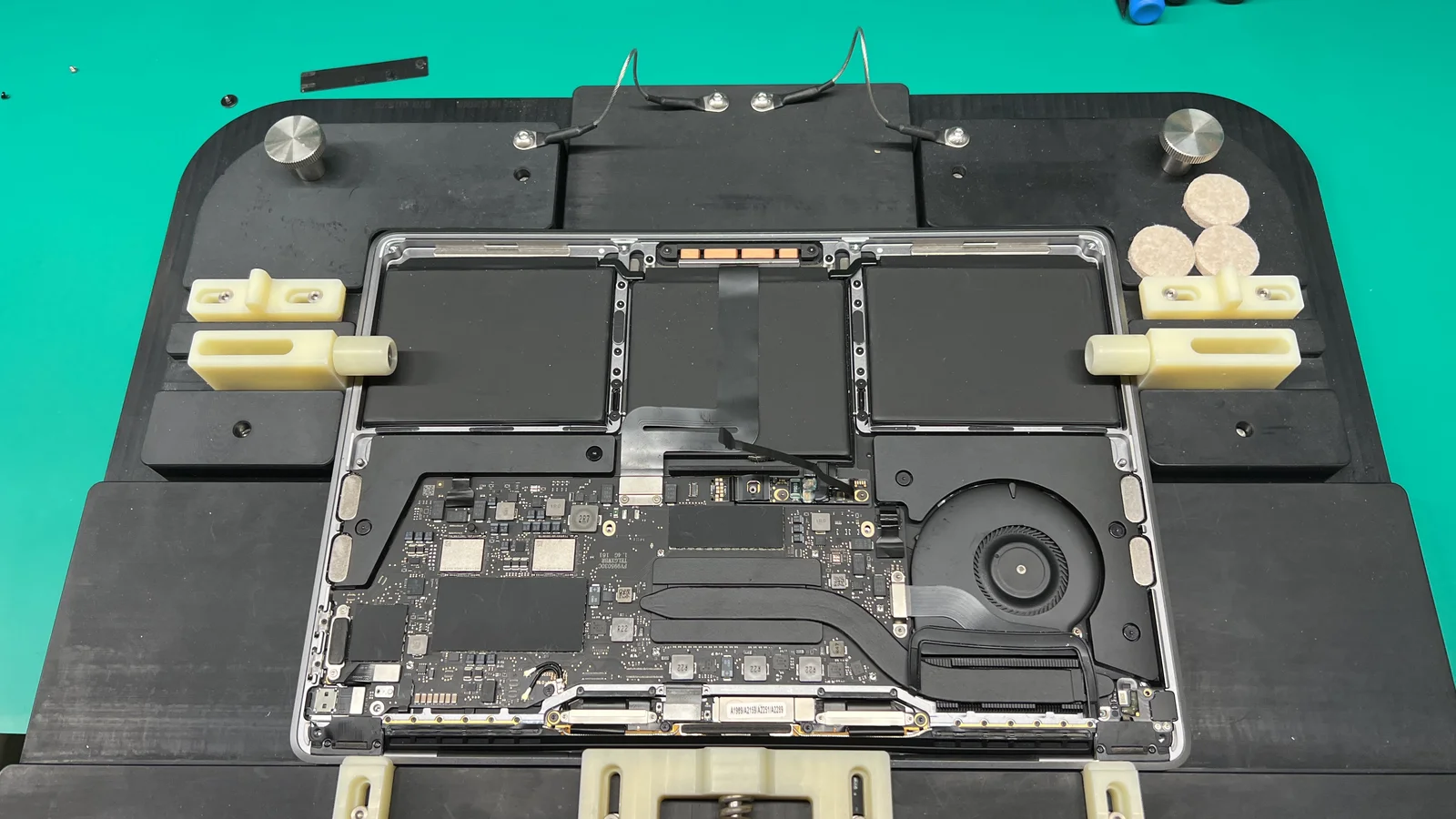
Professional Diagnostic Process
Experienced technicians use a systematic approach to ensure precise diagnosis and effective repair:
Initial Inspection
Assess physical damage, battery, charging system, and power button functionality.
Battery & Charging Analysis
Check battery health, charge cycles, and charger compatibility.
Logic Board Testing
Examine circuits, IC chips, and power management systems.
Software Diagnostics
Verify firmware, macOS integrity, and startup sequences.
Component-Level Assessment
Inspect and test internal components for damage or failure.
Benefits of Professional MacBook Power-On Repair
Accurate Diagnosis
Identify root causes efficiently.
Apple Genuine Parts
We use Apple Genuine Parts.
Cost-Effective
Avoid unnecessary component replacements.
Fast Turnaround
Many repairs completed the same day.
Data Protection
Experts safeguard your files during repair.
Extended Lifespan
Timely repairs maximize device longevity.
Risks of DIY Repairs
Attempting to fix a MacBook yourself can result in serious problems. Professional technicians provide safer and more reliable repair:
- Permanent hardware damage
- Battery puncture or fire
- Logic board failure
- Data loss
- Warranty voidance
Preventive Measures
Reduce the likelihood of MacBook startup issues by:
Choosing the Right Repair Service
Select a service provider with:
- Experienced MacBook technicians
- Comprehensive diagnostics
- Apple Genuine Parts
- Repair warranties
- Positive customer feedback
- Quick turnaround times
Frequently Asked Questions
Conclusion
When your MacBook won't turn on, professional MacBook repair services provide fast, reliable, and safe solutions. Whether the issue stems from battery failure, charging problems, logic board damage, software issues, or liquid exposure, experienced technicians can restore functionality and protect your data.
Timely repair extends the life of your MacBook, safeguards important files, and saves money compared to replacing the device.
If your MacBook won't turn on, don't wait. Contact WarriorMac today for a free diagnostic and get your device back on track.
Get Your MacBook Working Again Today
When your MacBook won't turn on, professional repair services provide fast, reliable, and safe solutions. Whether the issue stems from battery failure, charging problems, logic board damage, software issues, or liquid exposure, experienced technicians can restore functionality and protect your data.