
Mail-In Repair
Can't make it to our Tampa shop? No problem. Ship your Mac, iPhone, or iPad to us from anywhere in the United States. Expert repair, fast turnaround, and fully insured shipping, both ways. Same quality service whether you're across town or across the country.
Not everyone lives near a great Apple repair shop, and that's exactly why we created our mail-in repair program. Since launching this service, we've received devices from all 50 states, from college students in New York to creative professionals in California to retirees in Montana. The process is simple, secure, and transparent.
You get the same expert repair, the same used or New Genuine Apple parts, and the same 180-day or 1 year warranty as our walk-in customers in Tampa. The only difference is that carrier does the driving instead of you. We handle your device with the utmost care from the moment it arrives at our facility until the moment it's delivered back to your door.
Whether it's a MacBook with a failed logic board, an iPhone with a cracked screen, or an iPad that won't charge, pack it up, ship it out, and let WarriorMac work our magic. We'll have it back to you in 3–5 business days, working like new.
How Mail-In Repair Works
Four simple steps from your door to ours and back again. We keep you informed at every stage so you never have to wonder where your device is or what's happening with it.
Submit Your Request
Please complete the form, ensuring that your name and ticket number are included in the designated field. Once completed, ship your Device(s) to the address listed down of the webpage. After submitting the form below, a ticket number will be sent to the email address you provided. If you do not receive the email, please check your spam or junk folder, or contact us directly for assistance. Upon receipt and evaluation of your device, we will provide you with a repair estimate. No payment is required until the service has been completed.
Pack & Ship
Outbound shipping is your responsibility. Follow our detailed packing guide below to protect your device during transit. Ship via FedEx, USPS, or UPS with tracking and insurance (we recommend at least $500 declared value). You can use your own carrier and account, or as an optional paid add-on have us email you a ready-to-use label billed to your invoice (not free shipping). We'll email you a confirmation as soon as your package arrives at our facility.
Diagnosis & Repair
Once we receive your device, our technicians run the Apple Diagnostics Triage Tools Suite on the hardware and carry out a VMI, a Visual Mechanical Inspection of the machine and its internals under magnification. You will be notified via email with our findings, a finalized repair estimate, and an anticipated turnaround time. Upon your approval, repairs will commence without delay. Most services are completed within 1-3 business days, though certain repairs may require 3-7 business days. Throughout the process, you will receive regular status updates via email.
Quality Check & Return
Every repair goes through our multi-point quality checklist before shipping. We verify the fix, test all functions, and photograph the completed repair for your records. We then provide the return shipping label and carefully pack your device for the trip home. Return shipping is free for laptop-sized devices; desktops and larger items may incur additional charges based on size and weight. You'll receive the tracking number by email. Typical total turnaround: 3–5 business days from the day we receive it.
Watch how a mail-in repair works
Start to finish: booking the repair, packing and shipping the machine, the diagnostic, the written estimate you approve, the repair, and the Mac coming back to you.
Prefer to read it? The full step by step is written out below.
Every step of a mail-in repair, start to finish
This is the whole process, written out in full, using the exact status labels that appear on your repair ticket. You will know what happens next, how long it takes, what reaches your phone and inbox at each point, and precisely what a repair costs you if you approve it and if you do not. Nothing here is a surprise later.
Every step below opens on click, so you read only the parts you care about
Before the decision
Your decision, and the two paths from it
Everything above happens before you spend a cent. From the estimate onward there are exactly two outcomes, and both of them are written out below in full so you can see what each one costs you and how each one ends.
If you approve the estimate
Work begins, usually the same day. You are told when the repair starts, when it passes its checks, and when it leaves the building with tracking.
If you decline the estimate
Declining is a normal outcome and it is not treated as a problem. Sometimes the honest answer is that a repair is not worth doing, and we would far rather tell you that than talk you into it.
Still have a question?
Every stage above has the questions we get asked most, answered inline. If yours is not there, ask a real person. Call (813) 444-5595, email [email protected], or check where your machine is right now on your status page.
Devices We Repair via Mail-In
We accept all Apple devices for mail-in repair. Here's what you can send us:
MacBook Pro & Air
Screen repair, battery replacement, keyboard, logic board, liquid damage, SSD upgrades, and more. All models from 2010 to present.
iMac & Mac mini
Display repair, SSD upgrades, RAM upgrades, power supply replacement, and diagnostics. Shipping an iMac requires extra care, see our packing guide.
iPhone
Screen replacement, battery, charging port, camera, speaker/mic, water damage recovery, and more. iPhone SE through iPhone 16 Pro Max.
iPad
Glass/digitizer replacement, battery, charging port, button repair, speaker, camera, and more. iPad, iPad Air, iPad Pro, iPad mini, all generations.
How to Pack Your Device for Shipping
Proper packing is essential to protect your device during transit. Shipping damage can void carrier insurance claims and delay your repair. Follow these steps carefully to ensure your device arrives safely at our facility.
If you're unsure about packing, call us and we'll walk you through it step by step. We've helped hundreds of customers pack their devices properly over the phone.
Power Off Completely
Shut down your device completely, don't just put it to sleep. For MacBooks, close the lid after shutdown and unplug the charger. For iPhones/iPads, hold the power button and slide to power off. If the device won't turn off (because it's broken), that's fine, just make sure it's not plugged into any charger.
Protect the Screen
Place a soft cloth, microfiber towel, or sheet of foam over the screen to prevent scratches. If the screen is already cracked, place a piece of clear packing tape over the cracks to prevent glass fragments from falling out during transit. This also helps us assess the damage more accurately.
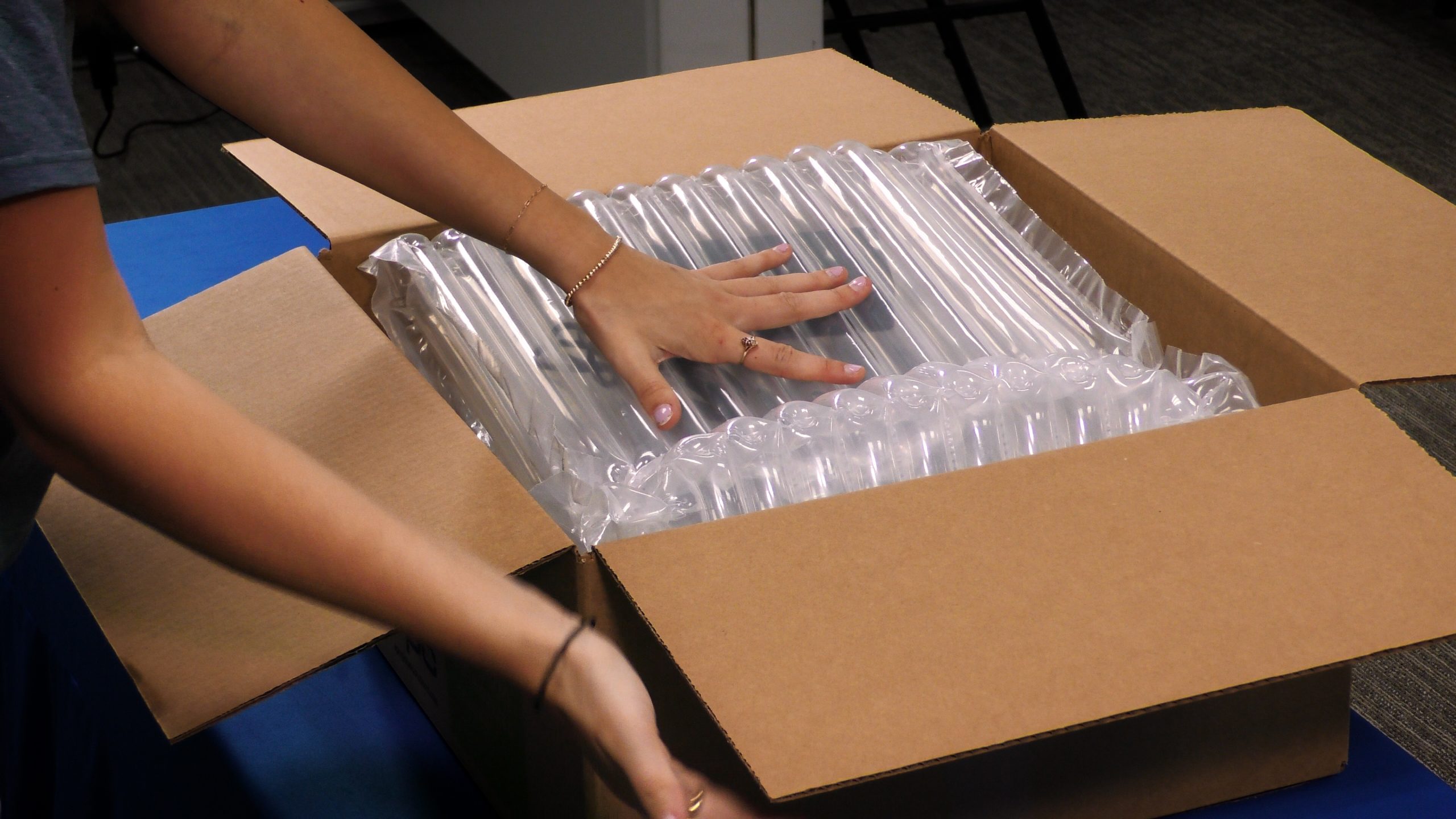
Wrap in Bubble Wrap
Wrap the entire device in at least 2–3 layers of bubble wrap. Secure the bubble wrap with tape so it doesn't unwrap during shipping. If you don't have bubble wrap, thick towels or clothing can work as padding, but bubble wrap is strongly preferred. For MacBooks, keep the laptop closed and wrap it shut.
Use a Sturdy Box with Cushioning
Place the wrapped device inside a sturdy corrugated cardboard box that's at least 2 inches larger than the device on all sides. Fill the remaining space with packing peanuts, crumpled newspaper, or foam inserts. The device should not be able to shift or slide inside the box when you shake it. If you hear movement, add more cushioning.
Include Identification
Print out your mail-in confirmation email and place it inside the box. If you don't have a printer, write a note with your full name, phone number, email address, and a brief description of the issue. Place it inside the box, not taped to the outside. This ensures we can match the device to your repair request even if the shipping label gets damaged.
Seal, Label & Ship
Seal all box seams with strong packing tape (not masking tape or duct tape). Write "FRAGILE, ELECTRONIC DEVICE" on at least two sides of the box. Ship via FedEx or USPS with tracking and insurance. We strongly recommend declaring at least $500 in insurance value regardless of the device age, this protects you against shipping damage.
Do NOT Include in the Box
We need the machine and nothing else. Please do NOT include any of the following items. Anything you send that we did not explicitly ask you for travels at your own risk, and if it is lost we are not responsible for it.
- Chargers, power adapters, or charging cables
- Cases, sleeves, covers, or screen protectors
- External drives, USB devices, or SD cards
- Apple Pencil, Magic Keyboard, or other accessories
- AirPods, AirTags, or other paired devices
- SIM card (remove it and keep it safe)
Before You Ship: Important Reminders
- 1Disable Find My: Go to Settings → [Your Name] → Find My → Find My iPhone/iPad/Mac → Turn Off. This is required for us to perform certain repairs and Apple Diagnostics purposes.
- 2Provide your passcode: If your device is locked, please include your passcode in the note inside the box (or email it to us separately). We need access to test the repair properly.
- 3Back up your data: While we take every precaution to preserve your data, we recommend backing up via iCloud or a computer before shipping, just in case.
- 4Note your tracking number: Keep your outbound tracking number, you'll need it if you contact us before we've confirmed receipt of your package.
Ship To Address
WarriorMac LLC
Attn: Mail-In Repair Department
Tampa, FL
Tampa, FL
Mon-Fri 8:30am-6:30pm, Sat 9:30am-6:30pm EST

Mail-In by the Numbers
What Mail-In Customers Say
Customers from coast to coast trust WarriorMac with their devices. Here's what they have to say about the experience.
“I'm in Portland, Oregon, 3,000 miles from Tampa. My MacBook Pro had liquid damage that two local shops said was unrepairable. Found WarriorMac online, shipped it out Monday, and had it back working perfectly by Friday. Total cost was $189 including return shipping. Worth every penny. The communication was excellent, emails at every step.”
“Shipped my iPhone 15 from Chicago for a screen and battery combo repair. The prepaid label option was super convenient, I just dropped it at FedEx and forgot about it. Got email updates the whole way. Phone came back looking brand new in exactly 4 days. Way better than the Apple Store experience.”
“Rural Montana, nearest Apple Store is a 6-hour drive. WarriorMac's mail-in service is a lifesaver. I've sent my iMac for an SSD upgrade and my daughter's iPad for a screen repair. Both times, flawless work, great communication, and very fair pricing. They even called to suggest a cheaper repair option than what I'd originally asked for.”
Why Choose Mail-In Over a Local Repair Shop?
We know it sounds counterintuitive, why ship your device across the country when there might be a repair shop down the street? Here's why thousands of customers choose WarriorMac's mail-in service over local alternatives:
Expertise You Can't Find Locally
Many local shops are generalists, they fix Samsungs, Androids, and game consoles too. Our technicians are Apple specialists with years of dedicated experience. For complex issues like logic board micro-soldering, liquid damage recovery, or data recovery from dead devices, specialist expertise makes the difference between success and failure.
Better Parts, Better Results
Local shops often use the cheapest parts they can find to maximize margins. We use Genuine Apple parts. Apple is our main supplier. The difference shows in display quality, battery longevity, and overall durability of the repair.
Transparent Process & Communication
Unlike walk-in shops where your device disappears behind a counter, our mail-in process keeps you informed at every step. You receive email updates for: device received, diagnosis complete, repair approved, repair completed, and device shipped back with tracking. You're never left wondering.
No Geographic Limitations
If you live in a rural area, a small town, or anywhere without a reputable Apple repair specialist, our mail-in service brings expert repair to your doorstep. Distance doesn't matter, quality does.
Serving All 50 States
We've received devices from customers in every US state. Here are some of the cities our mail-in customers ship from most frequently:
+ hundreds more cities across all 50 states, Puerto Rico, and US territories
Real Mail-In Repair Examples
Here are some real (anonymized) mail-in repairs we've completed recently, showing the typical timeline, issue, and cost. Every device tells a story.
Liquid Damage, Coffee Spill
Customer spilled coffee on their 2023 MacBook Pro 14". Machine wouldn't turn on. Ultrasonic cleaned the logic board, replaced a corroded charging IC and keyboard backlight driver. Full recovery, all data intact.
Screen + Back Glass Shatter
Dropped from a NYC fire escape. Both front OLED screen and back glass completely shattered. Replaced both, preserved True Tone and Face ID functionality. Phone looks and works like new.
Swollen Battery + Screen Lift
Battery had swollen to the point where the display was separating from the chassis. Safely removed the expanded battery, installed new high-capacity cell, and resealed the display. All Procreate artwork and documents preserved.
SSD Upgrade + Battery Replacement
MacBook Air 2017 running out of storage and battery dying by noon. Upgraded from 256GB to 1TB SSD and replaced the battery. Customer described it as "like getting a brand new laptop" at a fraction of the cost.
Display Replacement + SSD Upgrade
2020 iMac 27" with cracked display and slow performance. Replaced the 5K display panel and upgraded from HDD to NVMe SSD. Boot time went from 90 seconds to 12 seconds. Required careful iMac packing, arrived safely both ways.
Data Recovery, Dead Device
iPhone wouldn't turn on after being in a hot car. Customer had 5 years of photos not backed up to iCloud. We diagnosed a failed power management IC, repaired the board, and recovered all data. Customer was in tears of joy when we called with the good news.
Mail-In Mac Repair Services
Can't make it to Tampa? Ship us your Mac and get the same expert, component-level repair our local customers love, with a free return label on laptop repairs and affordable return shipping for desktops.
MacBook Pro Mail-In
All MacBook Pro models from 2008 to present, including Apple Silicon M1/M2/M3/M4 and Intel models.
- • Screen & display replacement
- • Battery replacement (all models)
- • Logic board component-level repair
- • Keyboard & trackpad replacement
- • Liquid damage recovery
- • SSD upgrades & data recovery
- • Fan & thermal system repair
- • USB-C / Thunderbolt port repair
Most MacBook repairs: 1–3 business days
MacBook Air Mail-In
MacBook Air 11", 13", and 15", all generations including M1, M2, M3, and Intel.
- • Retina display & LCD repair
- • Battery cell replacement
- • Logic board micro-soldering
- • Keyboard (butterfly & scissor "OLDER MODELS")
- • Water & liquid damage repair
- • SSD storage upgrades
- • Hinge & enclosure repair
- • WiFi & Bluetooth antenna
Most MacBook Air repairs: 1–2 business days
iMac Mail-In
iMac 21.5", 24", and 27" models, including 4K/5K Retina, iMac Pro, and all Apple Silicon iMacs.
- • Display panel replacement
- • HDD → SSD conversion
- • RAM upgrades (compatible models)
- • Power supply replacement
- • GPU & graphics repair
- • Logic board repair
- • Fusion Drive fixes
- • Fan & thermal management
iMac repairs: 2–4 business days
Mac Mini Mail-In
All Mac Mini models including M1, M2, M4, and Intel. Easy to ship due to compact size.
- • SSD & storage upgrades
- • RAM expansion (Intel models)
- • Logic board diagnostics & repair
- • Power supply replacement
- • Port repair (HDMI, USB, TB)
- • Thermal paste & fan service
- • WiFi/Bluetooth repair
- • Performance optimization
Mac Mini repairs: 1–2 business days
Mac Pro Mail-In
Mac Pro Tower (2009–2019), Rack, and "Trash Can" (2013). Contact us for shipping large Mac Pros.
- • GPU upgrades & repair
- • PCIe SSD installation
- • RAM upgrades (up to 1.5TB)
- • CPU / processor upgrades
- • Power supply repair
- • Logic board diagnostics
- • RAID configuration
- • Boot drive & firmware repair
Mac Pro repairs: 3–5 business days
Mac Studio Mail-In
Mac Studio M1 Max/Ultra, M2 Max/Ultra, and M4 Max/Ultra, compact enough to ship easily.
- • SSD storage expansion
- • Thunderbolt port repair
- • Power delivery repair
- • Thermal system service
- • Logic board diagnostics
- • USB/HDMI port repair
- • Data recovery
- • Performance testing
Mac Studio repairs: 1–3 business days
Special Packing Instructions for Mac Shipments
MacBook Pro / MacBook Air
- Close the lid and wrap in soft cloth or bubble wrap
- Place in a padded laptop sleeve first, then inside the shipping box
- Use at least 3" of packing material on all sides
- Use the original box if you still have it
- Do NOT include your charger unless instructed
- Disable Find My Mac before shipping
iMac / Desktop Mac
- Original Apple box is strongly recommended for iMacs
- If no original box: use a double-wall corrugated box, minimum 5" clearance on all sides
- Wrap the screen face with a soft cloth, then bubble wrap
- Fill ALL empty space, the iMac should NOT shift at all
- Ship with screen facing up, mark box "FRAGILE" and "THIS SIDE UP"
- Call us before shipping large Mac Pros, we may arrange freight pickup
Common Mac Mail-In Repair Costs
| Repair | MacBook Pro | MacBook Air | iMac | Mac Mini |
|---|---|---|---|---|
| Screen Repair | $299–$799 | $249–$599 | $349–$899 | N/A |
| Battery Replacement | $149–$299 | $129–$249 | N/A | N/A |
| Logic Board Repair | $249–$599 | $199–$499 | $299–$699 | $199–$499 |
| Liquid Damage | $199–$599 | $149–$499 | $249–$599 | $149–$399 |
| SSD Upgrade (1TB) | $299–$499 | $279–$449 | $279–$449 | $249–$399 |
| Data Recovery | $99–$499 | $99–$499 | $99–$499 | $99–$499 |
* Pricing includes free return shipping for laptops. Desktop return shipping charges may apply. Exact quote provided after free diagnostic. No repair charge if we can't fix it.
Mac Mail-In Repair FAQ
Is it safe to ship my MacBook?
Can I ship my iMac for repair?
How do I disable Find My Mac before shipping?
What if my Mac has liquid damage, is it still worth shipping?
Do you ship repaired Macs back with insurance?
What You Can Count On
We've designed our mail-in program around the concerns we hear most from customers shipping their devices for repair. Here's what we guarantee.
Fully Insured
Your device is covered from the moment we receive it until the moment it's delivered back to you. Return shipping includes full insurance at no extra cost. We also carry our own facility insurance for any issues that occur while your device is in our care.
3–5 Day Turnaround
From the day we receive your device to the day it ships back: diagnosis within 24 hours, repair in 1–3 days, and return shipping in 1–2 days. Most customers have their device back within a week of shipping it.
Email Updates at Every Step
You'll receive an email notification at every milestone: device received, diagnosis complete, repair approved, repair completed, and device shipped back with tracking number. You're never left guessing.
No Repair, No Fee
If we determine your device can't be repaired, you don't pay a thing. If you simply decline a repair we have offered, a return shipping and handling fee of $29.99 and a $59.99 diagnostic fee apply, and both are shown on your estimate before you decide. Walk-in customers pay neither.
Mail-In Repair Request Form
Fill out the form below to get started. We'll send you shipping instructions and a prepaid label. Once we receive and assess your Mac, you'll get a detailed estimate. No payment is required until you approve the repair.
Ship your device to
WarriorMac LLC · Attn: Mail-In Repair Dept.
Tampa, FL
You'll also get this address by email and on the confirmation screen after you submit.
Mail-In Repair FAQ
We've answered the most common questions about our mail-in repair program. If you don't see your question here, feel free to contact us.
Ready to Ship Your Device?
Our mail-in repair program is designed to be simple, safe, and transparent. No matter where you are in the US, WarriorMac's expert technicians are just a shipment away.
Fill out the form above to get started, or call us if you have questions about the process. We're here to help Monday through Saturday.