• Always disconnect power and discharge the battery before beginning any repair.
• Use an anti-static wrist strap (ESD) to prevent electrostatic damage to components.
• Keep screws organized by step, magnetic project mats are highly recommended.
• Never force connectors. Use a spudger to gently lift ZIF, FPC, and board-to-board connectors.
• If your Mac has a swollen battery, do not attempt removal yourself, contact a professional.
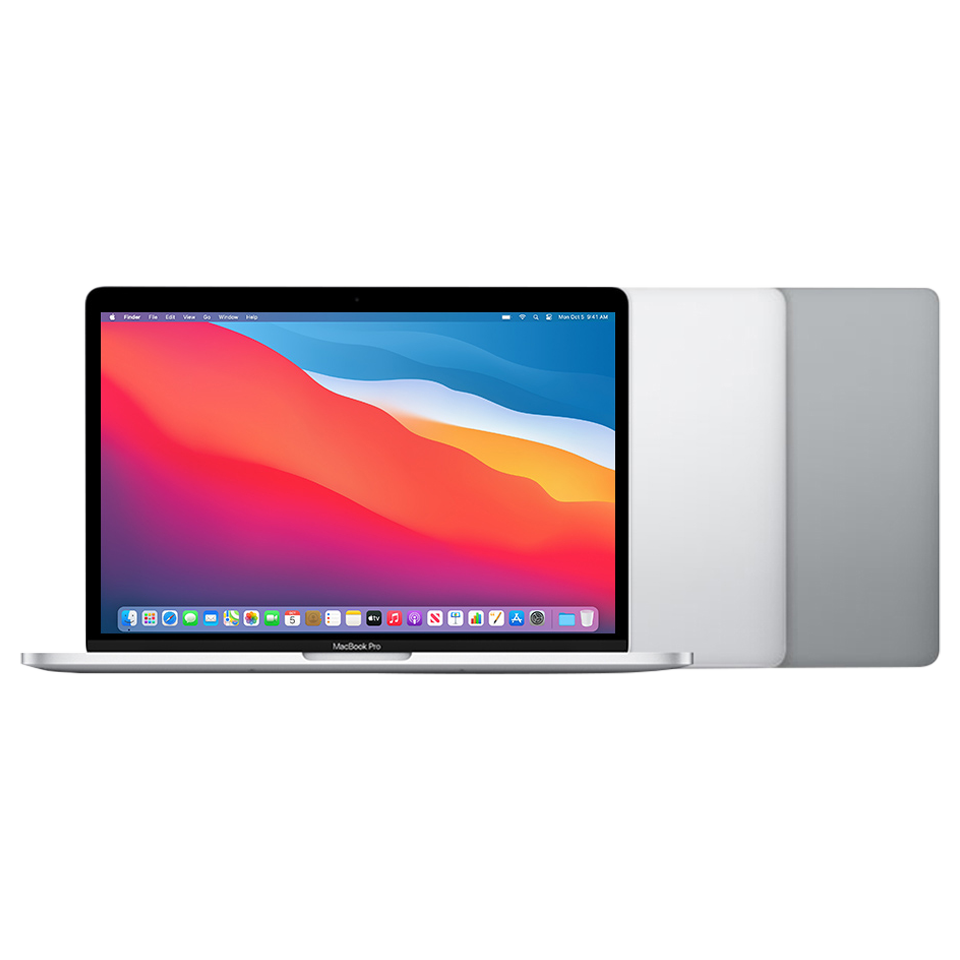
Model Identification
Model Number(s)
A2338
EMC Number(s)
3578
Order Number(s)
MYD82LL/AMYDA2LL/A
Identifier(s)
MacBookPro17,1
Product Line
MacBook Pro
Year
2020
Mac Service Tools
Adjustable torque driver (10–34 Ncm)923-02995
Antenna tool923-01322
Battery cover923-01318
Bottom case removal kit076-00290
Compressed air
Cut-resistant gloves
EarPods with 3.5 mm headphone plug
ESD mat
ESD-safe cleaning solution
ESD-safe tweezers
ESD wrist strap with clip or plug
Ethanol wipes
Fireproof enclosure
Gap offset kit923-02998
Heat-resistant gloves
IPA wipes
Kapton tape922-1731
Keycap lever923-01803
Magnetizer
Microterry polishing cloth
Needle-nose pliers
Nylon probe (black stick)922-5065
Pentalobe screwdriver923-0731
Permanent marker
Precut adhesive strips (1x0.5)923-01800
Precut adhesive strips (1x1)923-01801
Safety glasses with side shields
Sand
Sand container
Sticky notes (3 by 3 inches)
Suction cups922-8252
Torque driver (blue, 0.65 kgf cm)923-0448
Torx security bit923-0247
Torx T3 screwdriver
Torx T5 bit923-02996
Torx T5 screwdriver
Torx T8 screwdriver
Touch ID alignment kit923-03032
USB-C charge cable661-06670
The bottom case removal kit includes the bottom case fixture, C-clamps, and cut-resistant gloves.
Ethanol wipes must contain at least 90% ethanol and no additives except isopropyl alcohol.
Clean, dry, untreated sand (8–10 cups)
Sand container (wide-mouthed, quick pour, nonbreakable plastic container with a flip-top lid)
Tools with part numbers are available from Apple's Self Service Repair Store. Tools without part numbers can be purchased from electronics supply retailers.
Need Professional Help?
Our Apple Certified Technicians can handle any MacBook Pro (13-inch, M1, Late 2020) repair. Free diagnostics, 1-year warranty on all parts.
MacBook Pro (13-inch, M1, Late 2020) repair questions answered
The MacBook Pro (13-inch, M1, Late 2020) dates to 2020 as model A2338 and Apple publishes an official service manual for it, which is the document referenced on this page. We list 66 service parts for this model, and every part we fit is a genuine Apple part. Our work is covered for one year on brand new parts and 180 days on pre-owned parts and board-level repairs. We are in Tampa, walk-ins are welcome with no appointment, and you can also book a mail-in repair from anywhere in the country.
What are the model numbers for the MacBook Pro (13-inch, M1, Late 2020)?
The MacBook Pro (13-inch, M1, Late 2020) dates to 2020 and carries model number A2338, with the internal identifier MacBookPro17,1. You can confirm yours from the Apple menu, About This Mac, or by reading the tiny model number printed on the base. Quoting that number when ordering parts is the only reliable way to avoid a part that looks right but does not fit, since Apple ships several variants that look identical.
Can the storage or memory in a MacBook Pro (13-inch, M1, Late 2020) be upgraded?
The MacBook Pro (13-inch, M1, Late 2020) is an Apple silicon Mac, so its storage is soldered to the logic board and encrypted to the Secure Enclave. Neither the memory nor the storage can be upgraded after purchase, and a logic board failure puts your files at risk, which is why we attempt a component-level board repair before ever replacing a board when the data matters.
What are the most common repairs on the MacBook Pro (13-inch, M1, Late 2020)?
The jobs we see most on the MacBook Pro (13-inch, M1, Late 2020) are battery replacement, display assembly replacement, logic board replacement, trackpad replacement. Apple rates this model's service difficulty as advanced, and we diagnose every machine on a bench supply and under a microscope before quoting, so you get a fixed price for the actual fault rather than a guess. Diagnosis is free.
Do you use genuine parts and what warranty comes with a MacBook Pro (13-inch, M1, Late 2020) repair?
Every part we fit is a genuine Apple part, which keeps features like True Tone and the factory calibration working correctly. Brand new parts carry a one-year warranty, and pre-owned parts and board-level repairs carry 180 days. We are in Tampa, walk-ins are welcome with no appointment, and we repair machines mailed in from anywhere in the country.
If your MacBook Pro (13-inch, M1, Late 2020) will not power on or was hit by liquid, it needs a board-level diagnosis rather than a parts swap. Call us on (813) 444-5595 and we will tell you what we are seeing before any work starts.