
MacBook Battery
Replacement Tampa
Dead battery? Swollen cells? "Service Recommended" warning? We replace MacBook Pro & Air batteries in as little as 1 hour, with Apple Genuine cells and a 1-year warranty.
Ready to Fix Your MacBook?
Start your repair in minutes. Choose the option that works best for you — ship it to us from anywhere in the U.S., or drop it off in person at our Tampa location.
Not sure which to choose? Start here and we’ll guide you.
We ONLY Use Genuine Apple Parts for Every Repair
We do NOT use aftermarket knockoff parts. Your Mac deserves factory-original components with full compatibility and reliability.
Signs Your MacBook Battery Needs Replacing
Recognize any of these? Your MacBook is telling you it needs a new battery.
Battery Drains Fast
MacBook barely lasts an hour off the charger, or shuts down unexpectedly at 20–40% charge.
"Service Recommended"
macOS shows a "Service Recommended" or "Replace Soon" warning in the battery menu bar.
Overheating
Bottom of MacBook gets unusually hot, fans run constantly, even during light tasks.
Won't Charge / No Power
MacBook won't turn on at all, shows the dead battery icon, or only works plugged in.
Swollen / Trackpad Bulge
Battery is physically swelling, trackpad clicks feel stiff, bottom case is bulging or warped.
Slow Performance
macOS throttles CPU speed when battery health is critically degraded, making everything sluggish.

Seeing "Service Recommended"?
That macOS warning means your battery has degraded below 80% of its original capacity. Your MacBook will still work, but you'll notice shorter battery life, unexpected shutdowns, and reduced performance as macOS throttles the CPU to protect the failing cells.
Don't wait until it dies completely, a proactive replacement now prevents data loss from sudden shutdowns and stops potential swelling damage that could affect your trackpad and case.
Swollen MacBook Battery? Don't Ignore It.
A swollen battery is a lithium fire risk. These are real photos from MacBooks we've repaired in our Tampa shop, see what happens when a battery is left too long.

MacBook Pro with severely swollen battery cells, each pouch is dangerously expanded beyond its normal flat profile

Finger test, the cell springs back, confirming dangerous gas buildup inside

Proper top case removal requires certified technicians, never attempt this yourself

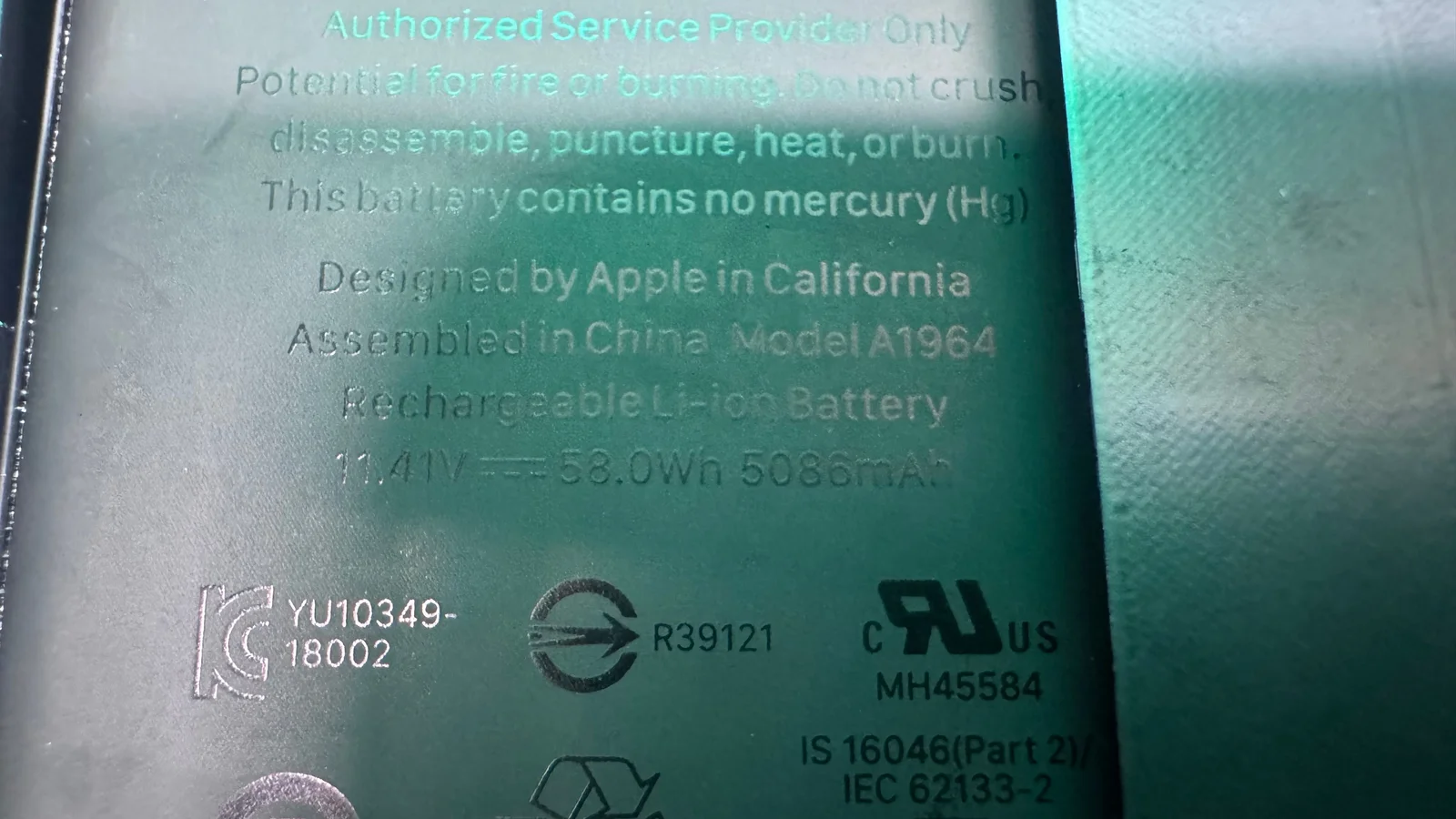
Aged A1582 battery, dust, debris, and early signs of cell swelling

Clean bay after top case keyboard battery replacement, reconnecting the battery

Swollen lithium battery safely removed, must be properly discarded and recycled
Signs Your Battery Is Swollen
- • Trackpad clicks feel stiff or won't click at all
- • Bottom case is bulging, warped, or won't sit flat
- • Keyboard keys feel raised or uneven
- • MacBook rocks on a flat surface
- • Gap visible between the screen and keyboard when closed
⚠️ Stop using the MacBook immediately and bring it in. Swollen lithium cells can rupture or ignite if punctured.
Genuine Top Case Keyboard Battery Replacement
We use genuine Apple top case keyboard batteries that match your MacBook's original specifications, same voltage, same watt-hour capacity, same form factor. Your MacBook won't know the difference.
- Matched voltage & capacity to OEM specs
- Proper temperature sensors & safety circuits
- Full macOS battery health reporting
- No third-party battery warnings
- 800–1,000 charge cycle lifespan
Our Battery Replacement Process
A straightforward, professional process from drop-off to pick-up.
Apple Diagnostics
We run a full battery health check, cycle count, capacity, voltage, and physical inspection for swelling.
Safe Disassembly
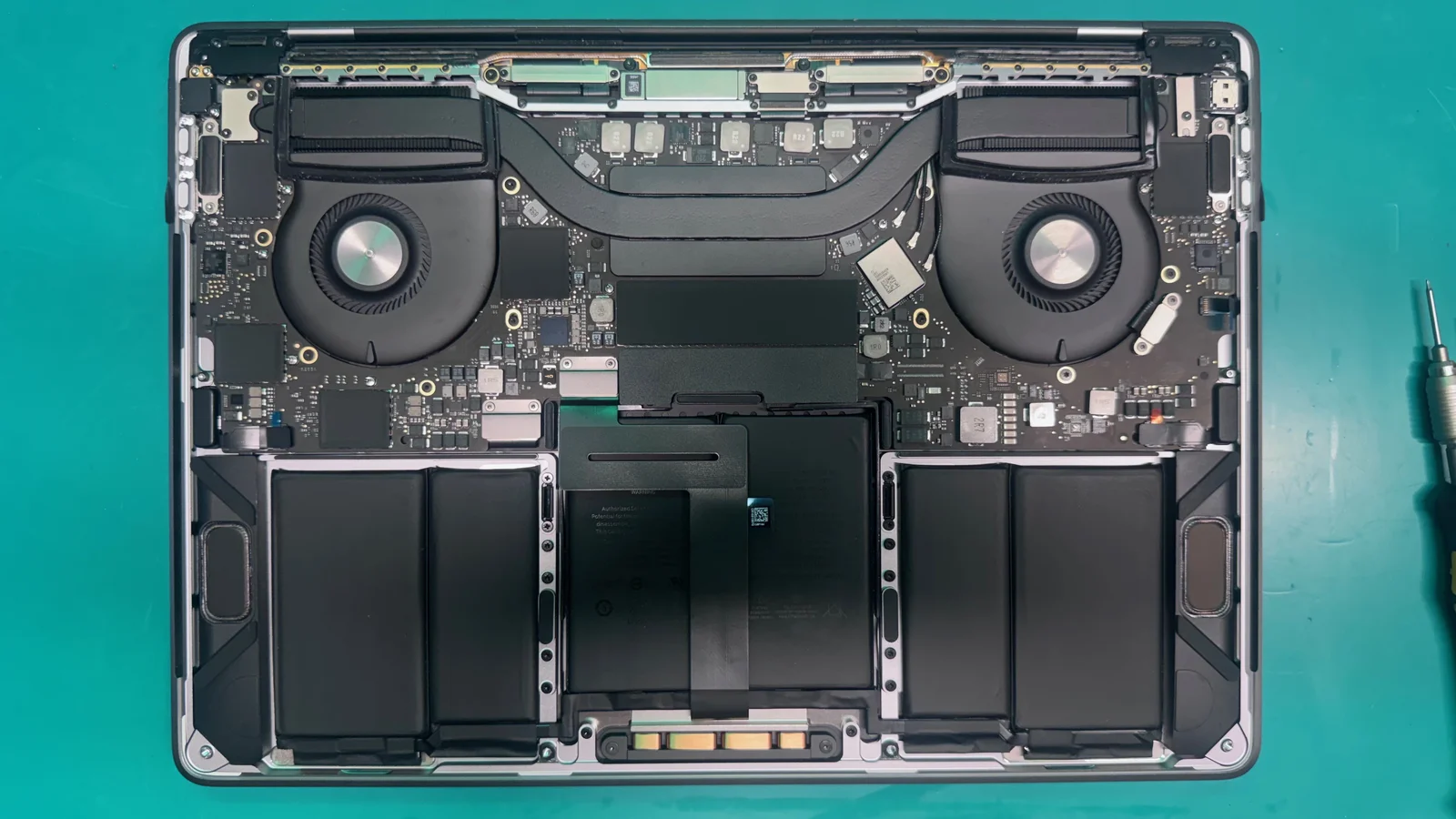
Your MacBook is carefully opened on our ESD-safe workbench. We disconnect all cables and assess the battery condition.
Battery Removal
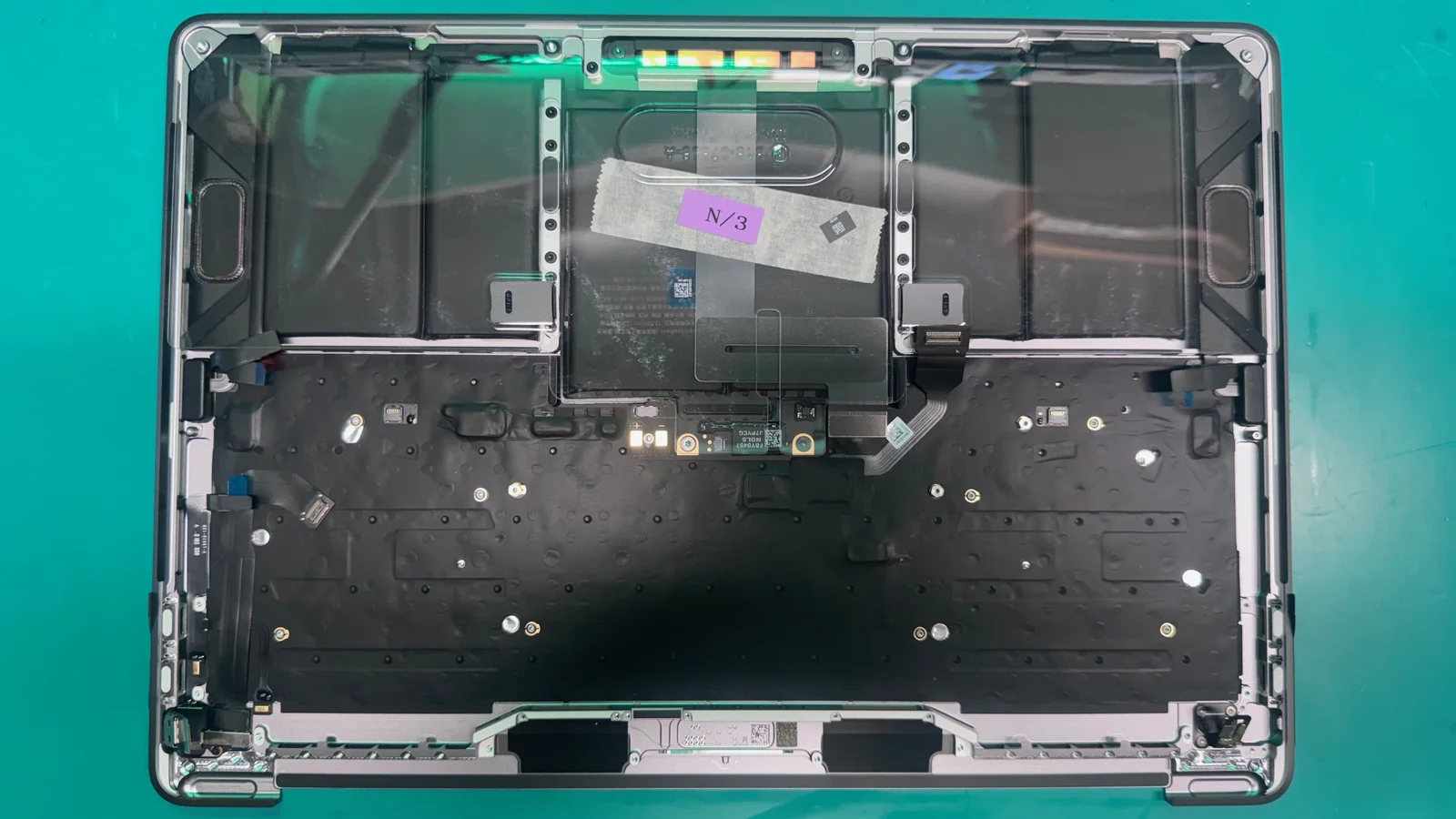
The old battery is safely removed by our certified technicians using proper techniques and specialized equipment. Lithium batteries are extremely dangerous and must never be removed by untrained individuals.

New Battery Install
A fresh Apple Genuine replacement battery is seated, connected, and secured. We verify model compatibility and proper fitment.

Calibration & Testing
We calibrate the new battery with macOS, run charge/discharge cycles, verify full capacity reporting, and confirm health shows "Normal".
Battery Replacement Pricing
Transparent pricing with no hidden fees. Every replacement includes labor, battery, and a 1-year warranty.
| MacBook Model | Price |
|---|---|
| MacBook Pro 13" (2016–2023) | From $149 |
| MacBook Pro 14" (2021–2024) | From $179 |
| MacBook Pro 15" (2015–2019) | From $169 |
| MacBook Pro 16" (2019–2024) | From $199 |
| MacBook Air 13" (2018–2023) | From $129 |
| MacBook Air 15" (2023–2024) | From $159 |
⚠ Prices shown include battery, labor, and 1-year warranty. Final price confirmed after Apple Diagnostics, no hidden fees, no surprises.
WarriorMac vs. Apple Store
Why WarriorMac for Battery Replacement
1-Year Warranty
Brand-new part repairs include a full 1-year warranty; pre-owned part repairs carry a 180-day warranty.
Same-Day Service
Most MacBook battery replacements completed in 1–3 hours. Drop off in the morning, pick up by afternoon.
Apple Genuine Cells
We use Apple Genuine battery cells matched to your model. No cheap knockoffs.
Expert Technicians
25 years as a technician. We know every MacBook model inside and out.
Inside a MacBook Battery Replacement
Real photos from our Tampa repair bench, see exactly what goes into a professional battery swap.
MacBook Pro internals, battery cells visible alongside the logic board and dual fans
Empty battery bay after safe removal, ready for the fresh replacement cells
Battery Replacement FAQ
Common questions about MacBook battery replacement in Tampa.
Ready for a New Battery?
Stop dealing with a dying MacBook. Drop in for a free battery health check, no appointment needed. Most replacements are done the same day.
Send Us a Message
Describe your MacBook battery issue and we'll get back to you within 1 hour during business hours.