Is It Worth Repairing Your Old Mac, or Should You Buy New?
The Short Answer
A repair is usually worth it when the fix costs clearly less than a comparable replacement and the rest of the Mac is in good shape. The question that changes most minds is simple: what would a new Mac that does the same job actually cost you today? Once you compare that number to a free WarriorMac quote, the decision is usually obvious.
There is a moment in almost every repair conversation we have. We give someone a fair, honest quote to fix their Mac, and you can see them doing the math in their head. Then it comes out: I have a certain number in mind, and if the repair costs more than that, I would rather just put the money toward a new one.
It is a completely reasonable instinct. Nobody wants to pour money into an old machine. But it is also where most people make a decision based on a feeling rather than the facts. So let us walk through how to actually answer the repair or replace question honestly, the same way we talk it through with customers at the counter in Tampa.
The one question that changes most people's minds
When someone tells me they would rather put the repair money toward a new Mac, I always ask them one simple question. What would you actually do with a newer machine that you cannot already do with the one you have?
Nine times out of ten, they pause. Because the honest answer is nothing. They browse the web, they check email, they run the same handful of programs, they store their photos. The new machine would do those exact same things, just with a much bigger price tag attached.
This is the part the marketing never tells you. Most people do not need more computer. They need the computer they already have to work properly again. If a repair gets you back to a fully working Mac that does everything you actually use it for, then spending three, four, or five times as much on a new one is not an upgrade. It is just spending more money to end up in the same place.
Now, if the honest answer is different, if you genuinely need more power for heavy video editing, large photo libraries, or professional software that your current machine truly cannot handle, then that is a real reason to consider buying new. We will tell you that plainly. But that is a small share of the people who walk in convinced they need a new machine.
The real math: repair cost versus replacement cost
Let us put actual numbers behind the decision, because that is what matters. A repair might cost you a few hundred dollars. A comparable new Mac can cost well over a thousand, and a high end machine costs a great deal more than that.
So the question is not simply is this repair worth it in a vacuum. The real question is: does spending a few hundred dollars to get years more life out of this machine make more sense than spending many times that on a brand new one? When you frame it that way, the repair usually wins by a wide margin.
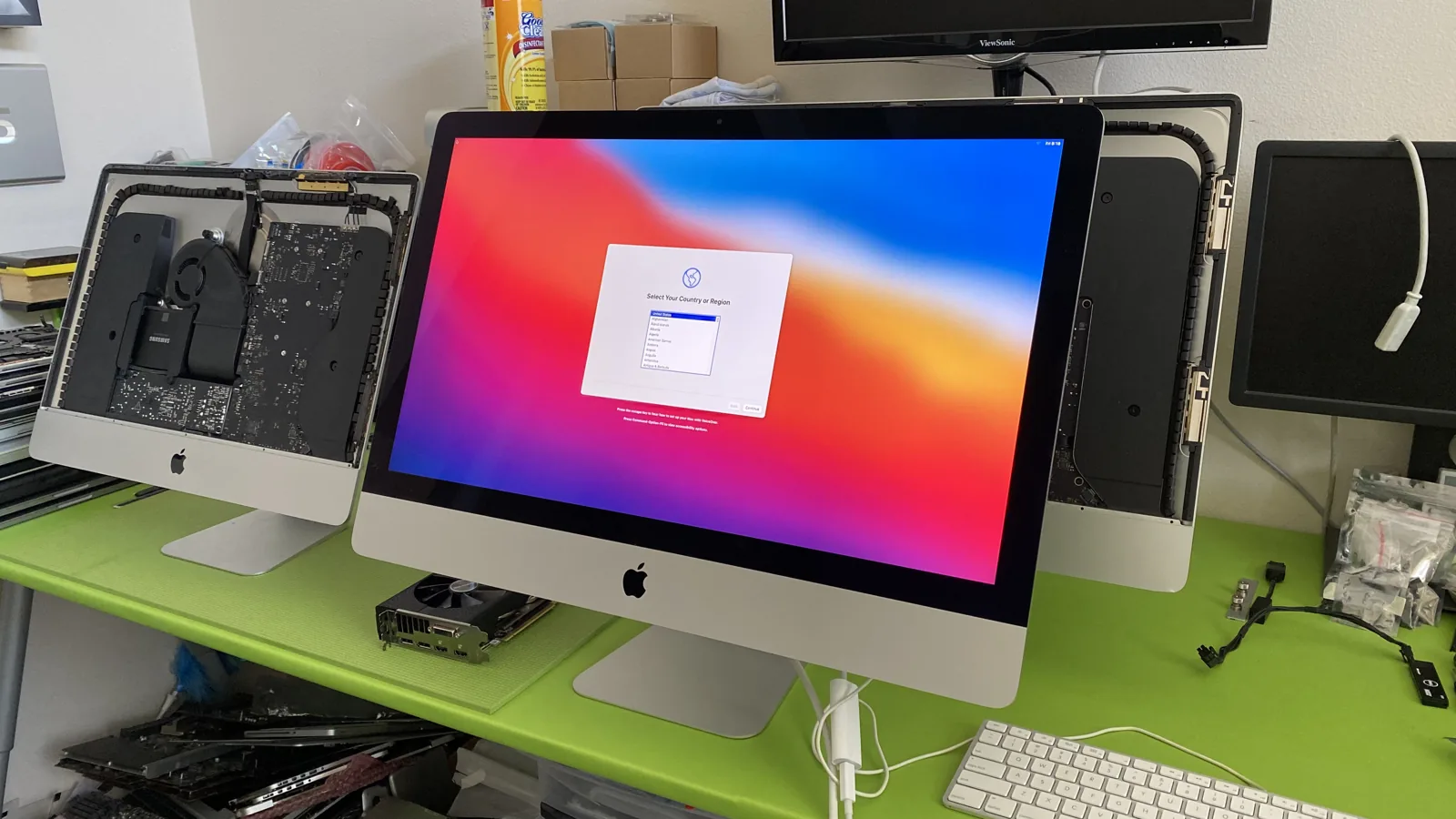
Take this iMac. Fully working again, running the latest system, ready for years more use. The repair was a fraction of what a new 27 inch iMac would cost, and for what this owner does day to day, the new machine would not have done a single thing this one cannot. That is a clear win, and it is the most common outcome we see.
We believe in being upfront about this, which is why we keep our pricing transparent. You should always know what the repair costs before you decide, so you can weigh it against a new machine with real numbers instead of a guess.
Why the machine you already own has hidden value
There is something people forget when they are tempted by a shiny new Mac. The machine you already own is set up exactly the way you like it. Your files are where you expect them. Your apps are installed and logged in. Your workflow is muscle memory.
Buy a new machine and you inherit a whole project. Migrating your data, reinstalling software, re-entering passwords, and relearning any changes in the new system. For a lot of people, especially those who just want their computer to work, that hassle has real value, and repairing the machine they already know sidesteps all of it.
There is also the reliability factor. You know this machine. You know its quirks and its history. A repaired Mac with a known track record is often a safer bet than rolling the dice on something new, particularly when the repair is done with genuine parts and backed by a warranty.
High-value Macs are almost always worth repairing
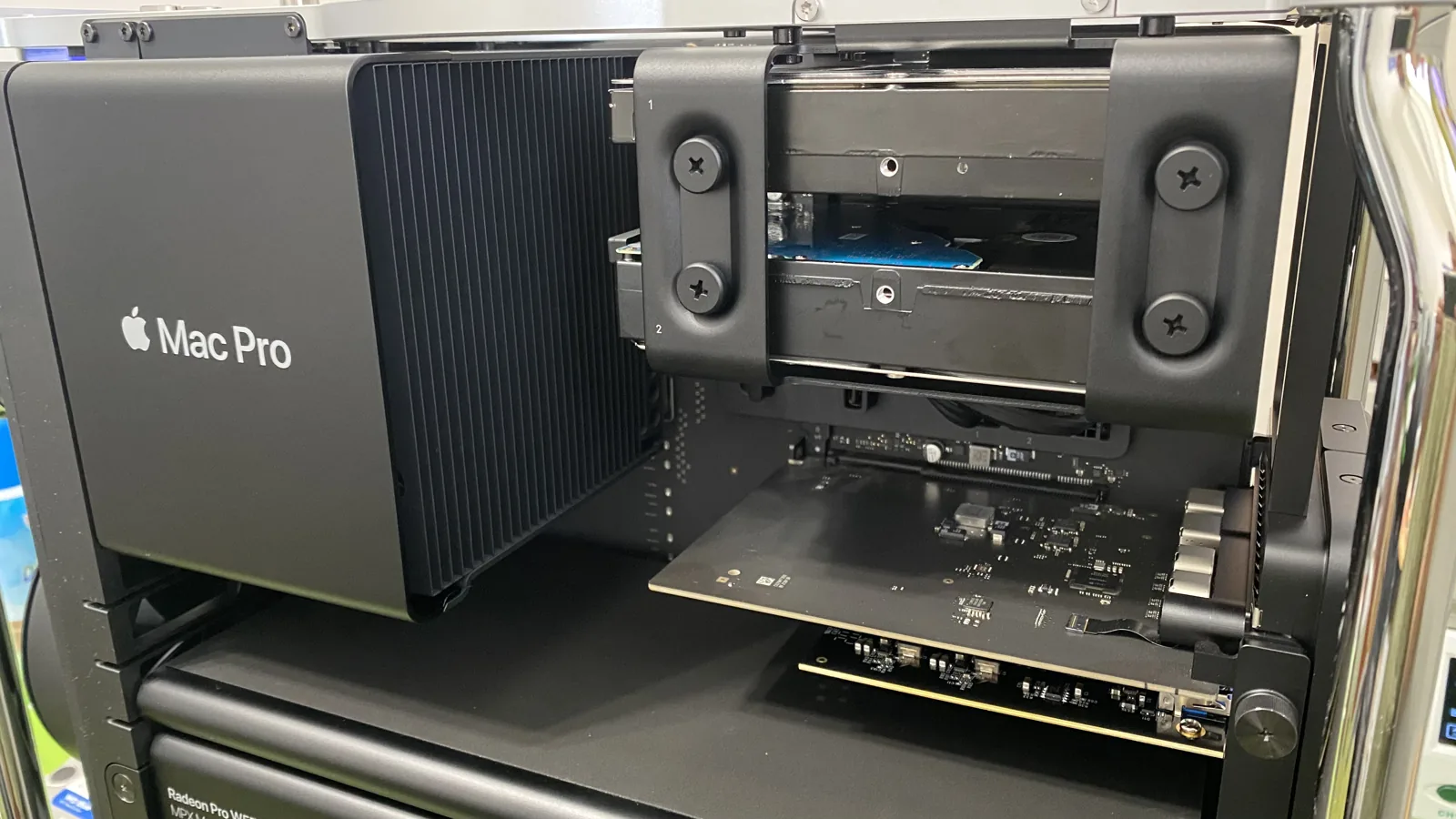
This is even clearer with higher end machines. Take a Mac Pro like this one. A machine like this represents a serious investment when purchased new, often many thousands of dollars. When one component fails, the idea of throwing the entire machine away and buying a brand new one would be an enormous waste of money.
These are exactly the machines where repair makes the most financial sense. The chassis, the graphics modules, the memory, and the storage are all extremely valuable and usually perfectly fine. When we isolate and fix the part that actually failed, we save the owner from replacing thousands of dollars of hardware that was never broken in the first place.
We see this with iMacs, Mac Pros, and higher end MacBook Pros constantly. The more the machine cost new, the more a targeted repair saves you compared to replacement. Writing off an expensive Mac over one failed part is almost never the smart move.
Repair can also mean an upgrade
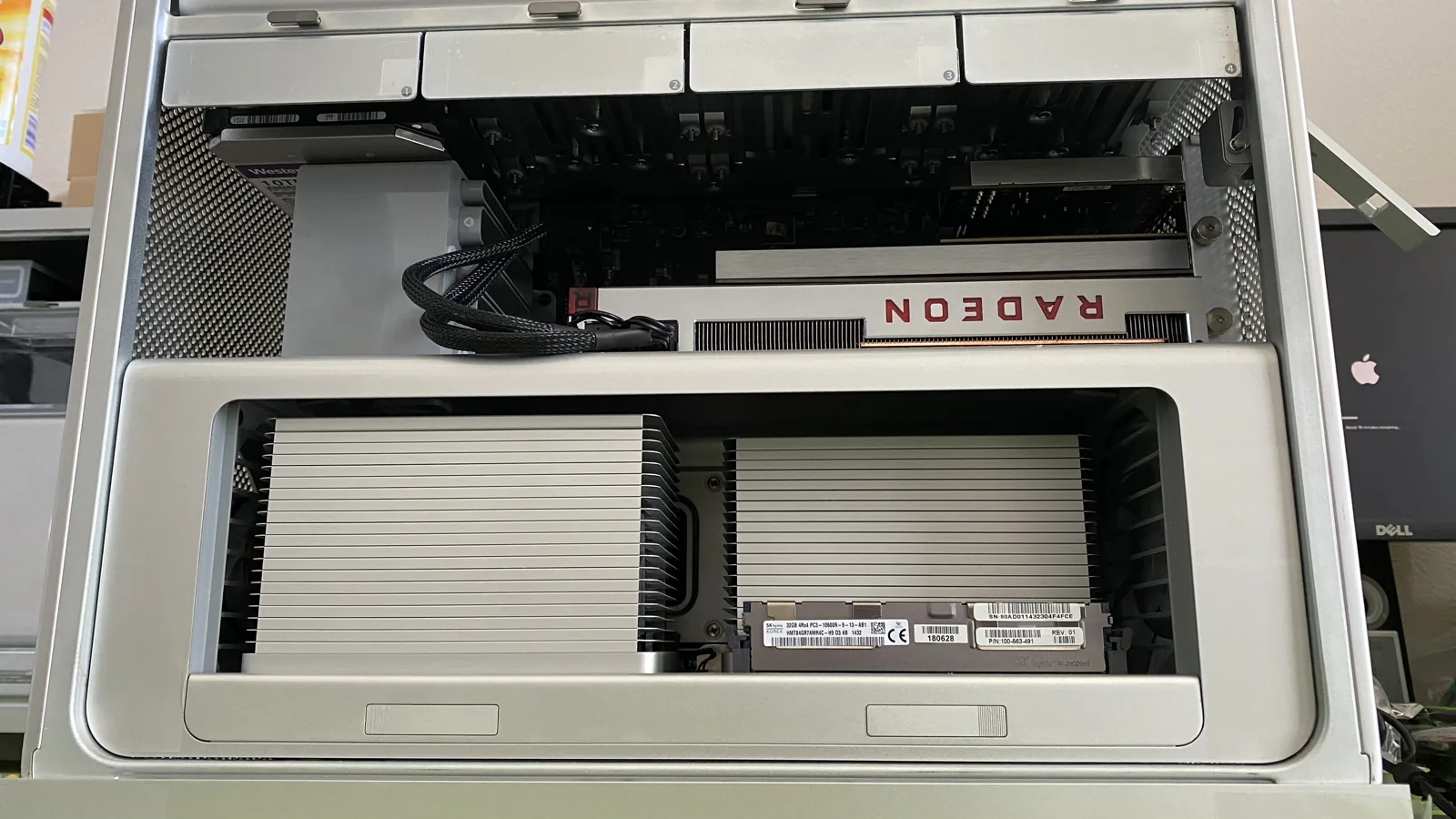
Here is something a lot of people do not realize. Sometimes the reason you are eyeing a new machine, that it feels slow, is not a reason to replace it at all. It is a reason to upgrade it.
The single biggest speed complaint we hear is that a Mac has gotten sluggish. On many machines, an SSD upgrade or a memory increase transforms the experience. Boot times drop from minutes to seconds. Apps launch instantly. The machine that felt ready for the trash suddenly feels new again, for a fraction of the cost of actually buying new.
So before you assume slow means replace, let us take a look. Often the machine is mechanically fine and just needs the right upgrade to keep up with how you use it today. That is the honest answer we would rather give you than sell you on the idea that you need to start over.
When we will tell you to buy new
We promised honesty, and honesty cuts both ways. There are times we will look at a machine and tell you a repair does not make sense, and we would rather lose the sale than take your money for something we do not believe in.
If a machine is very old and multiple things are failing at once, so that fixing one problem just means another is around the corner, we will tell you. If the cost of the repair genuinely approaches the cost of a comparable replacement, we will tell you. And if you truly need capabilities your current machine cannot provide no matter what we do, we will tell you that too.
That honesty is the whole point. When we recommend a repair, it is because the numbers and the facts actually support it, not because we are trying to close a ticket. And when buying new really is the smarter move, we will say so, even though it means we do not get the repair.
How to make the decision with confidence
So how do you actually decide? Start with that one question. What would a new machine let you do that your current one cannot? If the honest answer is nothing meaningful, you are almost certainly better off repairing.
Then get real numbers. Do not guess at the repair cost or the replacement cost. Get an actual quote for the repair and compare it against the real price of a machine that would genuinely meet your needs. In most cases the gap is large, and it is in the repair's favor.
And do not decide based on the fear that a repair will not last. A repair done correctly, with genuine parts, by a certified technician, and backed by a warranty, gives you years of reliable use. The machine you already own, fixed properly, is usually the smartest money you can spend.
If you are staring at an old Mac and wondering whether it is worth saving, do not guess. Bring it to WarriorMac in Tampa for a free diagnostic. We will tell you exactly what is wrong, what it will cost to fix, and give you our honest opinion on whether repairing or replacing is the smarter choice for you. No pressure, no sales pitch, just the truth about your machine.
Frequently Asked Questions
Should I repair my old Mac or buy a new one?
Repair usually wins when the repair cost is well under the price of a comparable new Mac and the body, screen and logic board are otherwise healthy. Replacement makes more sense when multiple major components are failing at once or the machine can no longer run the software you need.
How do I decide if a repair is worth the money?
Compare the free repair quote to what a new Mac that does the same work would cost, then factor in that a repaired Mac keeps your data and setup intact. WarriorMac gives you the honest numbers up front so you can make the call.
Can an upgrade make my old Mac feel new again?
On many older models an SSD or RAM upgrade delivers a dramatic speed boost for a fraction of a new machine. We will tell you if your specific model can be upgraded during the free diagnostic.
Will I lose my files if I replace instead of repair?
Not with us. Whether you repair or move to a new machine, WarriorMac can recover and transfer your data so nothing important is left behind.
How can I determine the remaining lifespan of my old Mac?
To assess your Mac's remaining lifespan, we can perform a free diagnostic to evaluate its hardware and software condition. If your Mac is running well and only requires minor repairs, it may be worth keeping. However, if the repairs are extensive and the device is outdated, investing in a new model may be a better option.
Need Mac Repair Help?
Our Apple-certified technicians are ready to help. Free diagnostics, genuine parts, and competitive pricing.