MacBook Not Turning On: Common Problems and Solutions
The Short Answer
A MacBook that will not turn on is most often a power issue, not a dead computer. Before you panic, try a different charger and outlet, check for any charging light, and do a forced restart. If there is still no sign of life, the cause is usually the battery, charging circuit, or logic board, and a free WarriorMac diagnostic will pinpoint which one.
Picture this scenario: You press the power button on your beloved MacBook, eagerly awaiting its familiar startup sound and the welcoming glow of the Apple logo, but to your dismay, nothing happens. Your MacBook is not turning on and you are left wondering what could be the problem.
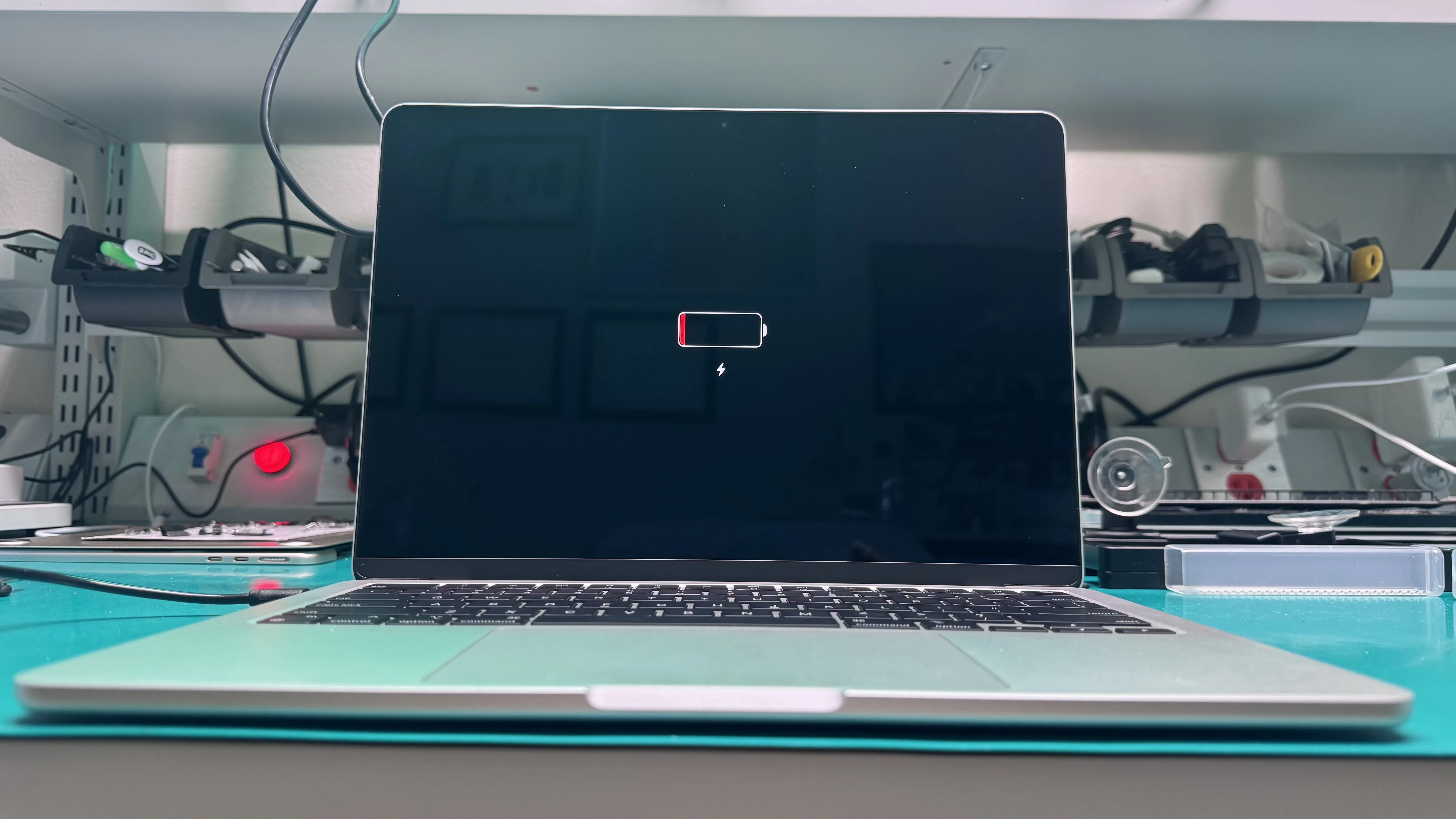
The most common cause is a completely drained battery. Connect your MacBook to a power source using the original charger and wait at least 15 minutes before attempting to turn it on again. Check that the charging indicator light is on.
Another frequent cause is a software crash that has frozen the system. Try performing a force restart by holding the power button for 10 seconds, then releasing it and pressing the power button again after a few seconds.
Resetting the SMC (System Management Controller) can resolve many power-related issues. The process varies depending on your MacBook model, but generally involves a specific key combination while the laptop is connected to power.
If your MacBook still will not turn on after trying these steps, the issue may be hardware-related, such as a faulty logic board, failed power circuit, or damaged charging port. In these cases, professional diagnosis and repair is recommended.
At WarriorMac, our certified technicians can quickly diagnose the root cause and provide a transparent quote for the repair. We use genuine Apple parts and offer a warranty on all our work.
Frequently Asked Questions
Why is my MacBook not turning on?
The most common causes are a drained or failed battery, a bad charger or charging port, or a logic board fault. A black screen does not always mean the Mac is dead, sometimes it is running but not displaying, which is why a proper diagnostic matters.
What can I try before taking my MacBook in?
Try a known-good Apple charger and a different outlet, look for any charging light or sound, let it charge for a while, then do a forced restart by holding the power button for about ten seconds. If nothing changes, it needs a hands-on diagnosis.
Is a MacBook that will not turn on worth fixing?
Usually yes. Many no-power MacBooks need only a battery, charging port, or a component-level board repair rather than a full replacement. Our free diagnostic tells you the exact cause and cost first.
Will I lose my data if my MacBook will not power on?
Typically no. The storage is usually fine even when the Mac will not boot, and we can recover your files as part of the repair if needed.
What should I do if my MacBook turns on but doesn't boot up?
If your MacBook powers on but doesn't boot, try resetting the NVRAM or SMC. To reset the NVRAM, hold down Command, Option, P, and R keys right after you turn it on. For an SMC reset, shut down your MacBook, then hold Shift, Control, Option, and the power button for 10 seconds. If these steps don't work, we offer free diagnostics at our Tampa location to identify the issue.
What might cause my MacBook to turn on but not display anything?
If your MacBook powers on but you see no display, it could be due to a faulty display, an issue with the logic board, or even a problem with the RAM. We recommend connecting your MacBook to an external monitor to check if the issue lies with the screen. If the external display works, it may just be a display issue, and we can help you with that.
What should I do if my MacBook makes a clicking sound when trying to turn on?
If your MacBook makes a clicking sound when you try to power it on, it could indicate a hard drive issue. We recommend bringing it to us for a free diagnostic, as we can check the hard drive and other components. If it needs repair, we use genuine Apple parts and offer a warranty on all new parts.
Need Mac Repair Help?
Our Apple-certified technicians are ready to help. Free diagnostics, genuine parts, and competitive pricing.