How Much Does It Cost to Fix a Mac? An Honest Answer from a Tampa Tech
The Short Answer
The honest short answer is that most Mac repairs in Tampa fall into a wide range because the price depends on three things: which Mac you have, how old it is, and whether you choose new or quality pre-owned genuine Apple parts. Simple jobs like a battery or a charging port are on the lower end, while logic board and full display work cost more. At WarriorMac the diagnostic is free, so you get a firm price before any work starts, and you never pay for a repair we cannot complete.
If you have a Mac that is acting up, the first thing you want to know is simple. How much is this going to cost me? It is the most common question we get, and it is a completely fair one. Nobody wants to hand over a computer and get a scary number they were not ready for. So let us answer it the honest way, the same way we would answer it if you were standing at our counter here in Tampa.
The truthful answer is that there is no single price for a Mac repair, and anyone who quotes you a flat number over the phone before they have seen the machine is guessing. What we can do is show you exactly what decides the price, and then tell you a real story from this week that shows how we actually treat the number on your invoice.
Why there is no single price to fix a Mac
A Mac repair is not like an oil change where the price is the same for everyone who walks in. Your Mac is a specific machine, with a specific problem, and the cost depends on a few real things. When someone asks us for a price with no information, it is a little like calling a doctor and asking how much it costs to feel better. The honest starting point is always the same. We need to see it first.
That is not us dodging the question. It is us respecting your money. We would rather look at the actual machine, find the real problem, and give you a number you can trust than throw out a random figure that turns out to be wrong once we open it up. A free diagnostic exists for exactly this reason. We look, we test, we tell you the truth, and then you decide.
The three things that decide your price
When we do land on a number, it comes down to three things, and once you understand them you will understand every quote you ever get on a Mac, from us or anyone else.
The first is the size and model of your Mac. A small MacBook Air is a very different machine to work on than a large iMac or a Mac Pro. Bigger machines have more parts, cost more to source components for, and often take more labor to open, repair, and put back together correctly. A screen for a 13 inch laptop and a screen for a 27 inch all in one desktop are not in the same universe on price, and it would be dishonest to pretend they were.
The second is the year of your Mac. Older machines and newer machines pull from completely different parts markets. A part for a current model can be expensive simply because it is new and in demand. A part for an older model can be harder to find, which also affects the price. The age of your machine also tells us how it was built, since Apple changes the way these computers come apart from one generation to the next, and that changes how much work a repair takes.
The third, and this is the one most people never think about, is whether you want the repair done with a brand new genuine Apple part or a quality pre-owned genuine part. This choice is yours, and it makes a real difference to both the price and the warranty, which we will get into further down. The short version is that you have options, and we walk you through them instead of deciding for you.
Why we will not just quote you the cheapest thing over the phone
Sometimes people call and ask us to just tell them the cheapest possible price, sight unseen. We understand the instinct. Money is money, and everyone is trying to spend as little as they can. But quoting the cheapest possible fix over the phone, before we have seen the machine, is one of the fastest ways to end up disappointed.
Here is why. If we quote you a rock bottom price based on a hopeful guess, and then we open the machine and find the problem is bigger than that, now we have to come back to you with a higher number. That feels terrible for you, and it feels dishonest even when it is not meant to be. We would rather never put you in that position. So instead of a hopeful lowball, we look first, and then the number we give you is the number, based on what is actually wrong.
The flip side is the story you already read. Sometimes we quote for the full repair, and the machine turns out to need less once we are inside it. When that happens, you pay less. The honesty runs in both directions. We are not looking to squeeze the highest number out of you, and we are not going to bait you with a fake low one either. We are just going to tell you the truth about your specific machine.
A real repair from this week
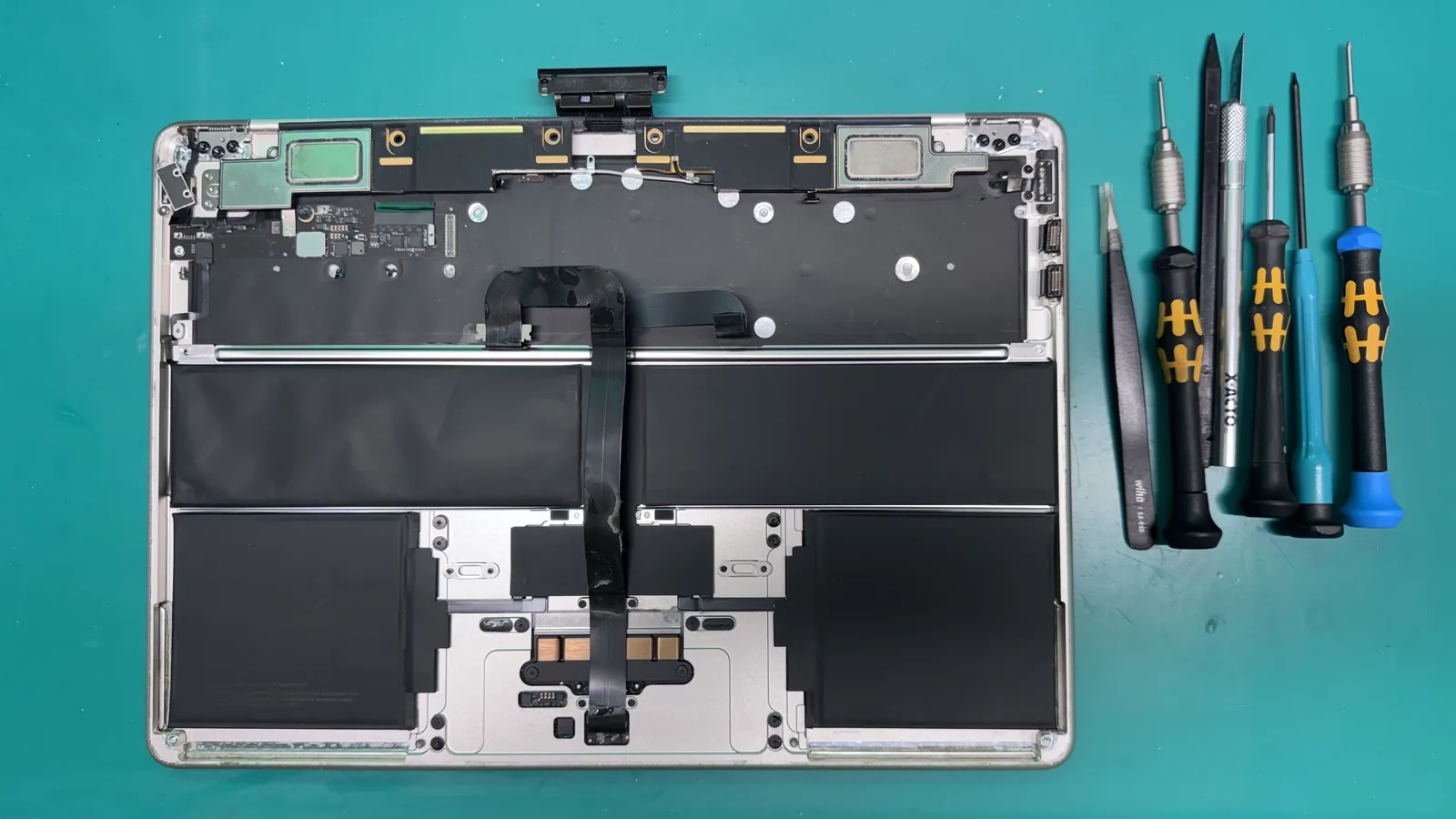
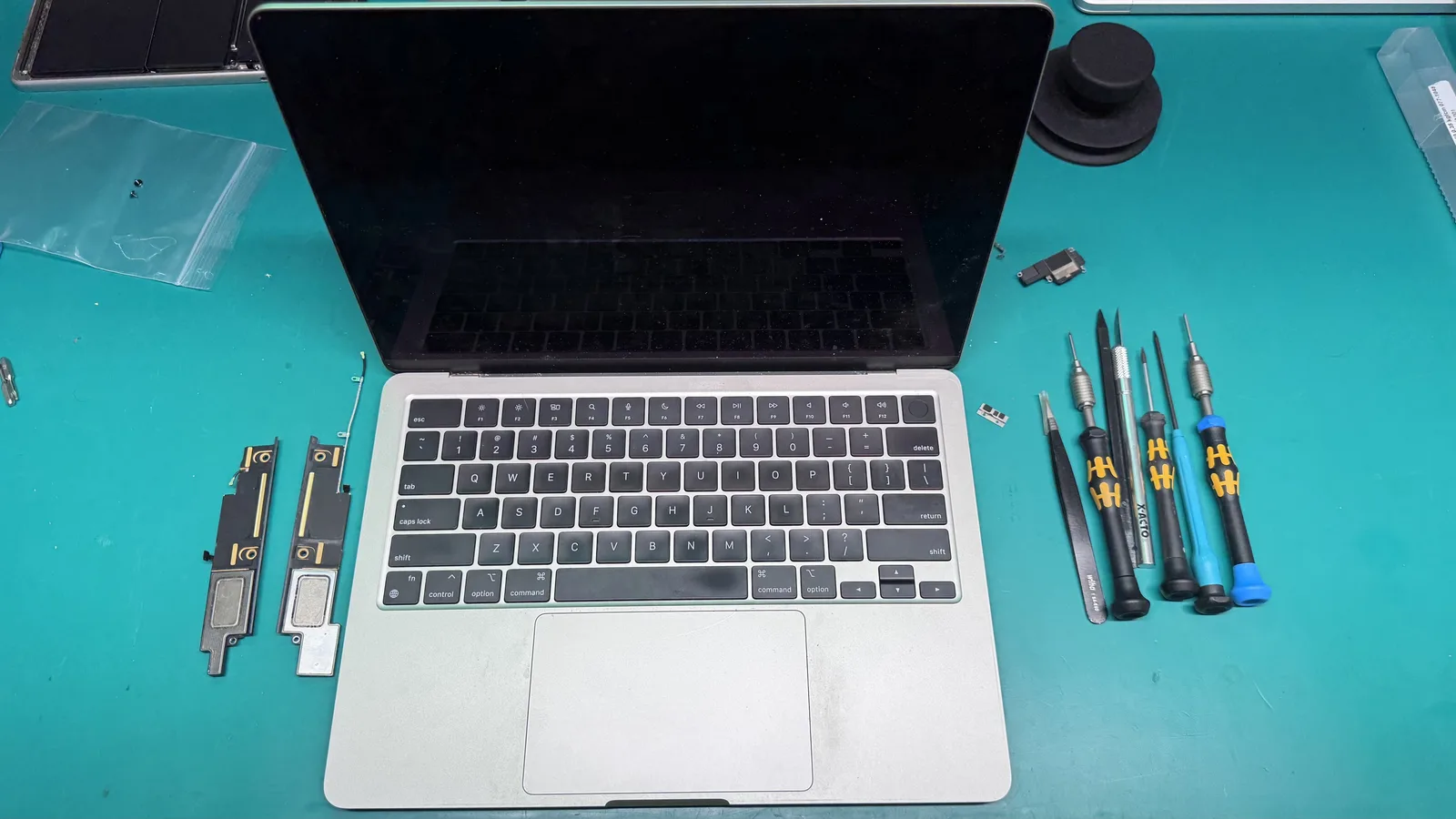
Let us make all of this concrete with something that actually happened. A gentleman came in yesterday with a MacBook Air 13 inch from 2018. He had spilled coffee all over the keyboard. When he set it down on the counter, the first thing he asked me was whether I could just clean his MacBook with some alcohol and send him on his way.
It is a very reasonable thing to ask. Alcohol cleaning sounds quick, cheap, and simple, and that is exactly what most people are hoping for when they walk in after a spill. Nobody wants a spill to turn into a big repair. So I understood completely where he was coming from. But I also knew that giving him what he asked for was not the same as doing right by him, and I wanted to explain why before we did anything.
What coffee and water actually do inside a Mac
To understand why the right repair matters, it helps to know what a liquid spill actually does inside your machine, in plain terms. When you spill coffee, soda, water, or anything else on a Mac, the liquid does not just sit on top of the keys. It seeps down, past the keyboard, and reaches the delicate parts underneath. On a laptop like a MacBook Air, that means it can reach the battery, the internal connectors, and in the worst cases the logic board, which is the main circuit board that runs the entire computer.
Plain water is bad enough, but drinks like coffee are worse. Coffee has sugar and other residues in it, and it is often not just black coffee, there is cream and sweetener in the mix too. When the liquid dries, those residues stay behind and attract moisture, and they help corrosion form on the metal contacts inside. Corrosion is basically a slow chemical rusting of the tiny electrical connections your Mac depends on. It does not happen all at once. It creeps along over days and weeks, which is exactly why a machine can seem fine right after a spill and then fail later.
This is the whole reason a surface cleaning is not enough on a machine that truly got wet inside. You have to get inside, see what the liquid actually reached, clean the affected areas properly, and replace the parts that took real damage. Anything less is guessing, and guessing with someone's computer is not something we are willing to do.
Why a quick alcohol cleaning is just a bandage
Here is how I explained it to him, and it is the same way I would explain it to you. A fast alcohol wipe on a machine that had liquid damage is like putting a bandage over something that needs real attention.
I gave him an example with his car, because it makes the idea click. Imagine the check engine light comes on in your car. There is a real problem under the hood causing that light. Now imagine you do not have the time or the money to fix it, so you ask the mechanic to just plug in the computer and turn the warning light off. The light goes away, and the dashboard looks fine again. But the actual problem did not go anywhere. You did not fix anything. You just covered up the warning that was trying to tell you something was wrong.
A surface level alcohol cleaning on a liquid damaged Mac is the same thing. It might make the machine look fine today. It might even power on. But coffee, like most liquids, leaves corrosion behind on the tiny components inside, and that corrosion keeps working away long after the surface looks dry. So you have not solved the problem. You have put a bandage over it and handed the machine back with the warning light quietly still on inside.
The part nobody talks about, who is responsible when it fails later
There is another side to this that matters just as much, and it is about responsibility. This is the part I really do not like, and it is a big reason I insist on doing things the right way from the start.
Say I had agreed to just do the quick alcohol cleaning. The machine seems to work when he picks it up. Then a week or two later, the corrosion that was still in there finally kills something, and the Mac stops working. Now, in the customer's mind, who was the last person to touch that computer? I was. Even though the real damage was done by the coffee before it ever reached me, I am now the one who gets the phone call, and I am the one being held responsible for a failure I did not cause and could not have prevented with a bandage fix.
That liability, that gray area where I get blamed for something that was never going to hold, is exactly what I refuse to put myself or my customer into. It is not fair to either of us. So I would rather have the honest conversation up front and do the thing that actually protects the machine, instead of taking the easy money and setting us both up for a bad ending.
Why the honest fix was the top case and battery
So I told him the truth. The right repair for a coffee spill like his is usually to replace the affected top case, which on this model includes the keyboard, and the battery, since liquid loves to sit in and around those areas. That is the repair that actually addresses the damage instead of masking it.
And I told him the real reason it matters, in plain words. Today your computer is working. Tomorrow it might not be. Liquid damage is sneaky like that. It can run fine for days and then fall apart, because the corrosion is still doing its slow work inside. Replacing the parts that took the hit is how you turn a maybe into a machine you can actually rely on again.
He listened, and he understood. That is all I ask for. I am not trying to scare anyone into a repair. I am trying to make sure the person in front of me actually understands what is happening inside their machine so they can make a smart decision with their own money.
What happened when he came to pick it up
Now here is the part that matters most, and it is the whole reason I am telling you this story.
The repair he was quoted, the full top case and battery job, was going to cost 412 dollars and 77 cents. That was the honest number for doing it right, and he approved it. But when I opened the machine and cleaned the inside thoroughly, something good happened. After the deep internal cleaning, the MacBook Air passed every test I put it through. It was stable, the keyboard worked, the battery was holding, and the machine behaved exactly like it should.
So when he came to pick it up, I did not charge him the 412 dollars he had approved. I charged him 125 dollars, because that is what the work actually came to once the machine passed testing. I could have very easily charged him the full amount he had already agreed to. He would never have known the difference. But that is not how I do business.
He was genuinely happy, and he left a very kind review. And the reason I did it is simple. I think about my own family. If someone out there was working on a computer for my mother, or my wife, or my kid, I would want that person to be honest with them and charge them for what was actually done, not for the worst case number just because they could. So that is exactly how I treat the people who trust me with their machines. I do the thing I would want done for my own family.
New parts or pre-owned parts, and what it means for your price
This brings us back to that third factor in pricing, because it is where you have real say in the cost. On many repairs, you can choose between a brand new genuine Apple part and a quality pre-owned genuine part. Both are real Apple parts. The difference is price and warranty.
A repair done with a brand new genuine Apple part carries a full one year warranty. A repair done with a quality pre-owned genuine part carries a 180 day warranty. Neither choice is wrong. Some people want the longest coverage and the newest component, and some people want to save money on an older machine they do not plan to keep forever. Our job is to lay both options in front of you clearly and let you pick the one that fits your situation and your budget.
This is also why you will see our prices shown as a starting point rather than a fixed figure. A repair might start from a certain price, and where it lands depends on your model, its year, and the part you choose. We are not hiding the ball. We are being honest that a 13 inch laptop from a few years back and a large current desktop simply do not cost the same to fix, and pretending otherwise would just be another kind of bandage.
A quick word about your data, because people always ask
When a spill happens, the panic is usually about two things at once. Will my computer survive, and will I lose everything on it. Those are two separate questions, and it is worth keeping them separate in your mind.
The repair, cleaning the machine and replacing the damaged parts, is about getting the computer working again. Your data, the photos, documents, and files living on the storage inside, is a different matter. On most machines that come in for liquid damage, the storage itself is untouched and your files are safe once the machine is repaired. But if the damage is severe enough to reach the storage, recovering your files becomes its own careful process, and we will always talk to you honestly about what is and is not possible.
The best protection, the one we wish everyone had before disaster strikes, is a simple backup. If you are reading this and your Mac is currently fine, take it as your sign to set up a Time Machine backup or a cloud backup today. It costs almost nothing, and it means a spilled cup of coffee is never the thing standing between you and years of memories. If your Mac has already taken a spill, do not keep using it and do not keep powering it on to check if it still works, because that can make things worse. Bring it in and let us look at it properly.
How to actually find out what your repair will cost
If you have read this far hoping for a magic number, here is the most honest thing we can offer you, and it is better than a number. Bring the machine in, or ship it to us, and let us give you a free diagnostic. We will find the real problem, not the surface symptom. We will tell you what it will actually take to fix it. We will give you your options on parts and price. And then you decide, with no pressure and no sales pitch.
That is the same process the gentleman with the MacBook Air went through. He came in expecting one thing, got an honest explanation, approved a fair repair, and ended up paying far less than he braced for because the machine passed testing and we charge for what we actually do. That is not a special promotion. That is just how it works here.
And if we ever look at your machine and believe a repair does not make sense, whether the damage is too extensive or the machine is simply too far gone to justify the cost, we will tell you that too. We would rather lose the sale than take your money for a repair we do not believe in. Honesty is not a marketing line for us. It is the entire way we run the shop.
The bottom line
So, how much does it cost to fix a Mac? It depends on the size and year of your machine and whether you choose new or pre-owned genuine Apple parts. Anyone who gives you a hard number before seeing the machine is guessing, and anyone who offers you a quick bandage fix over the real repair may be setting you up for a failure down the road.
What you should expect from a good shop is a free look, a straight explanation, honest options, and a final price based on the work that was actually done. That is what we gave a customer this week when a 412 dollar quote turned into a 125 dollar invoice, and it is what we try to give every person who trusts us with their Mac.
If your Mac has taken a spill, is acting strange, or you just want an honest opinion on what it will cost to fix, bring it to WarriorMac in Tampa for a free diagnostic. We will treat your machine, and your wallet, the way we would want someone to treat our own family.
Frequently Asked Questions
How much does it cost to fix a Mac?
It depends on your exact model, its year, and whether new or pre-owned genuine Apple parts are used. Everyday repairs such as batteries, keyboards and charging ports are the most affordable, while logic board micro-soldering and full display replacements cost more. WarriorMac gives you a free diagnostic and a firm quote before any work begins, so there are no surprises.
Do you charge for a diagnostic or estimate?
No. The diagnostic and written estimate are completely free. You only pay if you approve the repair, and if we cannot fix your Mac you pay nothing at all.
Why is one Mac repair cheaper than another for the same problem?
Two Macs with the same symptom can need very different parts. Newer models and larger screens use more expensive Apple components, and a genuine new part costs more than a tested pre-owned one. That is why we quote each machine individually instead of using a flat price list.
Is a cheaper third-party repair a good idea?
Sometimes the low quote hides used or aftermarket parts and no real warranty. WarriorMac uses genuine Apple parts, backs new-part repairs for a full year, and stands behind the work, which usually costs less in the long run than paying twice.
What factors influence the cost of repairing a Mac?
Several factors can influence the cost of repairing a Mac, including the specific model, the nature of the issue, and whether any parts need to be replaced. We use genuine Apple parts whenever possible, and our team provides free diagnostics to identify the problem accurately. Additionally, we offer a 1-year warranty on new parts and a 180-day warranty on quality pre-owned parts for your peace of mind.
What types of repairs can affect the overall cost of fixing my Mac?
The cost of fixing your Mac can vary based on the type of repair needed. For example, screen replacements, logic board repairs, and battery replacements typically involve different labor and parts costs. We use genuine Apple parts for repairs, which can affect the overall price, but we also offer free diagnostics to help determine the exact issue before you decide.
Are there any additional costs I should be aware of when getting my Mac repaired?
In addition to the repair cost, we offer free diagnostics to determine the issue with your Mac. If any parts need to be replaced, we use genuine Apple parts and provide a 1-year warranty on new parts and a 180-day warranty on quality pre-owned parts. Rest assured, if we cannot fix it, you pay nothing.
Need Mac Repair Help?
Our Apple-certified technicians are ready to help. Free diagnostics, genuine parts, and competitive pricing.