All Repair Manuals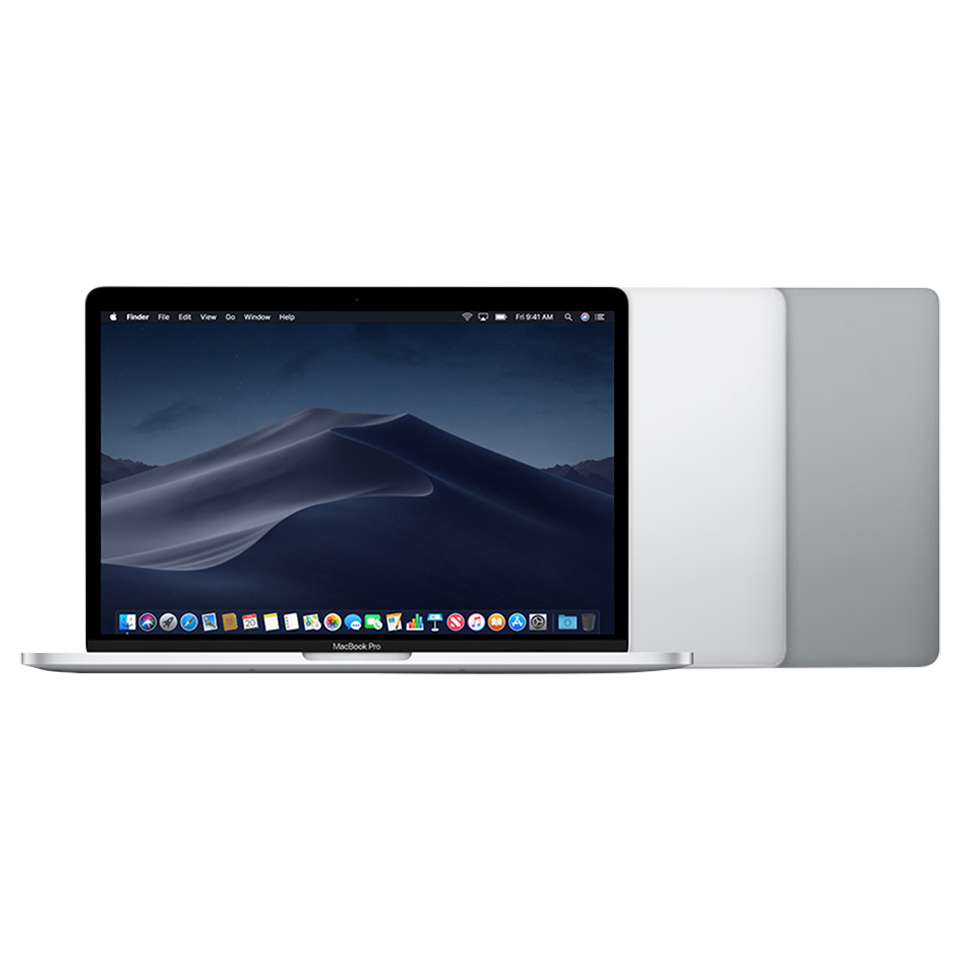
LaptopMacBook Pro•2018
MacBook Pro (13-inch, 4 TBT3, Mid 2018)
The MacBook Pro 13-inch 4 TBT3 Mid 2018 introduced the T2 security chip, True Tone display, third-gen butterfly keyboard, and quad-core processors for the first time in a 13-inch Pro.
Model: A1989
EMC: 3214
95 parts available
Advanced, Experienced Technician
Key Specifications
Intel Core i5/i7 (Coffee Lake, quad-core)
8GB or 16GB LPDDR3
256GB–2TB SSD
13.3-inch Retina 2560×1600 True Tone
Touch Bar, Touch ID, T2 chip, 4× Thunderbolt 3
Common Repairs
1Battery replacement
2Touch Bar replacement
3Keyboard replacement (butterfly)
4Display assembly replacement
5Logic board replacement
Available Parts (95)
Apple Service Guide Parts (24)
Official Apple order numbers from this model's illustrated parts list (43 part numbers). Item numbers match the exploded view callouts in the Apple service guide.
2
Clutch Cover, Right
1 number923-02523
3
Clutch Cover, Left
1 number923-02524
4
Vent/Antenna Module
1 number923-02518
5
Thermal Duct (pair)
1 number6
Heat Sink
1 number7
Cowling, Audio Board Flex
1 number8
Cowling, eDP (upper)
1 number923-013105-pack
9
Cowling, eDP (lower)
1 number10
Cowling, I/O Board Flex
1 number11
Cowling, Touch Bar Touch
1 number12
Cowling, Trackpad and Keyboard Flex
1 number923-016235-pack
13
BMU Mylar Cover
1 number14
Cowling, Touch Bar Display
1 number923-016035-pack
15
Logic Board
16 numbers661-09739i5, 2.3GHz, 8GB, 256GB
661-09740i5, 2.3GHz, 8GB, 512GB
661-09741i5, 2.3GHz, 8GB, 1TB
661-09742i5, 2.3GHz, 8GB, 2TB
661-09743i5, 2.3GHz, 16GB, 256GB
661-09744i5, 2.3GHz, 16GB, 512GB
661-09745i5, 2.3GHz, 16GB, 1TB
661-09746i5, 2.3GHz, 16GB, 2TB
661-09755i7, 2.7GHz, 8GB, 256GB
661-09756i7, 2.7GHz, 8GB, 512GB
661-09757i7, 2.7GHz, 8GB, 1TB
661-09758i7, 2.7GHz, 8GB, 2TB
661-09759i7, 2.7GHz, 16GB, 256GB
661-09760i7, 2.7GHz, 16GB, 512GB
661-09761i7, 2.7GHz, 16GB, 1TB
661-09762i7, 2.7GHz, 16GB, 2TB
16
Heat Sink Flexures
1 number17
eDP Flex Cable
1 number19
Fan, Right
1 number20
Fan, Left
1 number21
Keyboard Flex Cable
2 numbers923-02760ANSI/ISO
923-02761JIS
22
Touch ID Board
1 number24
I/O Board, Right or Left
1 numberPart numbers are sourced from the official Apple service guide for reference. Availability varies, contact us to confirm current pricing and stock for any part.
Safety Precautions
- • Always disconnect power and discharge the battery before beginning any repair.
- • Use an anti-static wrist strap (ESD) to prevent electrostatic damage to components.
- • Keep screws organized by step, magnetic project mats are highly recommended.
- • Never force connectors. Use a spudger to gently lift ZIF, FPC, and board-to-board connectors.
- • If your Mac has a swollen battery, do not attempt removal yourself, contact a professional.
Model Identification
Model Number(s)
A1989
EMC Number(s)
3214
Order Number(s)
MR9Q2LL/AMR9R2LL/A
Identifier(s)
MacBookPro15,2
Product Line
MacBook Pro
Year
2018
Essential Tools
- Pentalobe P5 screwdriver (1.2mm)
- Torx T3, T4, T5, T6 screwdrivers
- Phillips #00 screwdriver
- Spudger (nylon)
- Suction cup(s)
- Anti-static wrist strap (ESD)
- Tweezers (angled)
- Guitar picks / opening picks
- Isopropyl alcohol (99%)
- Thermal paste (Arctic MX-4 or equivalent)
Need Professional Help?
Our Apple Certified Technicians can handle any MacBook Pro (13-inch, 4 TBT3, Mid 2018) repair. Free diagnostics, 1-year warranty on all parts.