MacBook Keyboard Not Working? How WarriorMac Can Fix It
The Short Answer
A MacBook keyboard that stops working is usually caused by a liquid spill, debris under the keys, a worn keyboard mechanism, or a software or connection issue. Restarting and checking for stuck keys can help, but repeated or full failures usually need a professional. WarriorMac repairs Mac keyboards in Tampa with genuine parts and a free diagnostic.
Ever had your MacBook keyboard stop working right when you needed it most? At WarriorMac, we specialize in repairing Apple devices quickly, affordably, and with top-notch service, right here in the Tampa Bay Area.
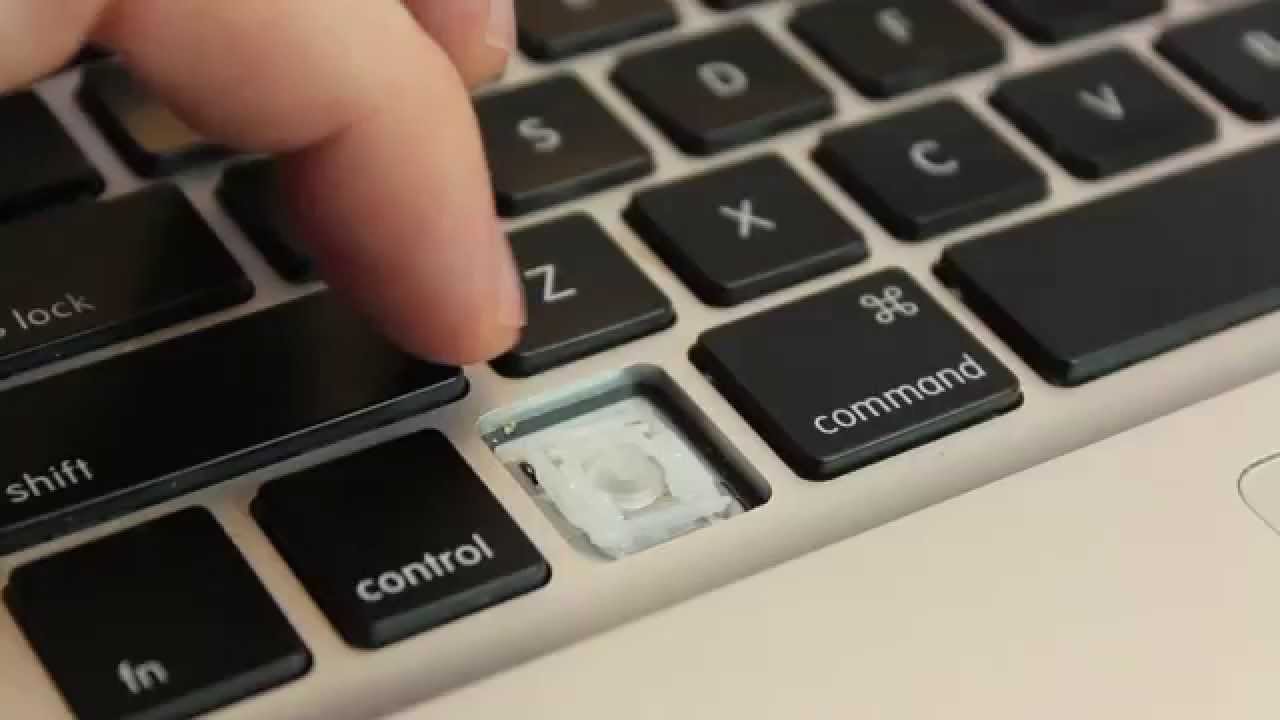
MacBook keyboard issues can range from individual keys not responding, to the entire keyboard being unresponsive. Common causes include debris under the keys, liquid damage, software glitches, or hardware failure of the keyboard connector.
For software-related keyboard issues, try resetting the SMC and PRAM as a first step. Sometimes macOS updates or system glitches can cause keyboard input to stop being recognized by the system.
If specific keys are sticking or not registering, compressed air can sometimes dislodge debris caught under the keys. Hold the MacBook at a 75-degree angle and spray in short bursts across the keyboard.
For hardware-related failures, particularly common in the 2016-2019 MacBook Pro butterfly keyboard models, professional replacement is typically necessary. Apple acknowledged these issues and extended repair programs for affected models.
At WarriorMac, we offer same-day keyboard assessments and can often complete replacements within 24-48 hours. We use genuine Apple keyboard assemblies and back all our work with a comprehensive warranty.
Frequently Asked Questions
Why is my MacBook keyboard not working?
The usual causes are a past liquid spill, crumbs or debris under the keys, a worn-out keyboard mechanism, or a software or connector issue. A quick diagnostic separates a simple fix from a keyboard that needs replacing.
Can a few dead keys be fixed without replacing the whole keyboard?
Sometimes, if the cause is debris or a connection. But on many MacBook models the keyboard is a single integrated unit, so widespread failures are best solved with a replacement. We advise you honestly after the diagnostic.
My keyboard stopped after a spill, is it repairable?
Often yes. Liquid-damaged keyboards can frequently be restored with cleaning or replacement, and we check for any related board corrosion at the same time.
How much does a MacBook keyboard repair cost?
It depends on your model and whether new or pre-owned parts are used. The diagnostic and quote are free, so you know the exact cost before approving anything.
What should I do if my MacBook keyboard is unresponsive after a software update?
If your MacBook keyboard becomes unresponsive after a software update, we recommend restarting your device first. Sometimes, a simple reboot can resolve the issue. If that does not work, bring your MacBook to us for a free diagnostic. We will check for any underlying problems and provide you with options for repair.
Need Mac Repair Help?
Our Apple-certified technicians are ready to help. Free diagnostics, genuine parts, and competitive pricing.