MacBook Battery Replacement Cost
Genuine Apple cells with full health calibration
Every Mac repair is performed in-house using genuine Apple parts.
Quick Answer
MacBook battery replacement at WarriorMac costs from $79 to $325 depending on the model. We use genuine Apple battery cells and perform full health calibration after installation. Apple charges $129-$249+ for the same service. Diagnosis is free.
Cost Breakdown by Model
See what each repair costs at WarriorMac versus a typical Apple Store quote.
Not every Mac has a battery you can replace on its own. On newer Apple Silicon models, MacBook Air (M1 and later) and MacBook Pro (M1 through M4), the battery is a serviceable standalone part, so we replace just the battery and the price varies by model. On many older and Intel-based MacBooks, Apple builds the battery into the top-case (keyboard and trackpad) assembly and only sells it as one complete part. On those, a proper genuine repair means replacing the whole assembly, which costs more. We will confirm exactly which applies to your Mac during your free diagnosis, so there are no surprises.
MacBook Air 13" (M1/M2)
Standalone battery, replaced on its own
MacBook Air 15" (M2/M3)
Standalone battery, replaced on its own
MacBook Pro 14" (M1-M4 Pro/Max)
Standalone battery, replaced on its own
MacBook Pro 16" (M1-M4 Pro/Max)
Standalone battery, replaced on its own
MacBook Pro 13" (Intel, 2016-2020)
Battery bonded to top case, may require assembly service
Older / Intel MacBooks (pre-2016)
Battery usually part of the top-case assembly
Please note: All prices shown are estimates provided only to give you an approximate idea of the cost. Final pricing varies from one machine to another and depends on the severity of the issue. These price ranges do not include labor. We always provide a free diagnostic and an exact quote before any work begins.
What Affects the Cost
MacBook model and year
Newer Apple Silicon MacBooks use different battery configurations than older Intel models. The 16-inch MacBook Pro has a larger, more expensive battery than the 13-inch Air.
Battery condition
Standard degraded batteries are a straightforward replacement. Swollen batteries require careful removal and may reveal additional corrosion damage underneath that needs attention.
Top case integration
On some MacBook models, the battery is glued or riveted to the top case (keyboard/trackpad assembly). This affects the replacement procedure and cost.
WarriorMac vs. Apple Store
Apple charges $129-$249 for battery replacement depending on the model, but often requires a Genius Bar appointment booked days in advance. WarriorMac offers competitive pricing with faster turnaround and the same genuine Apple cells.
Check the numbers before you pay for anything
Hold the Option key, click the Apple menu, choose System Information and select Power. Two lines matter. Cycle Count tells you how many full charges the cell has been through, and Condition tells you what macOS thinks of it. Apple rates most Retina MacBook batteries for 1000 cycles, and older pre-2010 models for 300 to 500.
A cycle count under 500 with a Condition of Normal means the battery is healthy and the problem is somewhere else, most often the charger wattage or the I/O board. A count over 1000, or any Condition reading of Service Recommended, Replace Soon or Replace Now, means the cell has genuinely worn out. Bring that number with you and the conversation gets much shorter.
If the Mac runs fine on mains but dies instantly when unplugged, the cell has lost almost all capacity. If it charges overnight but drains while you work, the adapter is undersized for the machine rather than the battery being dead, and a 30W adapter on a 16-inch MacBook Pro will do exactly that.
Swollen batteries and why waiting costs more
A lithium polymer cell that has swollen is under internal pressure. It lifts the trackpad so clicks stop registering, it bows the bottom case so the machine rocks on the desk, and left long enough it presses hard enough on the display to crack the glass when the lid is closed. At that point a battery job has become a battery, trackpad, bottom case and display job.
Stop charging a swollen machine, power it off and bring it in rather than shipping it, because swollen cells are restricted for air freight. This is the one repair where the same week genuinely costs less than next month.
What replacement involves on modern models
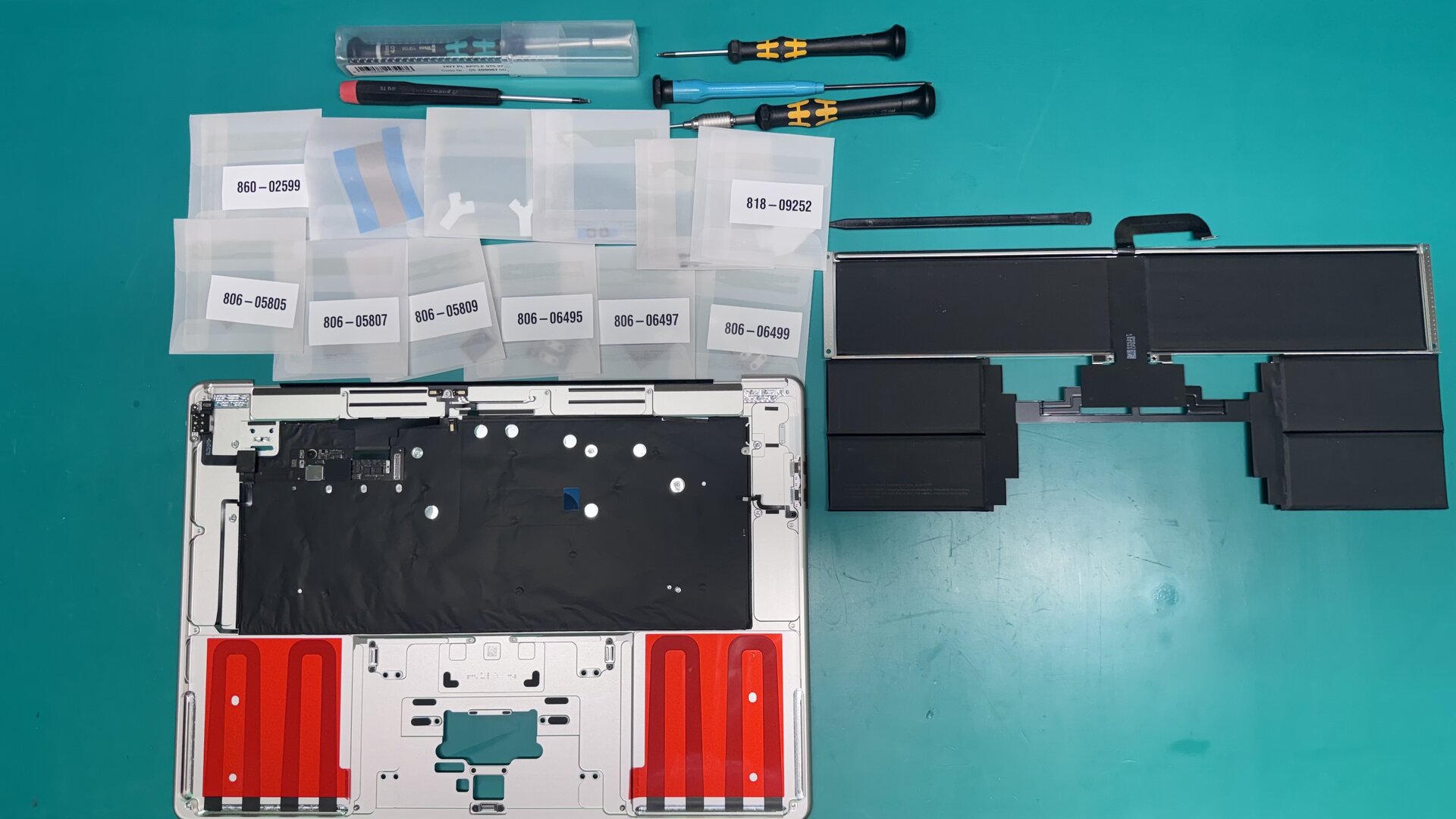
On 2016 and later MacBook Pro and 2018 and later MacBook Air the battery is bonded into the top case with adhesive strips that have to be released with solvent and pull tabs, and the trackpad has to come out to reach some of them. It is careful work rather than a quick swap, and it is the reason the labour on a modern battery is higher than on a 2012 model where the cell was held by screws.
A correctly fitted genuine Apple cell reports a cycle count under five and a Condition of Normal on the first boot, and on T2 and Apple silicon machines the battery health reporting is paired to the system so it resets with the cell. We show you that screen before the machine goes back to you.
Frequently Asked Questions
Can the battery always be replaced on its own?
Not always. On newer Apple Silicon MacBooks, MacBook Air (M1 and later) and MacBook Pro (M1 through M4), the battery is a serviceable standalone part, so we replace just the battery. On many older and Intel-based MacBooks, Apple integrates the battery into the top-case (keyboard/trackpad) assembly and sells it only as one complete part, so a genuine repair means replacing that whole assembly. We confirm exactly what your Mac needs during the free diagnosis before any work begins.
How much does MacBook battery replacement cost?
MacBook battery replacement at WarriorMac ranges from $79 to $325 depending on your model. MacBook Air batteries are at the lower end; MacBook Pro 16-inch batteries are at the higher end. Older models where the battery is part of the top-case assembly can cost more because more of the assembly is replaced.
How do I know when my MacBook battery needs replacing?
Check System Settings > Battery > Battery Health. If maximum capacity is below 80% or the condition says "Service Recommended," it is time for a replacement. Other signs: battery draining in 2-3 hours, the bottom case bulging, or the trackpad not clicking.
Do you use genuine Apple batteries?
Yes. We use genuine Apple battery cells. This ensures proper communication with macOS for accurate health reporting, safe charging, and optimal lifespan.
How long does battery replacement take?
Most battery replacements are completed within 1 business day after we receive your device.
Is a swollen battery dangerous?
Yes. Swollen lithium-polymer batteries can rupture and vent toxic gases. If your MacBook battery is swollen (bulging bottom case, trackpad not clicking), stop using it and get it serviced promptly.