Mac SSD Failure
Why storage failure on a modern Mac is a board level problem
Quick Definition
Mac SSD failure is the loss of the flash storage that holds your system and your data. What makes it different from a failing drive in a generic laptop is that on most Macs built after 2016 the storage is soldered directly to the logic board, so it cannot simply be unplugged and read in another machine.
Three generations of Mac storage
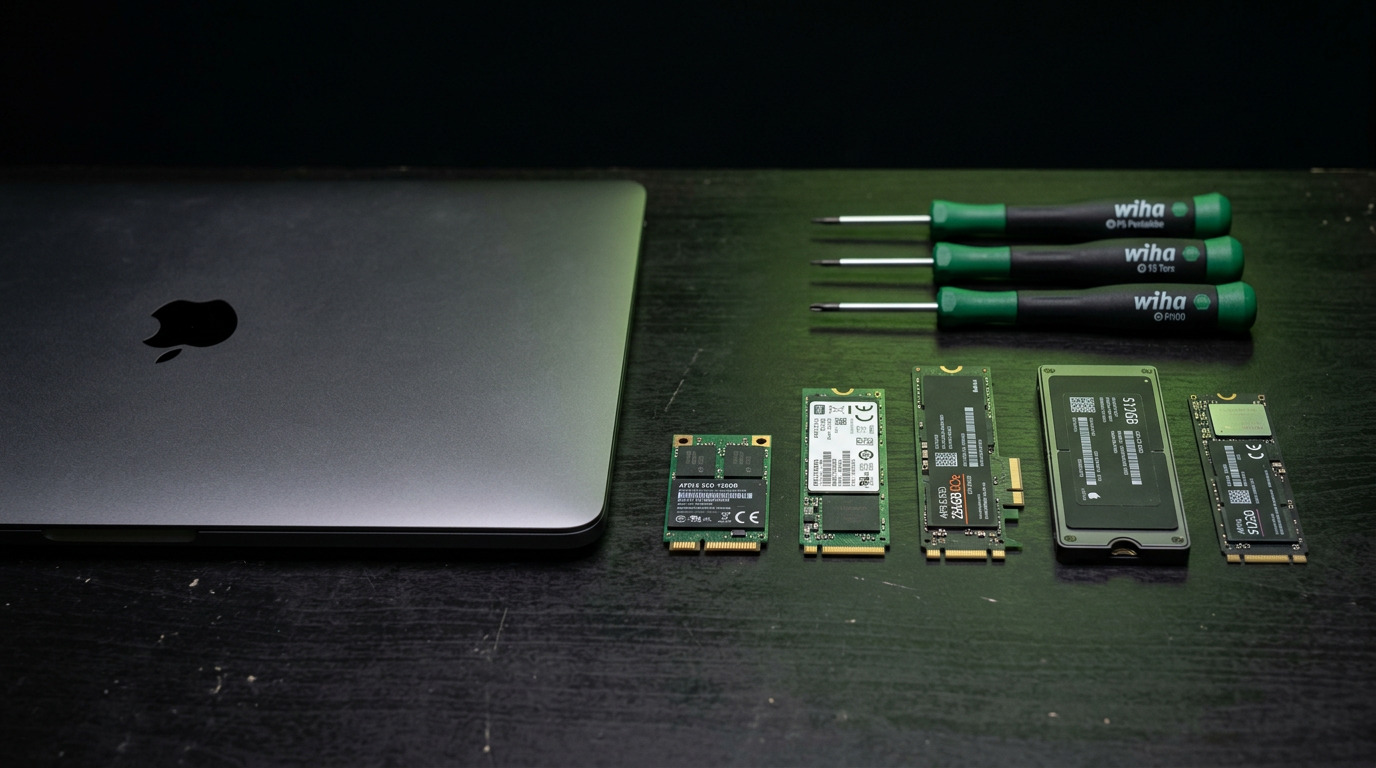
Understanding which type your Mac uses determines everything about recovery. Older machines up to roughly 2012 used a standard removable drive that any technician can pull and image. From about 2013 to 2016 Apple used proprietary blade style SSD modules, which are removable but need a specific adapter to read. From 2016 onward, and universally on Apple Silicon, the NAND flash chips are soldered directly onto the logic board. There is nothing to unplug.
Early warning signs
Storage rarely fails without notice. Watch for the system freezing during ordinary tasks such as saving a file, applications hanging with the spinning wait cursor and then recovering, files that will not open or report as corrupted, unexpectedly slow boot times that keep getting worse, and Disk Utility reporting errors it cannot repair. Any of these on a Mac is a signal to get a backup made immediately, before diagnosis, because a drive showing symptoms can fail completely at any moment.

The folder with a question mark
A flashing folder icon with a question mark at startup means the Mac cannot find a bootable system. That can mean the storage has failed, but it can equally mean the boot volume was corrupted, the system was erased, or on some models the drive connector cable has failed. On 2016 and 2017 MacBook Pro models a failed SSD cable is a known and comparatively cheap fault that mimics total storage failure, which is why it is worth checking before assuming the worst.
Why soldered storage changes recovery
When the NAND is soldered to the board, recovering data means working at the component level. If the board is otherwise healthy and only a supporting component has failed, such as a power rail feeding the storage controller, repairing that component can bring the whole machine back with the data intact. If the NAND itself has degraded, recovery requires specialist equipment to read the raw flash and reconstruct the file system from it. Neither is something a general repair shop can do with software alone.
What encryption means for your chances
Macs with a T2 chip and all Apple Silicon Macs encrypt storage in hardware by default, tied to that specific machine. This is excellent for security and it makes recovery meaningfully harder, because the data cannot be read by moving the flash elsewhere. On these machines the realistic path is repairing the board so the original hardware can decrypt its own storage, which is another reason component level capability matters more than raw data recovery tooling.
What to do right now if you suspect failure
Stop using the machine. Every additional boot attempt and every write operation risks overwriting recoverable data or pushing a marginal component over the edge. Do not run repair utilities repeatedly, and do not reinstall the system, because a reinstall can write over the very blocks holding your files. Power the machine down and get it assessed. Data recovery odds are highest on the first attempt.
How WarriorMac Handles This
WarriorMac handles Mac data recovery including soldered storage on T2 and Apple Silicon machines, working at the component level rather than giving up when the flash cannot be unplugged. Diagnostics are free. Board level repairs carry a 180 day warranty, and repairs using brand new genuine Apple parts carry a 1 year warranty. If your Mac is showing storage symptoms, power it down and bring it in rather than continuing to use it.
Related WarriorMac services & guides
Frequently Asked Questions
Can data be recovered from a MacBook with a soldered SSD?
Often yes. When the board fault is a supporting component rather than the flash itself, repairing that component restores access to the data. When the NAND has degraded, recovery requires reading the raw flash with specialist equipment and rebuilding the file system.
What does the flashing folder with a question mark mean?
The Mac cannot locate a bootable system. That can be storage failure, a corrupted or erased boot volume, or on some 2016 and 2017 MacBook Pro models a failed SSD connector cable, which is a much smaller repair.
What are the early signs of a failing Mac SSD?
Freezes while saving files, applications hanging with the spinning cursor, files reporting as corrupted, boot times getting progressively worse, and Disk Utility finding errors it cannot repair.
Does FileVault or the T2 chip prevent data recovery?
Hardware encryption on T2 and Apple Silicon Macs ties the data to that specific machine, so the flash cannot be read elsewhere. Recovery then depends on repairing the original board so it can decrypt its own storage.
Should I keep trying to boot a Mac with a failing drive?
No. Every boot attempt and every write risks overwriting recoverable data or worsening a marginal fault. Power it down and have it assessed. The first recovery attempt has the best odds.