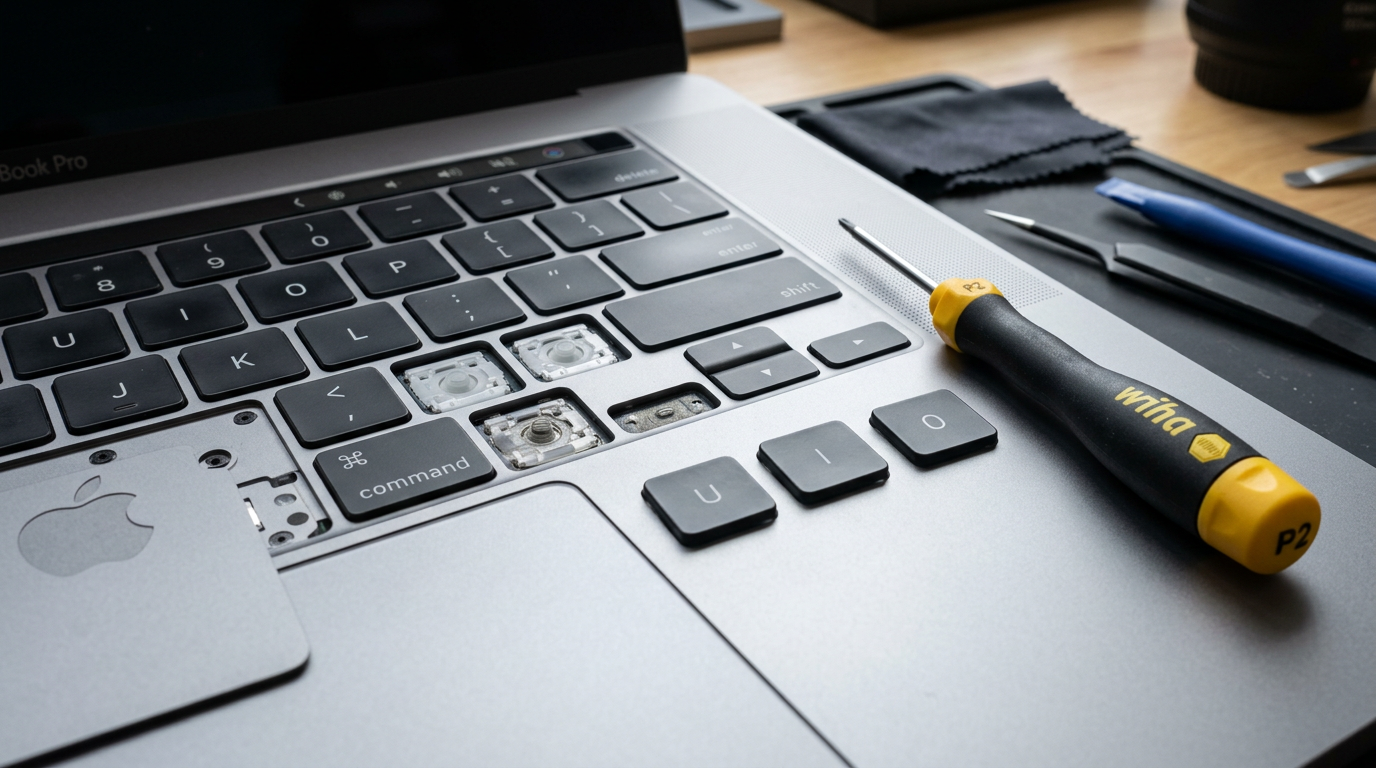
MacBook Keyboard Not Working?
Sticky keys, dead keys, butterfly keyboard issues. We repair and replace MacBook keyboards.
Quick Diagnosis
MacBook keyboard failures are common, especially on 2016 to 2019 models with the butterfly mechanism that is notorious for debris sensitivity. Symptoms range from individual keys that stick, double-type, or do not respond, to an entirely dead keyboard. Causes include debris under the keys, liquid damage, a failed keyboard flex cable, or a logic board issue affecting the keyboard controller.
Common Causes
Here are the most frequent reasons for this problem, ranked by how often we see each one.
Butterfly mechanism failure (2016 to 2019)
CommonApple's butterfly keyboard design is extremely sensitive to dust, crumbs, and debris. A single particle can cause a key to stick, double-type, or stop responding entirely.
Liquid damage
LikelyEven a small spill can damage the keyboard membrane and the flex cable connecting the keyboard to the logic board.
Keyboard flex cable failure
PossibleThe flex cable that connects the keyboard assembly to the logic board can fail, causing some or all keys to stop working.
Logic board keyboard controller
PossibleThe keyboard controller IC on the logic board can fail, rendering the entire keyboard unresponsive even though the physical keys are fine.
Debris under keys
CommonDust, crumbs, sand, or pet hair can work their way under keys (all mechanisms, not just butterfly) and prevent proper key travel and contact.
Try These Steps First
Before bringing your Mac in, try these diagnostic steps at home.
Test with an external keyboard
Connect a USB or Bluetooth keyboard. If the external keyboard works normally, the issue is with the built-in keyboard, not the Mac itself.
Try compressed air
Hold the MacBook at a 75-degree angle and spray compressed air across the keyboard from left to right, then top to bottom. This can dislodge debris under the keys.
Check specific keys
Note which keys are affected. All keys dead = likely flex cable or logic board. Specific keys = likely debris or individual mechanism failure.
Check for recent liquid exposure
If the keyboard stopped working after a spill (even a small one), liquid damage is the likely cause and the Mac should be inspected internally.
What WarriorMac Does Differently
We diagnose whether the keyboard issue is mechanical (debris, butterfly failure), electrical (flex cable, liquid damage), or logic board-level (keyboard controller). For butterfly keyboard failures, we replace the keyboard assembly. For liquid damage, we clean and repair affected components. For logic board issues, we perform component-level micro-soldering.
Repair Options & Pricing
Keyboard cleaning and service
Deep cleaning to remove debris from under keys, with key mechanism lubrication and testing.
Individual key replacement
Replacement of individual key caps and mechanisms for keys that are broken, missing, or stuck.
Full keyboard assembly replacement
Complete keyboard replacement (includes top case on integrated models). Genuine Apple keyboard.
Keyboard controller repair
Board-level micro-soldering for keyboard controller IC failure on the logic board.
Frequently Asked Questions
How much does MacBook keyboard replacement cost?
Is the butterfly keyboard still a problem?
Can you fix just one key on a MacBook?
Related Services
Still Not Fixed?
Bring it to us or ship it in. Free diagnosis, no-fix-no-fee guarantee, 25 years of experience.