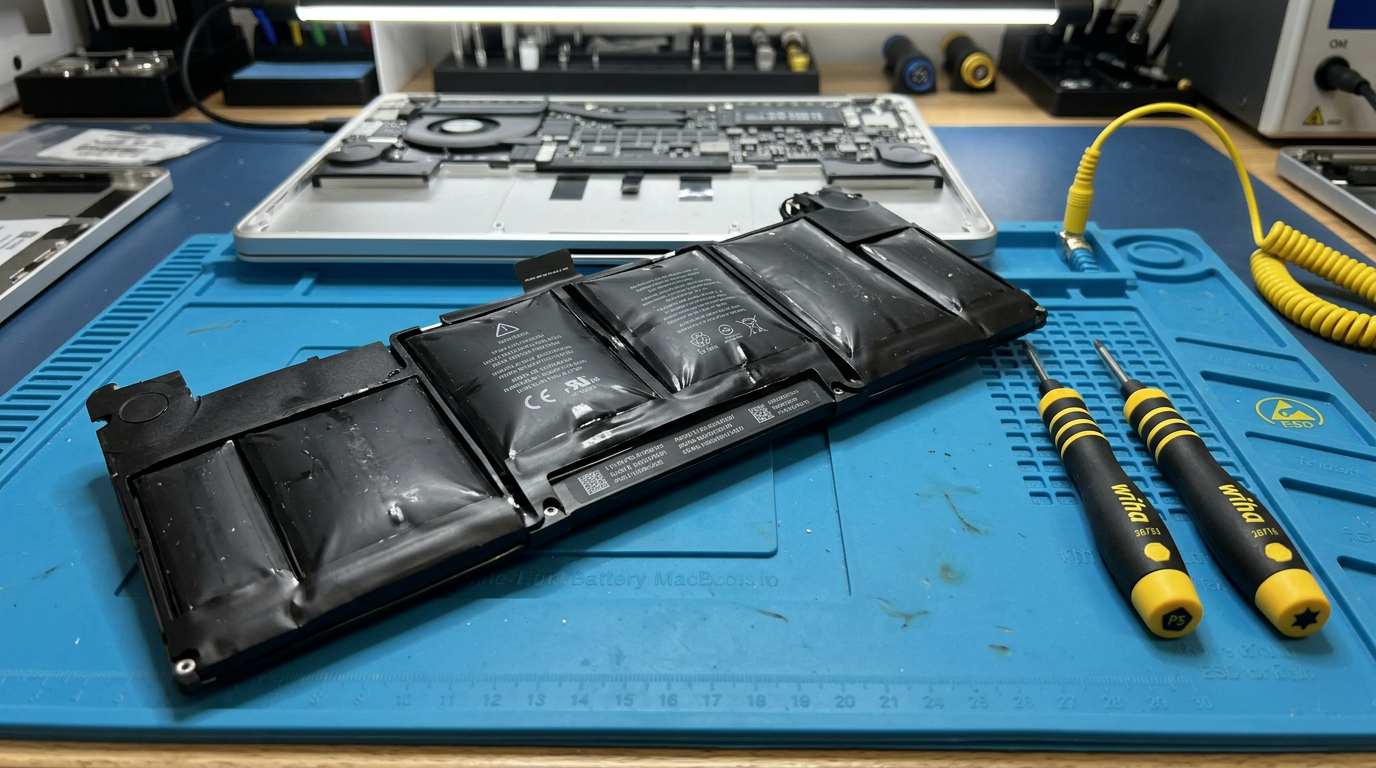
MacBook Battery Swelling?
A swollen battery is a safety concern. We replace it safely with genuine Apple cells.
Do not attempt to puncture, pry, or remove a swollen battery yourself. Damaged lithium-ion cells can release toxic fumes or, in extreme cases, ignite. Professional removal is strongly recommended.
Quick Diagnosis
A swollen MacBook battery is caused by gas buildup inside degraded lithium-ion cells. Telltale signs include a trackpad that no longer clicks properly (or pops up), a case that no longer sits flat, gaps between the top case and bottom case, or visible bulging on the bottom panel. While swollen batteries rarely catch fire, they should be addressed promptly, as continued swelling can damage the trackpad, keyboard, and even the logic board.
Common Causes
Here are the most frequent reasons for this problem, ranked by how often we see each one.
Natural battery degradation
CommonAll lithium-ion batteries degrade over time. After 3 to 5 years or 500 to 1,000 charge cycles, chemical changes inside the cells can produce gas that causes swelling.
Heat exposure
LikelyProlonged exposure to high temperatures (leaving the MacBook in a hot car, using it on soft surfaces that block airflow) accelerates battery degradation and swelling.
Overcharging or charging fault
PossibleA faulty charging circuit that does not properly regulate voltage and current to the battery can cause premature swelling.
Manufacturing defect
RareIn rare cases, a defective battery cell can swell prematurely even within the first year of use.
Try These Steps First
Before bringing your Mac in, try these diagnostic steps at home.
Check the trackpad
If the trackpad feels raised, does not click properly, or makes a crunching sound when pressed, the battery underneath is likely swelling and pushing it up.
Look for case gaps
Place the MacBook on a flat surface. If it wobbles, or you can see gaps between the top case and bottom panel, the battery is expanding inside.
Check battery health
Go to Apple menu > About This Mac > System Report > Power. "Condition: Service Battery" or very low max capacity relative to design capacity confirms degradation.
Stop using it on soft surfaces
If the battery is swollen, avoid using the MacBook on beds, pillows, or couches. Use it on a hard, flat surface to minimize heat and pressure.
What WarriorMac Does Differently
We safely remove the swollen battery using Apple-prescribed procedures and proper safety equipment. We then inspect the trackpad, keyboard, and logic board for any damage caused by the swelling. The new genuine Apple battery is installed, calibrated, and health-verified before returning the Mac to you.
Repair Options & Pricing
Battery replacement
Safe removal of the swollen battery and installation of a genuine Apple replacement with full health calibration.
Battery + trackpad repair
Battery replacement plus trackpad recalibration or replacement if the swelling caused trackpad damage.
Battery + top case replacement
On models where the battery is integrated into the top case (keyboard/trackpad assembly), the entire assembly is replaced.
Frequently Asked Questions
Is a swollen MacBook battery dangerous?
How much does it cost to replace a swollen MacBook battery?
Why did my MacBook battery swell?
Can I still use my MacBook with a swollen battery?
Related Services
Still Not Fixed?
Bring it to us or ship it in. Free diagnosis, no-fix-no-fee guarantee, 25 years of experience.